

We announced the public preview of Copilot Code Review for Azure Repos in late August. Since then, we have continued to make improvements, fix bugs, and add new features.
We wanted to share an update on some of the recent changes.
Effort levels
The effort level controls how much time Copilot spends reviewing a pull request. This gives you more control over the depth of the review and can help reduce costs when a detailed code review is not needed.
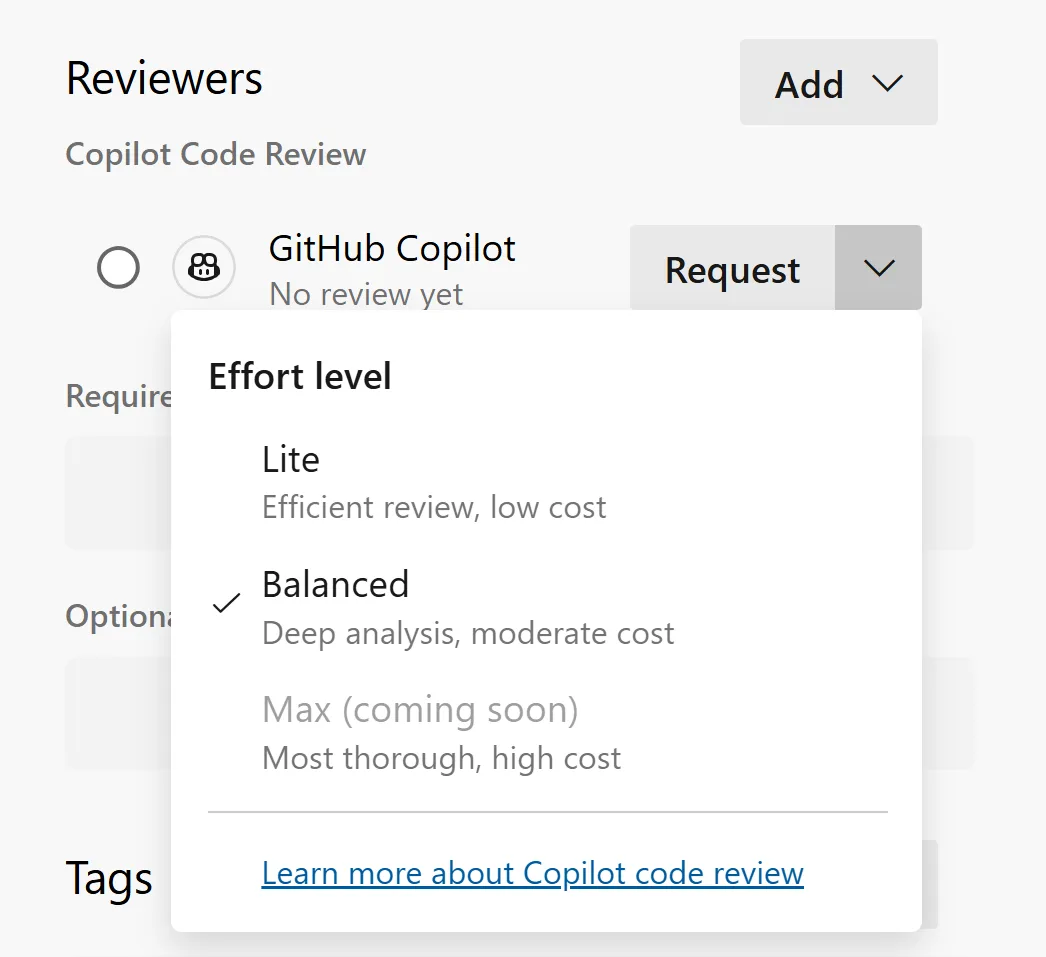
You can set the default effort level to Lite or Balanced at the project and repository level. Project admins can set a default for all repositories in a project, while individual repositories can set their own default when needed.
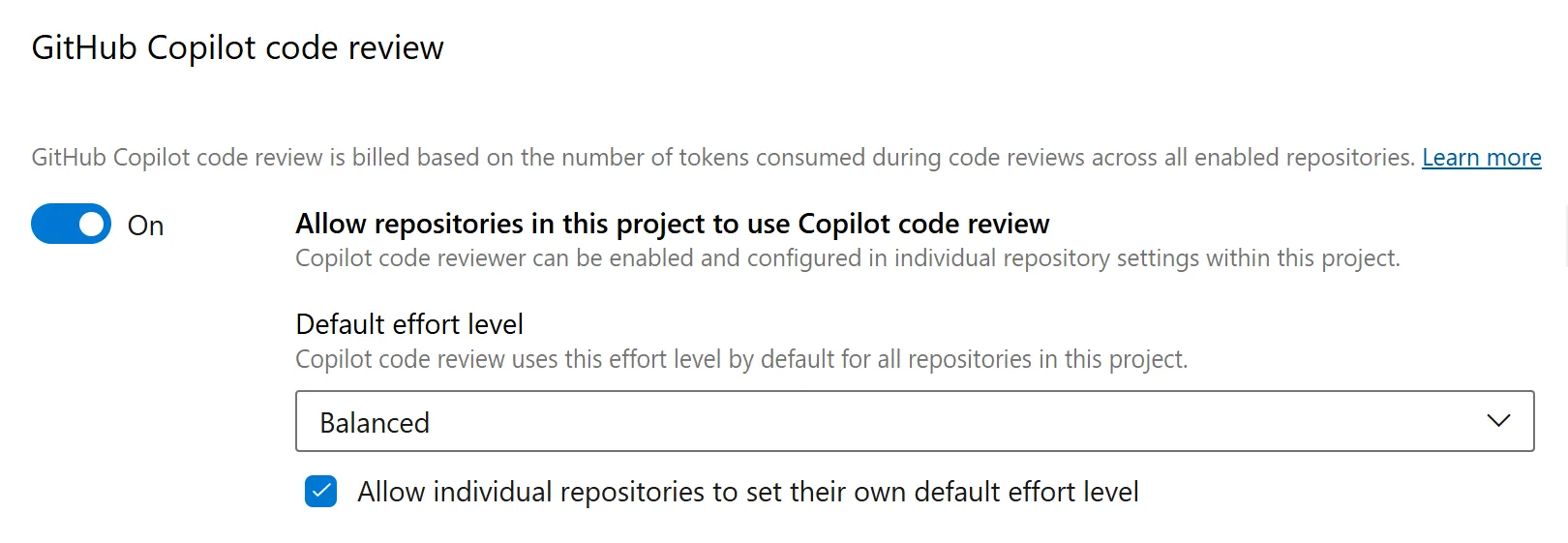
This gives teams the flexibility to choose the right level of review based on the needs of each project or repository.
Better way to resolve comments
We’ve made it easier to resolve comments as you apply suggestions.
Previously, you had to apply the suggested changes, commit them, and then go back and resolve each comment individually. Now, when you apply and commit suggested changes from a Copilot review, you can resolve all related comments at the same time.
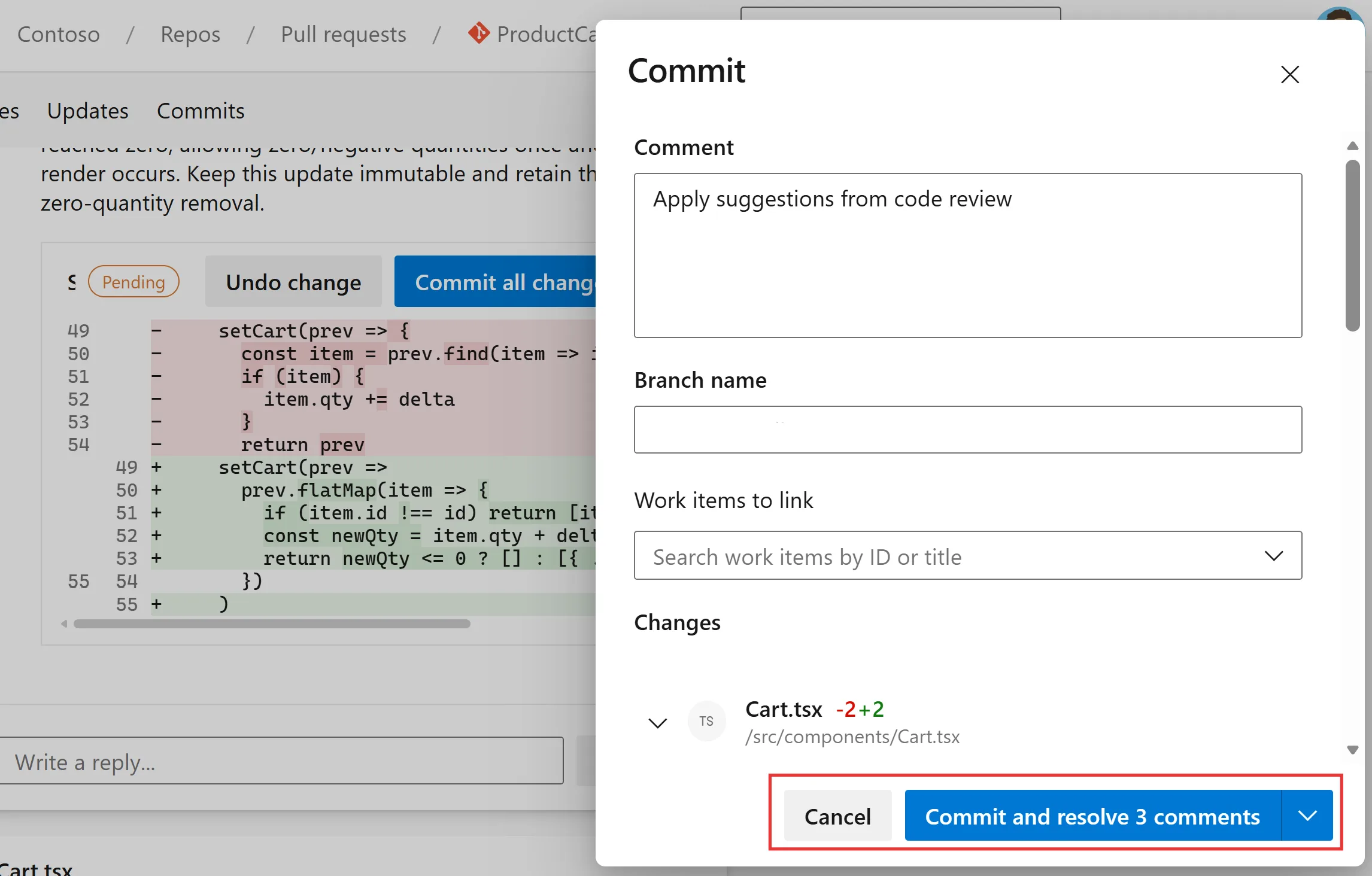
This makes it faster to work through pull request comments and gives you a clearer view of what still needs your attention.
Audit log events
Copilot Code Review usage is charged to the subscription for each code review, making it important for organization administrators to understand where Copilot Code Review is enabled and if any settings have been changed.
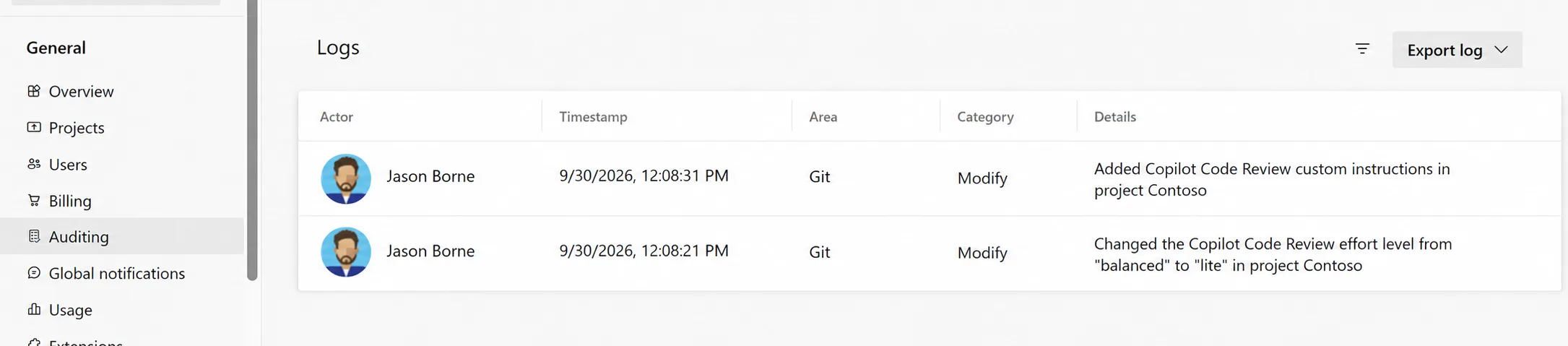
To provide better visibility, we have added several new events to Azure DevOps audit logs. These events capture:
- Copilot Code Review is enabled or disabled at the organization, project, or repository level.
- Changes to the configured agent pool
- Changes to custom instructions at the organization or project level
- Changes to the default effort level at the project or repository level
- Branch policies added for automatic code reviews at the project or repository level
- List item
These events are available on the Auditing page in Azure DevOps, where administrators can review Copilot Code Review configuration changes across the organization.
More features to come
These features are currently rolling out to customers and should be available to everyone over the next two to three weeks.
We will continue to address customer feedback and add new features over the next couple of months.
If you have not already, give Copilot Code Reviews for Azure Repos a try and send us your feedback. We would love to hear what you think.


We are currently evaluating it and it seems fine. Any idea on the timeframe for tagging copilot on a work item and have it propose a PR like on github?
We currently do not have plans to integrate the GitHub cloud agent with Azure Repos. However, this experience is available today if you move your repositories to GitHub.
You can learn more in the GitHub Copilot for Azure Boards announcement.