

Today, we’re announcing the general availability of Copilot Code Review for Azure Repos, bringing the power of GitHub Copilot to Azure DevOps.
Thank you to everyone who participated in the private preview in June and the public preview in August. Your feedback helped us improve the experience and prepare for general availability.
With Copilot Code Reviews, teams can use Copilot to review pull requests in Azure Repos, identify potential issues, and suggest code changes before the code is merged.
Here’s how to get started.
Enable Copilot Code Review
Organization administrators can enable Copilot Code Review under Organization settings > Repos > Repositories.
You can enable it across all projects and repositories or allow project and repository administrators to manage their own settings.

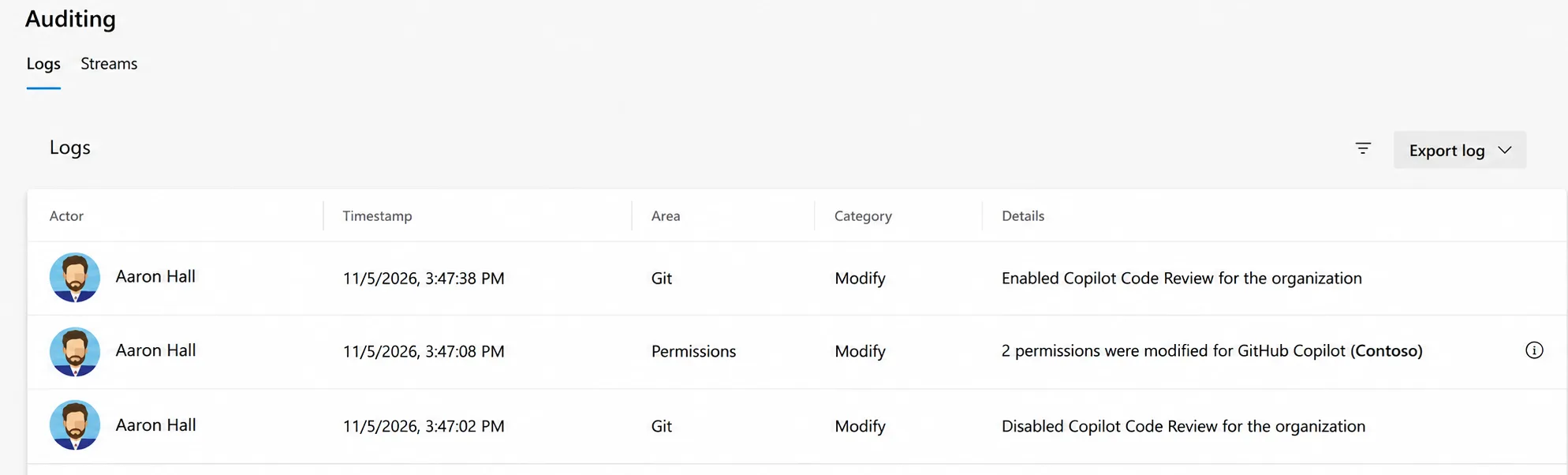
All configuration changes are recorded in the Azure DevOps audit log, so administrators can track where Copilot Code Review is enabled and who made changes.
Configure reviews for your team
You can customize how Copilot reviews code based on your team’s needs.
Custom instructions let you define coding standards and review guidelines. You can apply them at the organization, project, or repository level. You can also reference skills in your custom instructions.
Effort levels control how thoroughly Copilot reviews a pull request. You can set Lite or Balanced as the default for a project or repository, or choose a different level for an individual review. Lighter reviews use fewer credits and cost less.
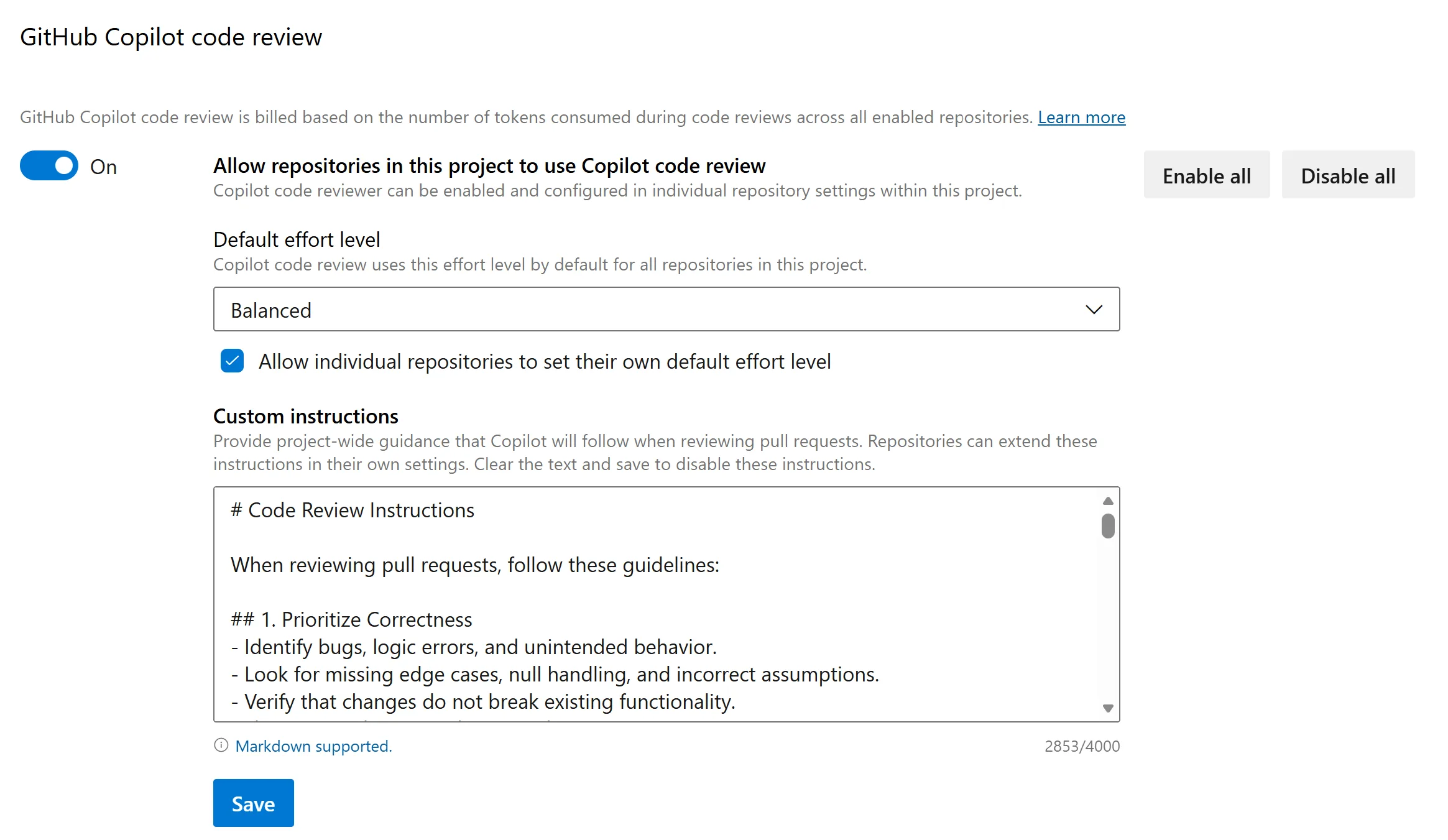
Automatic reviews let you run Copilot on every pull request, including drafts. Add a branch policy to the target branch, and Copilot will automatically review new pull requests.
Request a review
Open a pull request and select Request next to GitHub Copilot in the Reviewers section.
Copilot adds comments to lines where it identifies potential issues. When possible, it also provides suggested changes that you can apply with one click.
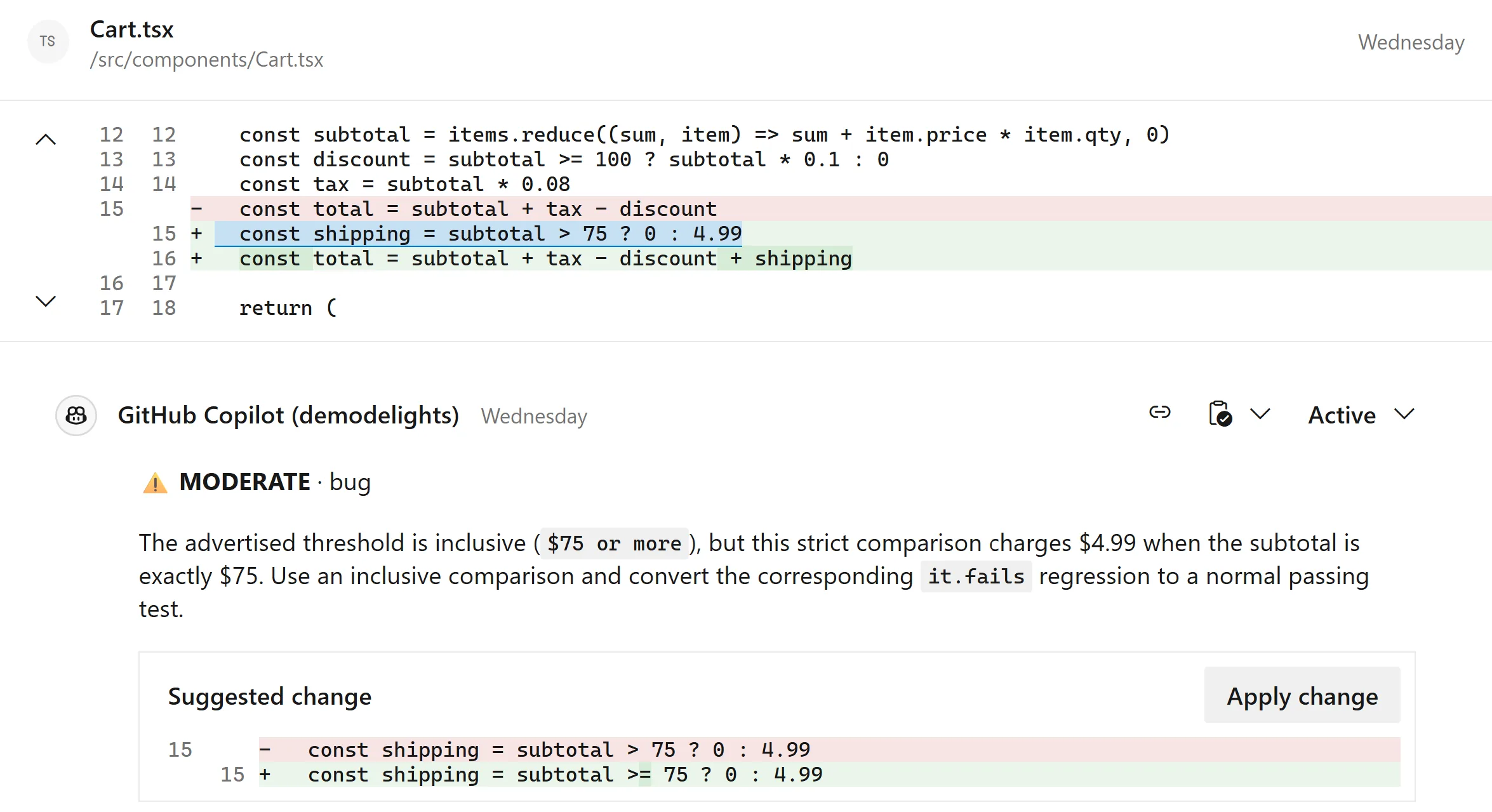
After applying and committing suggestions, you can resolve the related comments together instead of resolving each one individually.
Copilot does not approve pull requests or block merges. Your team remains responsible for reviewing and approving code.
Billing and cost management
Copilot Code Review uses usage-based billing, with charges billed to the Azure subscription linked to your Azure DevOps organization. Each review consumes tokens that are converted into GitHub AI credits at a rate of $0.01 USD per credit. The cost depends primarily on the size of the pull request and the selected effort level.
Charges appear as a separate meter in Azure Cost Management. They also include Azure DevOps project tags, so you can filter or group costs by project and see which teams are driving usage.
You can also set budget alerts for Copilot Code Review, including alerts for specific projects. Azure will notify you by email when actual or forecasted spending reaches a threshold you define.

We recommend starting with one or two repositories and monitoring usage and costs before rolling out more broadly.
What’s next
As much as we are excited to announce Copilot Code Reviews as generally available, we still have work to do. You can track the up and comings features on the public roadmap.
Get started today
Copilot Code Review is now generally available for Azure Repos. Enable it for your team, try it on your next pull request.
For more information, see the Copilot Code Review documentation and billing FAQ.


0 comments
Be the first to start the discussion.