



The Azure DevOps Plugin is now available in Microsoft Copilot. It brings Azure DevOps directly into Copilot Cowork, so you can work with your projects, work items, pull requests, test plans, pipelines, and more without switching to Azure DevOps.
The plugin also includes built-in skills to help with everyday development tasks. You can quickly see what needs your attention, triage bugs, and turn ideas or feature requests into structured backlogs with epics, features, user stories, and acceptance criteria. All of this can be done directly from Copilot.
Copilot Cowork with Azure DevOps
One of the biggest advantages of the Azure DevOps Plugin is that you can work with Azure DevOps alongside other Microsoft content, such as Word documents and meeting notes.
For example, you can take a requirements document and turn it into a feature with related work items in Azure DevOps. You can also use meeting notes to add comments to relevant work items.
Instead of switching between tools and copying information back and forth, you can bring everything together in Cowork.
Getting Started
First, install the plugin. In Cowork, go to Customize and search for “Azure DevOps”. Select the Azure DevOps Plugin and install it.

Installation only takes a few moments. Once it’s complete, you can connect the plugin to your Azure DevOps organization. Enter your organization name and select Connect.
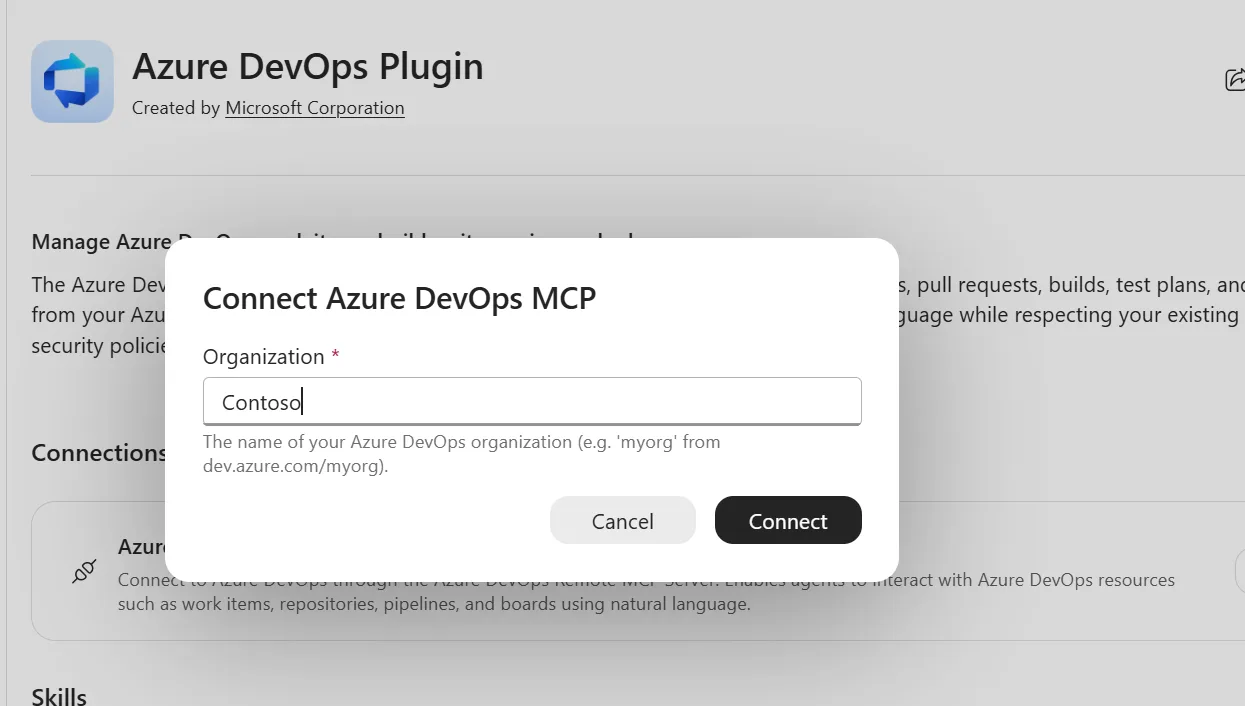
That’s it. You’re ready to start working with Azure DevOps from Copilot Cowork.
As a simple example, you can ask Cowork to review your backlog and identify the top three things you should focus on today.
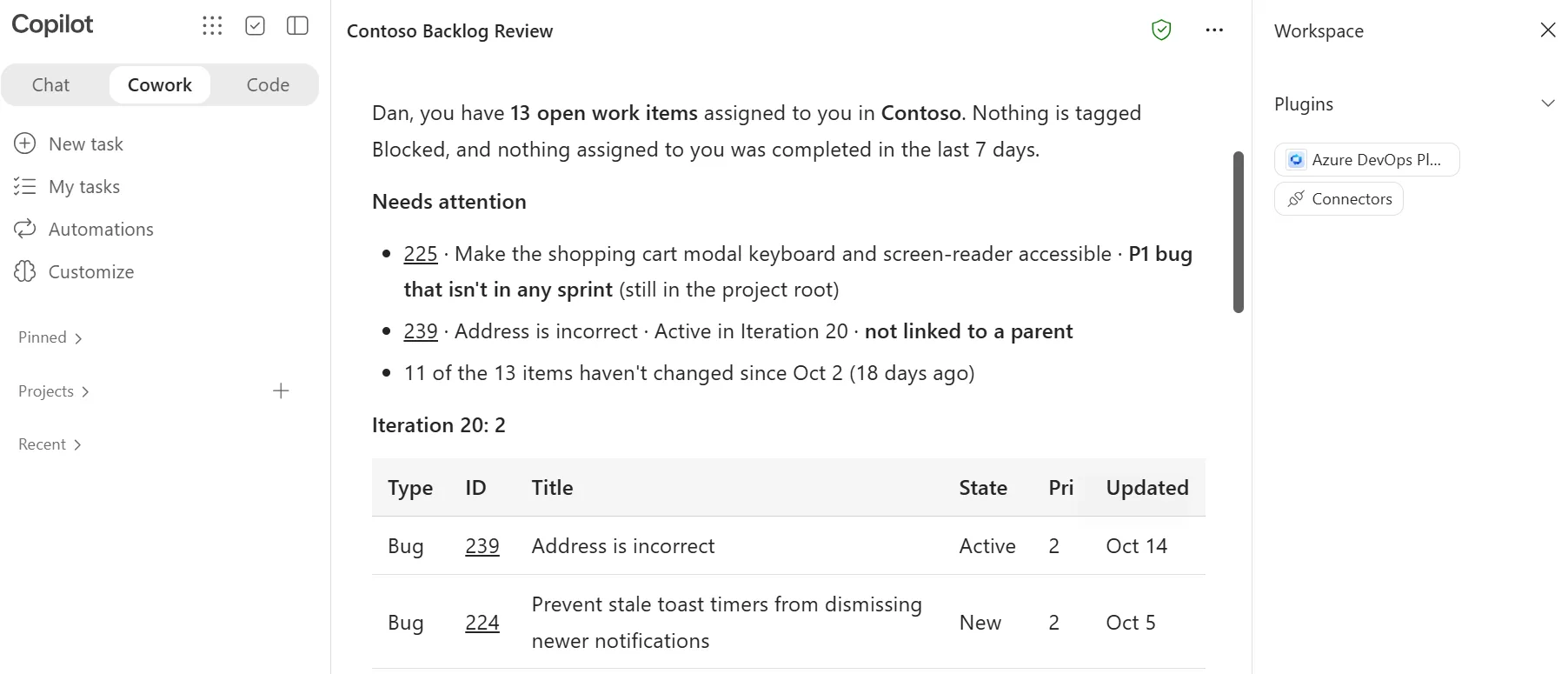
Start using it today
With the Azure DevOps Plugin, you can manage development tasks alongside your documents, meeting notes, and other Microsoft content without leaving Copilot Cowork.
The examples above are just a starting point. Install the plugin, connect your Azure DevOps organization, and try asking Cowork what needs your attention today.


I have another question. It seems that there can only be one instance of this plugin, and it can only be connected to one DevOps organization at a time. Is that correct, or is there a way to connect to multiple Orgs? As a consulting organization, we have many DevOps organizations in our tenant for different use cases.
Thank you.
This has already been resolved, and organization value is optional. Keep in mind though when you do this, you will need to provide the organization name for each tool call or add it to your instructions. Also, the organizations all need to be in the same tenant.
We don’t see this in our European or UK tenants. Is it rolling out to different geographies at different times? I see it in two of my US tenants.
In turns out there was a bug in Cowork on and how the plugin gets deployed out across all the regions. It took the team a little while to figure out what was going on. They are expected to have this fixed next week.
+1
Would like to know when this is resolved.
What about Azure DevOps server 2022? Looks like Plugin is accessible and can access Azure DevOps Services. Do we have any work around or other alternative?
Sorry, the plugin does not support Azure DevOps Server 🙁
how about M365 Copilot Agent builder agents – can they connect?