

We’re excited to announce the latest 1.22 release of the CMake Tools extension for Visual Studio Code. This update brings a host of new additions, including project outline updates for filtering and bookmarking CMake targets in large CMake projects and expanded CTest support to customize this output. To view the full list of updates with this release, please look at our CHANGELOG.
This release features the following contributions from our open-source community. Thank you for your continued support!
- Add bookmarks and filtering of outline view by @bradphelan
- Add pre-fill project name using current folder name by @ho-cooh
- Add API v5 which adds presets api by @OrkunTokdemir
- Add output parser for include-what-you-use by @malsyned
- In test explorer, associated CTest tests with outermost function or macro invocation that calls add_test() instead of with the add_test() call itself by @malsyned
- Better support of cmake v4.1 and its error index files in cmake-file-api replies by @STMicroelectronics
- Fix bug in which clicking “Run Test” for filtered tests executed all tests instead by @hippo91
- Fix auto-focusing the “Search” input field in the CMake cache view by @simhof-basyskom
Project Outline view updates: Filter and bookmark your CMake Targets
Navigating through large CMake projects with many nested targets can sometimes be difficult. The Project Outline view has been updated to have filtering and bookmarking support, making it easier to manage your CMake targets.
Filter through complex target outlines
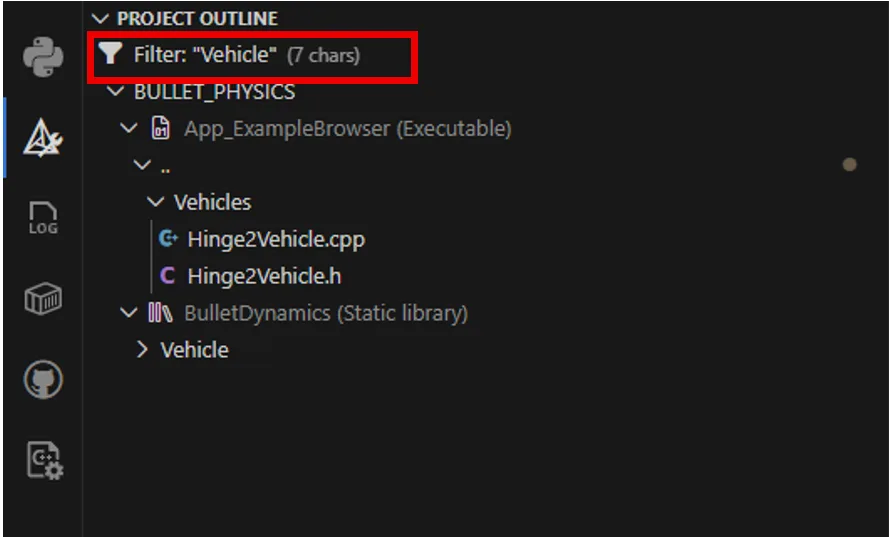
You can now filter the Project Outline view to quickly locate specific targets in large projects. This is especially useful when working with projects that generate dozens of targets across multiple subdirectories.
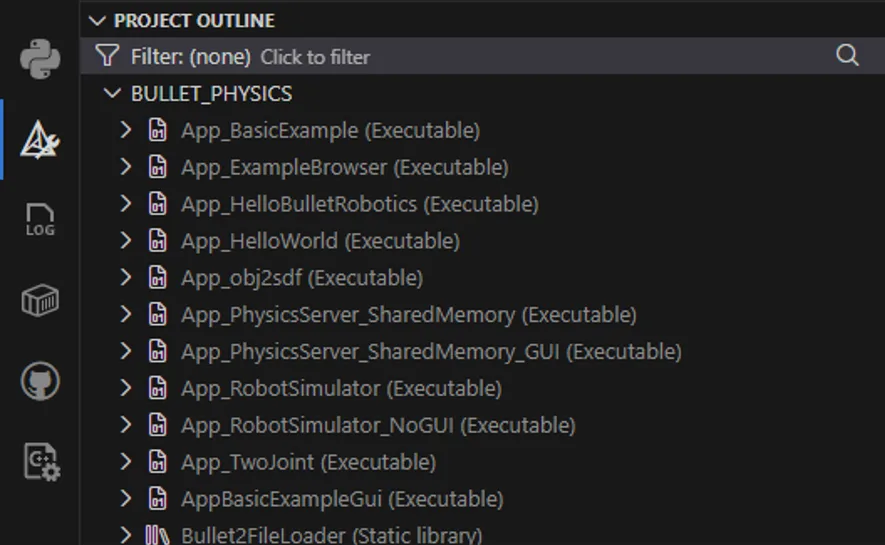
For example, you might filter targets by a feature area or naming convention.
Bookmark commonly used CMake targets
CMake Tools now supports bookmarking commonly used targets so they appear in a dedicated Bookmarks section in the CMake sidebar. This provides quick access to targets you build, debug, or run most often, without having to repeatedly search through the full project hierarchy.
To bookmark a target, navigate to the desired target in the Project Outline view and select Toggle Bookmark.
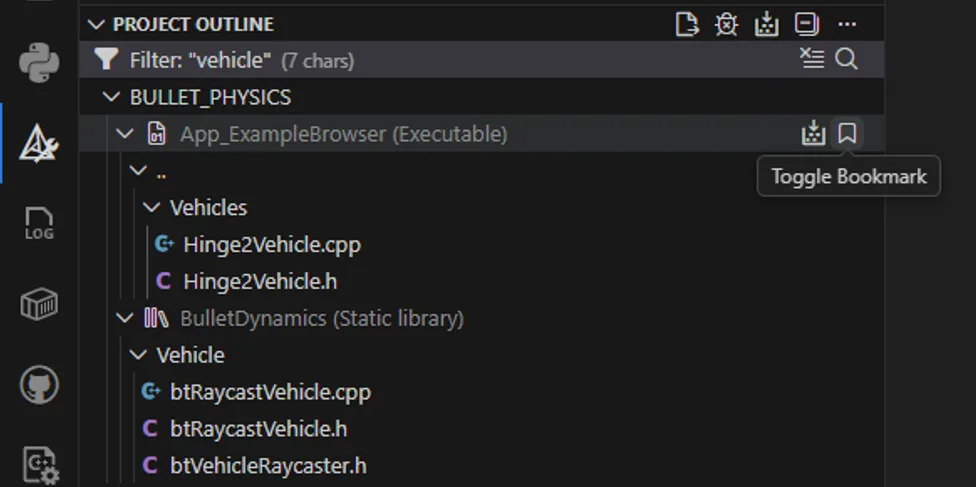
This will add the selected target to the separate Bookmarks section in the CMake sidebar. From here, commonly used targets can be built, debugged, or ran in the terminal.
Improved CTest failure output.
This release also improves the CTest experience by adding support for configurable failure patterns. With the new Failure Patterns setting, you can tell CMake Tools how to interpret test output so failures surface more useful and structured information.
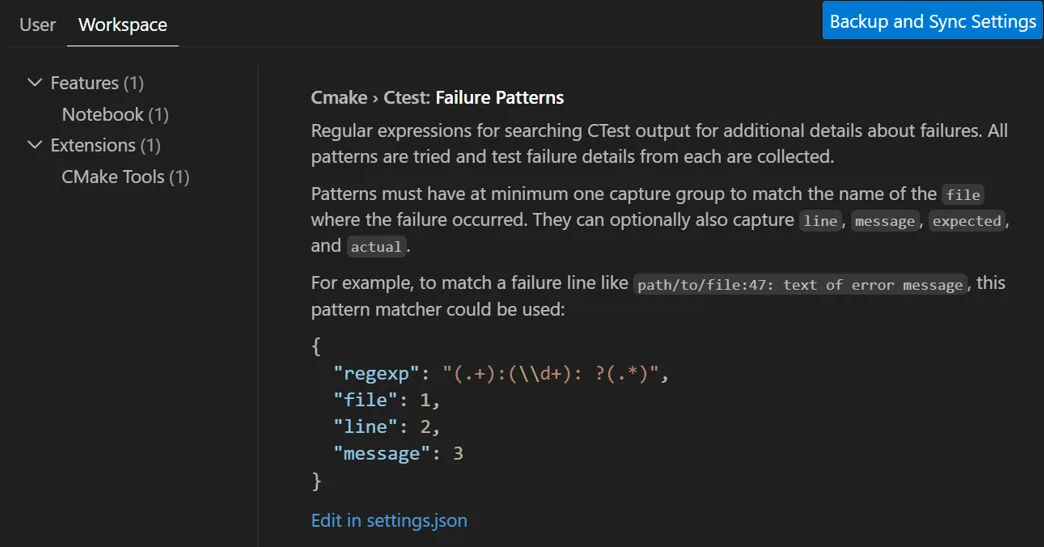
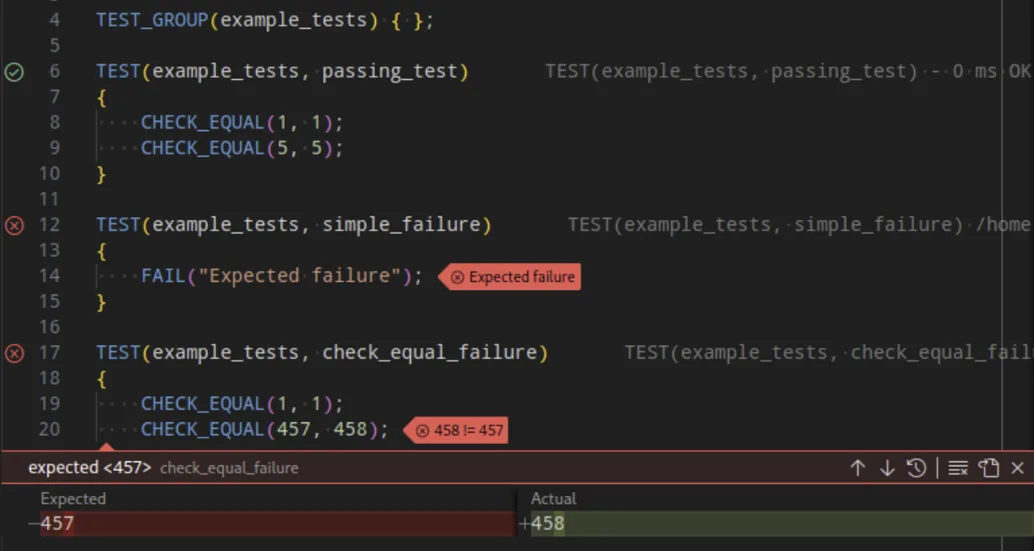
This is particularly helpful for test frameworks where important failure details, such as diffs or assertion outputs, are embedded in test logs. Instead of manually digging through raw output, you can define patterns that extract and highlight the relevant information directly after a test fails.
For example, you can define how CHECK_EQUAL shows diffing straight to the user.
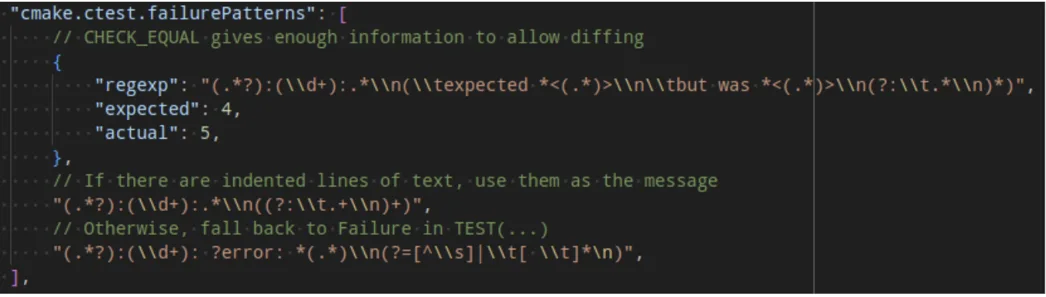 This allows the user to have a transparent view of their test failures and quickly debug any test output.
What do you think?
Download Visual Studio Code and our C++ extensions (CMake Tools and C/C++) and let us know what you think. We would love to see what you contribute to our repo. Please create an issue if there’s anything you’d like to see and upvote/downvote any existing issues. Comment below or reach us via email at visualcpp@microsoft.com, via X at , or via Bluesky at @msftcpp.bsky.social.


0 comments