


C++ dependency setup and maintenance still slows down many teams. In my Pure Virtual C++ 2026 session, I show a terminal-first workflow that ends with a working CLI app that formats and prints programming quotes, built with CMake and Microsoft C++ (MSVC) Build Tools. All of this is powered by GitHub Copilot CLI, which does the work of generating the code and project files, identifying appropriate open-source library dependencies, installing the vcpkg package manager, and integrating the libraries into the project.
What is GitHub Copilot CLI?
GitHub Copilot CLI is the command-line implementation for GitHub Copilot, allowing you to run agents in a terminal window. You can use it as an AI chat interface, give it work to do semi- or fully autonomously, optionally across multiple parallel subagents. For C++ developers, Copilot CLI is a valuable tool for work you would be comfortable doing in the command line yourself, from generating code to compiling projects and debugging issues. You can persist and manage Copilot sessions, customize your environment with plugins, custom agents, MCP servers, skills, hooks, and models, and seamlessly switch from working in the command line to using Copilot in another environment like Visual Studio Code (VS Code). Once you get into the groove, using it feels as natural as a web browser or an IDE.
Check out the Pure Virtual C++ video
What this demo covers
This walkthrough will show you the following:
- You can use Copilot to help you install the tools you need, including the vcpkg package manager. Copilot can also help you identify appropriate library dependencies, describe what each one does, and integrate them into your project.
- vcpkg removes manual dependency wiring. You declare dependencies once in
vcpkg.json, and restore is part of your normal configure/build flow. - Copilot helps you complete multi-step setup work without context-switching between docs and terminal commands.
- You can work with Copilot on additional instructions, like setting an appropriate
builtin-baselineto pin dependencies for reproducible builds while retaining the flexibility to upgrade later without introducing ABI-breaking changes in your dependency graph.
This walkthrough starts from the first prompt and ends with a successful build: start in an empty folder, stay in the terminal, and avoid hand-managed include and link paths.
Read-along Walkthrough
This section is written so you can follow along with the video demo.
Step 0: Configure Copilot CLI environment
Before you get started, make sure your environment is set up and ready to go:
- Install GitHub Copilot CLI with your preferred package manager or a script.
- Make sure you have CMake and a compiler installed on your system. In this video I used CMake with MSVC Build Tools on Windows.
- Choose your preferred terminal application. On Windows, I recommend Windows Terminal, which supports multiple color-coded, custom-named tabs as I show in the video.
- Create and navigate to a directory to work in (e.g.
mkdir quotecli). Add a subfolder calleddatawith aquotes.jsonfile that looks something like this:{"quotes": [ { "text": "Any sufficiently advanced technology is indistinguishable from magic.", "author": "Arthur C. Clarke" }, { "text": "Simplicity is prerequisite for reliability.", "author": "Edsger W. Dijkstra" }, { "text": "Controlling complexity is the essence of computer programming.", "author": "Brian Kernighan" }, { "text": "That brain of mine is something more than merely mortal, as time will show.", "author": "Ada Lovelace" }, { "text": "First, solve the problem. Then, write the code.", "author": "John Johnson" }, { "text": "The most important property of a program is whether it accomplishes the intention of its user.", "author": "C.A.R. Hoare" }, { "text": "Programs must be written for people to read, and only incidentally for machines to execute.", "author": "Harold Abelson" }, { "text": "Premature optimization is the root of all evil.", "author": "Donald Knuth" } ] } - Run Copilot in your terminal from your working directory root by typing
copilot.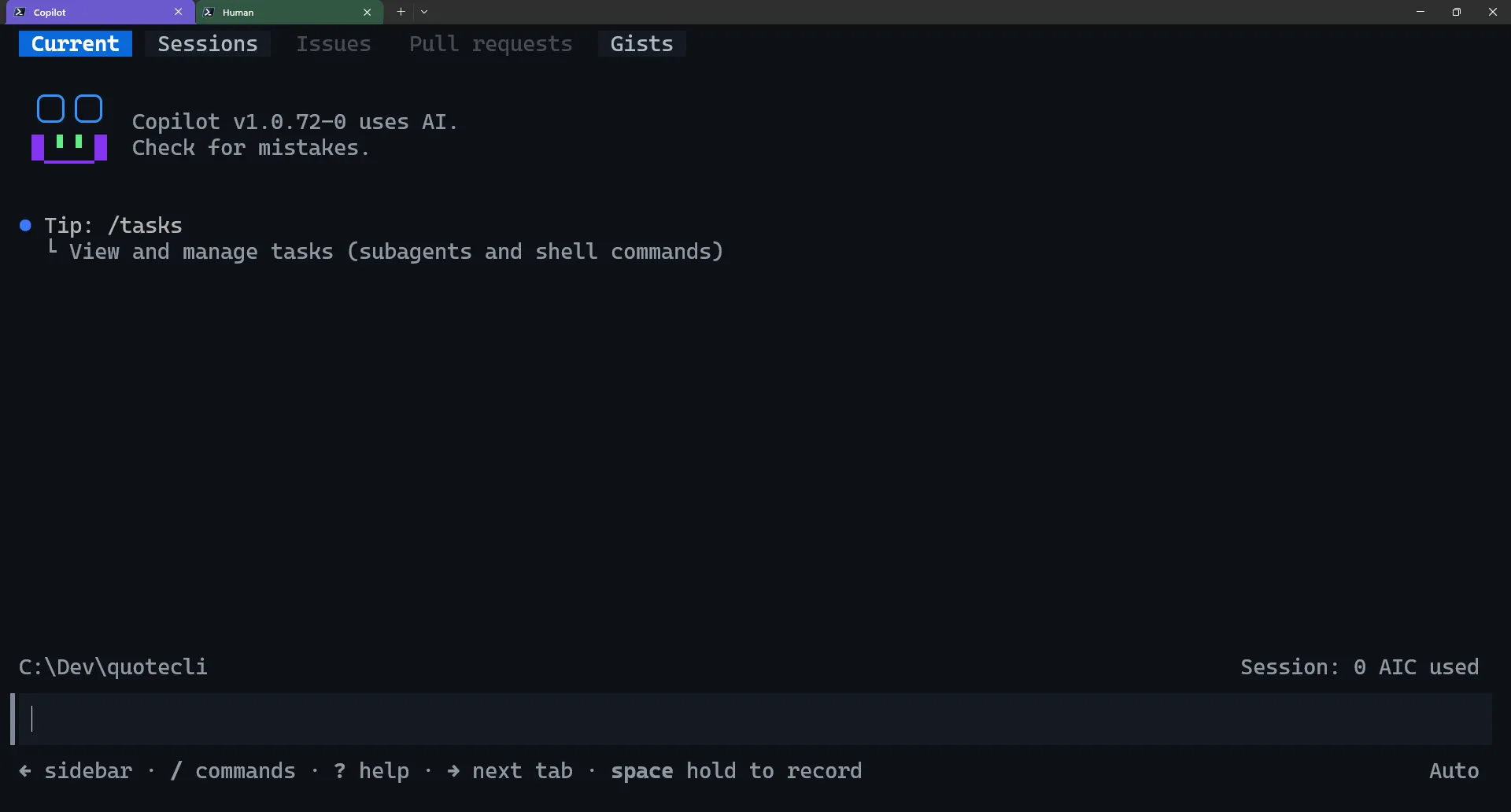
- Install the C++ language server protocol plugin, described in Streamline C++ code intelligence setup in Copilot CLI. This is recommended for any C++ work with Copilot CLI, as it enables the semantic intelligence you’re used to in Visual Studio and VS Code in the CLI environment. In Copilot CLI, run
/plugin install cpp-language-server@copilot-plugins. - Select your preferred model by running
/model. I recommend starting with “Auto”, which lets Copilot select an appropriate model per task (optimizing between token cost and correctness). You can also manually select a specific model. - Optional: Install a vcpkg custom skill I wrote that gives Copilot additional guidance when working with vcpkg. Copilot does a pretty good job on its own, but this lets you handle more advanced scenarios in a more prescriptive way. Plus you can always edit the skill later to further control Copilot’s behavior. To install, download it to your machine, and run
/skill add local-path-to-skill. Note: This skill isn’t officially maintained by Microsoft; it’s there to get you started with a customizable workflow, should you want it.
Step 1: Set the context and ask Copilot CLI to build a plan
Begin by typing Shift+Tab until you transition Copilot into Plan Mode. This mode causes Copilot to discuss an implementation plan with you before it begins working, and is useful if you want to use Copilot on something complex, such as a multi-step workflow. This allows you to check what Copilot wants to do before doing it, so you can intervene and correct it if necessary.
Next, type a prompt similar to the following:
I want to write a C++ console application that prints a random software development quote with pretty formatting from a list specified in data/quotes.json. I want to build with CMake and MSVC with some open-source libraries from vcpkg. I already have both CMake and MSVC installed, but don't have vcpkg. Install vcpkg and include it in this directory for use. I don't know what C++ libraries to use, help me work that out too.Expected result: Copilot produces a plan describing what it wants to build, how the project will be structured, the expected behavior of the app, and docs (README file).
Step 2: Accept plan and build
Once Copilot has prepared the plan, if you are satisfied with it, you can select Accept plan and build on default permissions. This allows Copilot to begin working, while continuing to ask your permission to run commands and modify files. You could instead choose Accept plan and build on autopilot if you want Copilot to work autonomously and notify you when it finishes. You can also suggest changes if you’re not happy with the plan, and iterate until you’re ready to proceed.
Expected result: Copilot CLI proposes library choices, sets up a CMake project, installs and initializes vcpkg in the repo, creates a vcpkg.json manifest, and builds the project to test that there are no errors. It may iterate on its work several times as it identifies new issues that need to be addressed (e.g. selecting the appropriate CMake generator for what you have installed on your system).
Step 3: Ask clarifying questions
You can ask Copilot to explain its decisions or to give you a better understanding of the resulting project. Here are some example prompts:
Explain each library you chose, what problem it solves in this app, and where we use it.Can you give me some boilerplate code for using <library> in a similar context?How do I build and run this project?Expected result: you get a short technical explanation for the topic(s) you want explained. Based on the answers, you can decide whether to instruct Copilot to make further changes.
Step 4: Test the application
In a separate terminal window/tab, configure CMake, build, and run:
cmake --preset msvc-debug
cmake --build --preset build-debug
.\build\msvc-debug\bin\Debug\quotecli.exe
Expected result: Program runs successfully, generating a random quote each time it is run from the list of available quotes.
Step 5: Make a change: set a versioning baseline
Now suppose you want to set and pin your library versions to achieve reproducible builds. Once again, Copilot can guide you once you instruct it with a simple prompt:
I want to pin my dependencies to the latest official vcpkg release so I can achieve reproducible builds. How can I do that in vcpkg?Expected result: Copilot is able to add a builtin-baseline field to vcpkg.json, choosing a reasonable baseline based on the latest official vcpkg release, and provide you with guidance on what it all means and how to maintain it going further. You can ask Copilot to clarify specific topics along the way.
Step 6: Inspect the generated project shape
At the end of all this, your project should have a layout similar to this:
vcpkg.jsonwith your dependency list andbuiltin-baseline.CMakeLists.txtwithfind_package(...)entries and linked targets.CMakePresets.json- App source code, particularly
src/main.cpp. - The quotes data file:
data/quotes.json.
Directory layout:
quotecli
├── build
├── data
│ └── quotes.json
├── src
│ └── main.cpp
├── vcpkg
│ └── <vcpkg files>
├── CMakeLists.txt
├── CMakePresets.json
├── README.md
└── vcpkg.jsonThis is what each of the major files looks like in my demo:
quotes.json
{
    "quotes": [
        { "text": "Any sufficiently advanced technology is indistinguishable from magic.", "author": "Arthur C. Clarke" },
        { "text": "Simplicity is prerequisite for reliability.", "author": "Edsger W. Dijkstra" },
        { "text": "Controlling complexity is the essence of computer programming.", "author": "Brian Kernighan" },
        { "text": "That brain of mine is something more than merely mortal, as time will show.", "author": "Ada Lovelace" },
        { "text": "First, solve the problem. Then, write the code.", "author": "John Johnson" },
        { "text": "The most important property of a program is whether it accomplishes the intention of its user.", "author": "C.A.R. Hoare" },
        { "text": "Programs must be written for people to read, and only incidentally for machines to execute.", "author": "Harold Abelson" },
        { "text": "Premature optimization is the root of all evil.", "author": "Donald Knuth" }
    ]
}main.cpp:
#include <cctype>
#include <filesystem>
#include <fstream>
#include <iostream>
#include <random>
#include <stdexcept>
#include <string>
#include <vector>

#include <fmt/core.h>
#include <nlohmann/json.hpp>
#include <rang.hpp>

namespace {

struct Quote {
    std::string text;
    std::string author;
};

std::vector<std::string> WrapText(const std::string& text, const std::size_t maxWidth) {
    std::vector<std::string> lines;
    std::string currentLine;
    std::string currentWord;

    auto flushWord = [&]() {
        if (currentWord.empty()) {
            return;
        }
        if (currentLine.empty()) {
            currentLine = currentWord;
        } else if (currentLine.size() + 1 + currentWord.size() <= maxWidth) {
            currentLine += " " + currentWord;
        } else {
            lines.push_back(currentLine);
            currentLine = currentWord;
        }
        currentWord.clear();
    };

    for (const char ch : text) {
        if (std::isspace(static_cast<unsigned char>(ch)) != 0) {
            flushWord();
        } else {
            currentWord.push_back(ch);
        }
    }
    flushWord();

    if (!currentLine.empty()) {
        lines.push_back(currentLine);
    }

    if (lines.empty()) {
        lines.emplace_back();
    }

    return lines;
}

std::filesystem::path ResolveQuotePath(const char* argv0) {
    namespace fs = std::filesystem;

    const fs::path cwdCandidate = fs::current_path() / "data" / "quotes.json";
    if (fs::exists(cwdCandidate)) {
        return cwdCandidate;
    }

    const fs::path executablePath = fs::absolute(fs::path(argv0)).parent_path();
    const std::vector<fs::path> candidates = {
        executablePath / "data" / "quotes.json",
        executablePath.parent_path() / "data" / "quotes.json",
        executablePath.parent_path().parent_path() / "data" / "quotes.json"
    };

    for (const auto& candidate : candidates) {
        if (fs::exists(candidate)) {
            return candidate;
        }
    }

    throw std::runtime_error("Could not find data/quotes.json.");
}

std::vector<Quote> LoadQuotes(const std::filesystem::path& jsonPath) {
    std::ifstream file(jsonPath);
    if (!file) {
        throw std::runtime_error(fmt::format("Failed to open '{}'.", jsonPath.string()));
    }

    nlohmann::json document;
    file >> document;

    if (!document.is_object() || !document.contains("quotes") || !document["quotes"].is_array()) {
        throw std::runtime_error("Invalid JSON: expected an object with a 'quotes' array.");
    }

    std::vector<Quote> quotes;
    for (const auto& entry : document["quotes"]) {
        if (!entry.is_object() || !entry.contains("text") || !entry.contains("author") ||
            !entry["text"].is_string() || !entry["author"].is_string()) {
            throw std::runtime_error("Invalid quote entry: each quote must have string 'text' and 'author'.");
        }

        quotes.push_back({
            entry["text"].get<std::string>(),
            entry["author"].get<std::string>()
        });
    }

    if (quotes.empty()) {
        throw std::runtime_error("The quotes array is empty.");
    }

    return quotes;
}

const Quote& PickRandomQuote(const std::vector<Quote>& quotes) {
    std::random_device randomDevice;
    std::mt19937 generator(randomDevice());
    std::uniform_int_distribution<std::size_t> distribution(0, quotes.size() - 1);
    return quotes[distribution(generator)];
}

void PrintQuoteCard(const Quote& quote) {
    constexpr std::size_t bodyWidth = 72;
    const std::string border = "+" + std::string(bodyWidth + 2, '-') + "+";
    const std::string title = " Random Software Dev Quote ";
    const std::string authorLine = fmt::format("- {}", quote.author);
    const auto wrappedQuote = WrapText(quote.text, bodyWidth);

    rang::setControlMode(rang::control::Auto);

    std::cout << rang::fgB::blue << border << rang::style::reset << '\n';
    std::cout << rang::fgB::blue << "|"
              << rang::style::bold << rang::fgB::green
              << fmt::format("{:^{}}", title, bodyWidth + 2)
              << rang::style::reset
              << rang::fgB::blue << "|" << rang::style::reset << '\n';
    std::cout << rang::fgB::blue << border << rang::style::reset << '\n';

    for (const auto& line : wrappedQuote) {
        std::cout << rang::fgB::blue << "| "
                  << rang::style::italic << rang::fg::gray
                  << fmt::format("{:<{}}", line, bodyWidth)
                  << rang::style::reset
                  << rang::fgB::blue << " |"
                  << rang::style::reset << '\n';
    }

    std::cout << rang::fgB::blue << "| "
              << fmt::format("{:<{}}", "", bodyWidth)
              << " |" << rang::style::reset << '\n';

    std::cout << rang::fgB::blue << "| "
              << rang::style::bold << rang::fgB::yellow
              << fmt::format("{:>{}}", authorLine, bodyWidth)
              << rang::style::reset
              << rang::fgB::blue << " |"
              << rang::style::reset << '\n';
    std::cout << rang::fgB::blue << border << rang::style::reset << '\n';
}

}  // namespace

int main(const int argc, char* argv[]) {
    if (argc < 1 || argv == nullptr || argv[0] == nullptr) {
        std::cerr << "Unable to resolve executable path." << '\n';
        return 1;
    }

    try {
        const auto quotePath = ResolveQuotePath(argv[0]);
        const auto quotes = LoadQuotes(quotePath);
        PrintQuoteCard(PickRandomQuote(quotes));
    } catch (const std::exception& ex) {
        std::cerr << fmt::format("Error: {}", ex.what()) << '\n';
        return 1;
    }

    return 0;
}
CMakeLists.txt:
cmake_minimum_required(VERSION 3.21)

project(quotecli VERSION 0.1.0 LANGUAGES CXX)

set(CMAKE_CXX_STANDARD 20)
set(CMAKE_CXX_STANDARD_REQUIRED ON)
set(CMAKE_CXX_EXTENSIONS OFF)

find_package(nlohmann_json CONFIG REQUIRED)
find_package(fmt CONFIG REQUIRED)
find_package(rang CONFIG REQUIRED)

add_executable(quotecli src/main.cpp)

target_link_libraries(quotecli PRIVATE
    nlohmann_json::nlohmann_json
    fmt::fmt-header-only
    rang::rang
)

if(MSVC)
    target_compile_options(quotecli PRIVATE /W4 /permissive-)
else()
    target_compile_options(quotecli PRIVATE -Wall -Wextra -Wpedantic)
endif()

set_target_properties(quotecli PROPERTIES
    RUNTIME_OUTPUT_DIRECTORY "${CMAKE_BINARY_DIR}/bin"
)

add_custom_command(TARGET quotecli POST_BUILD
    COMMAND ${CMAKE_COMMAND} -E copy_directory
            "${CMAKE_SOURCE_DIR}/data"
            "$<TARGET_FILE_DIR:quotecli>/data"
    COMMENT "Copying quote data to output directory"
)
CMakePresets.json:
{
  "version": 3,
  "cmakeMinimumRequired": {
    "major": 3,
    "minor": 21,
    "patch": 0
  },
  "configurePresets": [
    {
      "name": "msvc-debug",
      "displayName": "MSVC Debug",
      "generator": "Visual Studio 18 2026",
      "binaryDir": "${sourceDir}\\build\\${presetName}",
      "architecture": {
        "value": "x64"
      },
      "cacheVariables": {
        "CMAKE_TOOLCHAIN_FILE": "${sourceDir}\\vcpkg\\scripts\\buildsystems\\vcpkg.cmake",
        "VCPKG_MANIFEST_MODE": "ON"
      }
    },
    {
      "name": "msvc-release",
      "displayName": "MSVC Release",
      "generator": "Visual Studio 18 2026",
      "binaryDir": "${sourceDir}\\build\\${presetName}",
      "architecture": {
        "value": "x64"
      },
      "cacheVariables": {
        "CMAKE_TOOLCHAIN_FILE": "${sourceDir}\\vcpkg\\scripts\\buildsystems\\vcpkg.cmake",
        "VCPKG_MANIFEST_MODE": "ON"
      }
    }
  ],
  "buildPresets": [
    {
      "name": "build-debug",
      "configurePreset": "msvc-debug",
      "configuration": "Debug"
    },
    {
      "name": "build-release",
      "configurePreset": "msvc-release",
      "configuration": "Release"
    }
  ]
}
vcpkg.json:
{
  "name": "quotecli",
  "version-string": "0.1.0",
  "builtin-baseline": "cd61e1e26a038e82d6550a3ebbe0fbbfe7da78e3",
  "dependencies": [
    "nlohmann-json",
    "fmt",
    "rang"
  ]
}
Optional: improve prompts with a vcpkg-focused skill
You can run this walkthrough with plain GitHub Copilot CLI and no extra skill installed. But if you want to guide and control Copilot’s usage of vcpkg further, especially for more advanced work, you can try out this custom vcpkg skill I wrote. See About agent skills for more information on how to integrate a skill into your Copilot workflow. This skill provides additional guidance for Copilot when dealing with custom registries, continuous integration workflows, and vcpkg troubleshooting issues. Let us know if you have any feedback in the comments below!
For more public examples of community-maintained skills and other custom Copilot workflows, see the awesome-copilot repo.
Note: Treat community skills as guidance accelerators, not official Microsoft product features with a formal support bar. You are also welcome to edit and customize them to your liking within your environment. Copilot CLI can help you write or modify skills on demand.
Try it out and share feedback
Resources:
- Get started with vcpkg
- Get started with GitHub Copilot CLI
- Enable C++ code intelligence in Copilot CLI with the Microsoft C++ language server
- Download Visual Studio and MSVC Build Tools (desktop development with C++ workload also includes CMake)
I also recommend checking out Sinem Akinci’s Pure Virtual C++ session during the event, C++ semantic awareness in the CLI: From Project Load to Code Change, which goes more in-depth into Copilot CLI’s C++ capabilities with the Microsoft C++ language server.
Let us know what you think about Copilot CLI and vcpkg in the comments below!


0 comments
Be the first to start the discussion.