


Today, we’re thrilled to announce the public preview of Azure Cosmos DB Shell – a powerful, open-source command-line interface that revolutionizes how developers interact with their Azure Cosmos DB databases. With integrated Model Context Protocol (MCP) server support, native agentic capabilities, and bash-like syntax, Azure Cosmos DB Shell transforms database management into an intelligent, developer-friendly experience.
From Friction to Flow: Why Cosmos DB Shell, and Why Open Source
If you have ever bounced between a portal tab, an SDK sample, and a half-finished script just to answer one database question, you already know the problem Azure Cosmos DB Shell is built to solve. Modern teams move fast, but database workflows often slow them down with too many steps and too much context switching.
Azure Cosmos DB Shell changes that rhythm. You can move quickly with familiar CLI commands, automate repeatable work in CI/CD pipelines, and plug into emerging AI and agent workflows without introducing another complicated layer. In practice, it means less time wiring things together and more time shipping.
The open-source foundation is what makes this especially meaningful. You can inspect exactly how commands run, trace behavior end to end, and avoid black-box surprises. Security-minded teams can audit implementation details. Platform teams can fork, extend, and adapt the shell for their own standards. Individual developers can contribute fixes and ideas that benefit everyone.
That is the core story of this preview: not just a new CLI, but a shared foundation for faster, more transparent, and more collaborative database operations. We are building Cosmos DB Shell in the open so it can evolve with real developer workflows, from solo builders to enterprise engineering organizations.
Agentic AI Experience: MCP Server Integration
The standout feature of Azure Cosmos DB Shell is its Model Context Protocol (MCP) server support, enabling an entirely new paradigm: AI agents that understand and manage your databases.
Why MCP + Cosmos DB Shell Matters for Developers
While MCP is now a standard interface for AI integration, what matters to you as a developer is what the Cosmos DB Shell MCP server actually does. It translates natural language requests into precise database operations, eliminating the context switch between your AI assistant and your database.
Instead of telling an AI assistant “go check the database” and then manually running commands in the shell, the assistant runs the commands through the shell automatically. Better yet, the shell exposes all its commands as MCP tools that your AI platform understands:
Navigation tools: cd, ls, pwd – your assistant can traverse database hierarchies
Query tools: query – run SQL queries and get structured results back
Data manipulation: create item, update, rm – add, modify, and delete data autonomously
Database management: mkdb, mkcon, rmdb, rmcon – create and manage schemas
Inspection tools: endpoint, pwd – understand the current context
Think of it this way: every command you already know how to run in the shell becomes available to your AI system. No custom API layer, no new integration code. Your assistant can navigate your database, run queries, validate results, and take actions—all with the same shell interface you’re already familiar with.
Enabling Agentic Experiences
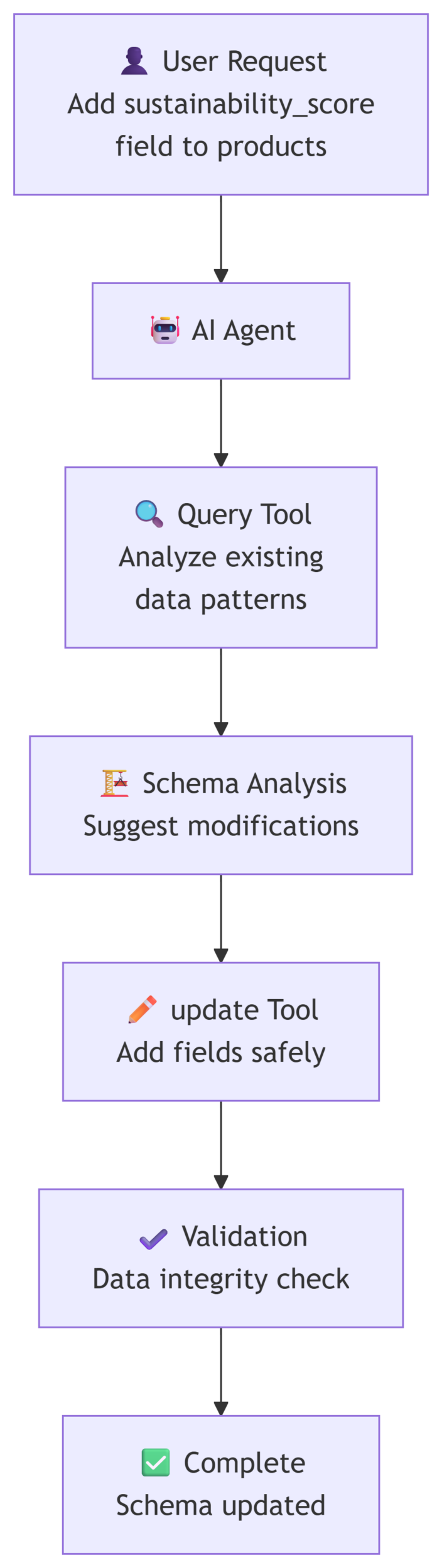
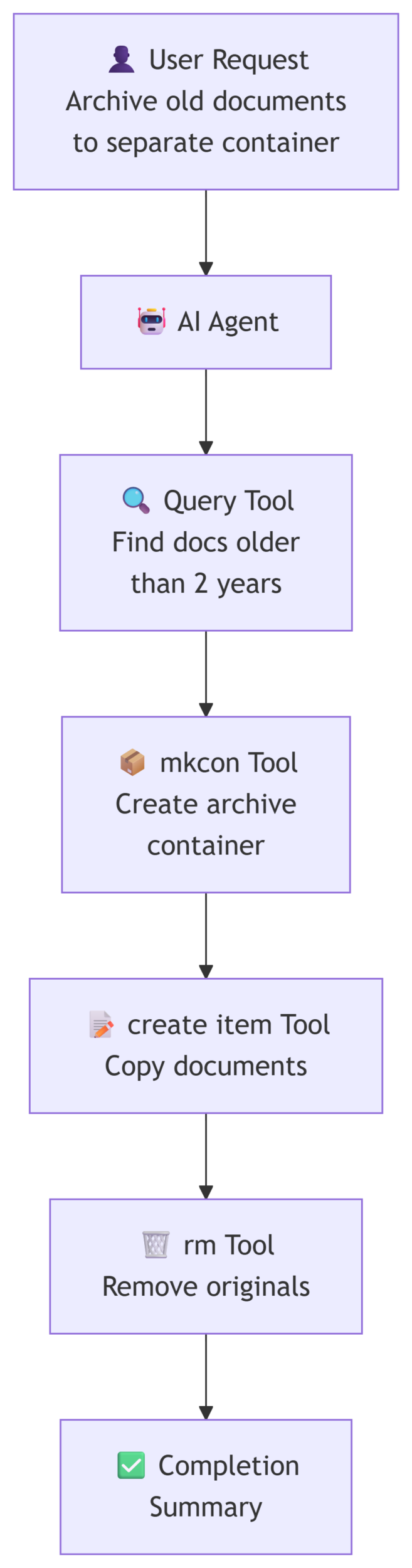
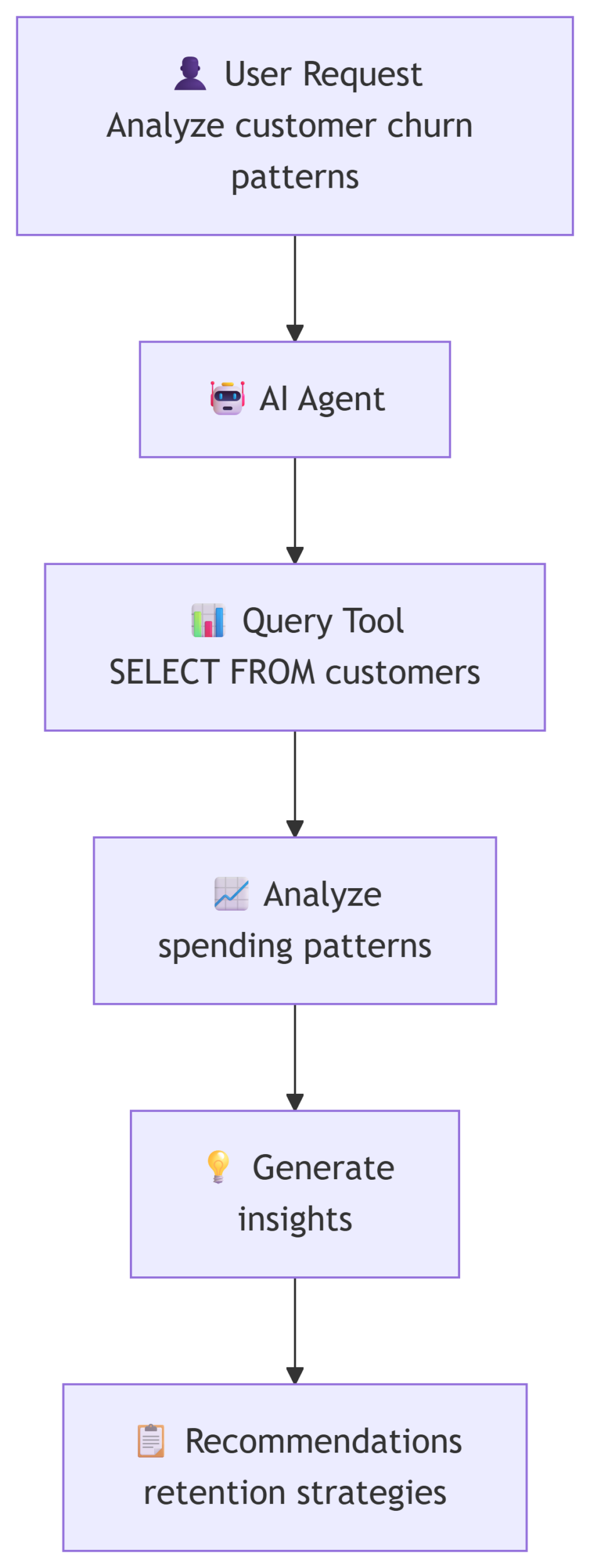
Imagine scenarios powered by MCP-enabled Cosmos DB Shell:
- Intelligent Data Analysis
- Autonomous Data Management
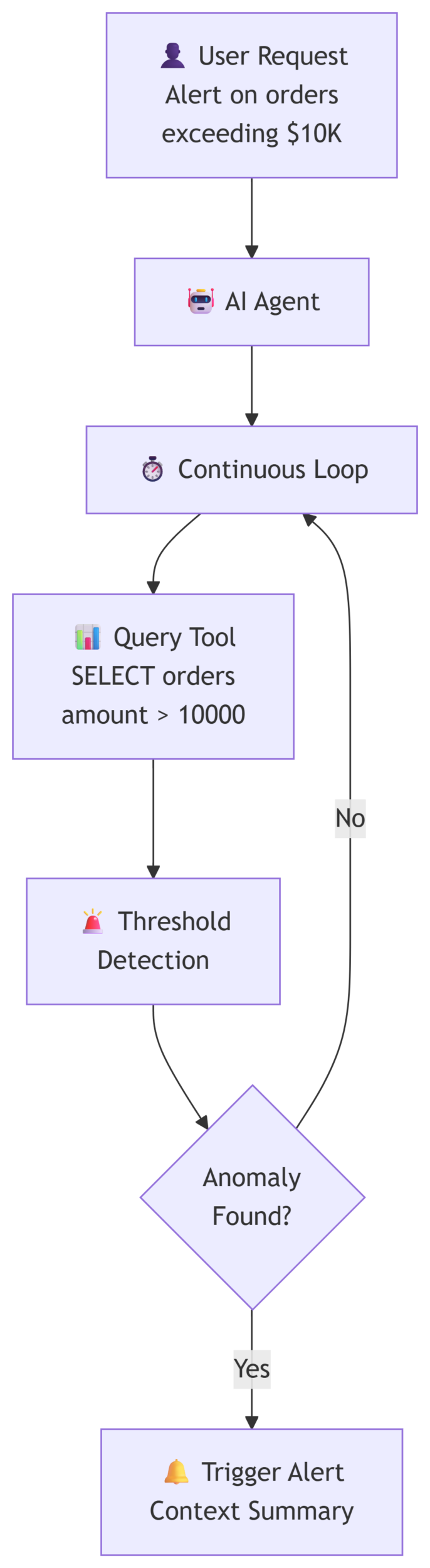
- Real-time Monitoring & Alerts
- Intelligent Schema Evolution
Enabling MCP is simple. In your VS Code settings:
    {
      "cosmosDB.shell.MCP.enabled": true,
      "cosmosDB.shell.MCP.port": 6128,
      "cosmosDB.shell.MCP.startOnLaunch": true,
      "cosmosDB.shell.MCP.bindToLocalhost": true
    }
Once enabled, your AI assistants can interact with Cosmos DB through a secure, standardized interface. The MCP server runs locally, giving you complete control over database access and data security.
Intuitive CLI Shell: Bash-Like Power
Beyond AI integration, Cosmos DB Shell provides a developer-friendly command-line experience inspired by Unix/Linux shells.
Familiar Commands
Work with bash-like syntax you already know:
# Navigate your database hierarchy
cosmosdb-shell> cd mydb
cosmosdb-shell mydb> cd users
# List containers or documents
cosmosdb-shell mydb> ls# Show current location
cosmosdb-shell mydb/users> pwd
/mydb/users
# Query documents with SQL
cosmosdb-shell mydb/users> query "SELECT * FROM c WHERE c.active = true"# Insert documents
cosmosdb-shell mydb/users> create {"name": "Alice", "email": "alice@example.com"}# Delete with precision
cosmosdb-shell mydb/users> delete "SELECT * FROM c WHERE c.status = 'inactive'"Powerful Features
Pipe Support: Chain commands for data transformations
Scripting: Automate complex workflows with shell scripts
JSON Output: Work with structured data natively
Batch Operations: Execute bulk inserts, updates, and deletes efficiently
Interactive & Non-Interactive Modes: Use interactively or embed in automation
🚀 Installation & Getting Started
Three Ways to Install
- VS Code Extension (Recommended) Install the pre release version directly from the Marketplace which is a seamless integration with your editor One-click setup
- NuGet Global Tool dotnet tool install –global CosmosDBShell –prerelease
- Self-Contained Binaries Pre-built executables for Windows, macOS, Linux
For comprehensive guides, see the documentation.
Security Built In, Not Bolted On
We built security into Cosmos DB Shell from the ground up, not as an afterthought. Whether you’re a solo developer working locally or managing enterprise databases at scale, Cosmos DB Shell gives you the tools and guardrails you need.
Multiple Authentication Paths for Every Context : You’re not locked into one approach. Development workflows often benefit from quick account key access, but production systems demand stronger security. Cosmos DB Shell adapts: use Entra ID for interactive sessions (most secure), Managed Identity in production environments (no secrets to manage), or account keys for rapid prototyping. Each method is purpose-built for its use case.
Credentials Treated as Sacred : We partnered with Azure Key Vault to ensure your credentials never live unencrypted on disk. Cosmos DB Shell integrates seamlessly with Key Vault, so your database keys stay protected whether you’re connecting locally or in CI/CD pipelines. This isn’t optional—it’s the foundation of responsible database access.
MCP Server Isolation: When you enable MCP for AI integrations, the server runs locally on your machine and binds only to localhost by default. This means AI agents never have unbounded network access to your databases; traffic stays within your control boundary. You decide what leaves your system.
Every Operation Gets Logged: Compliance teams and security auditors need visibility. Cosmos DB Shell tracks all database operations—who ran what, when, and from where—giving you the audit trail enterprises require. Whether you’re subject to regulatory requirements or just want to understand what changed in your data, the logs are there.
Encryption You Control: Support for customer-managed keys (CMK) means your encryption keys never leave your control. If your compliance posture demands it, Cosmos DB Shell respects that requirement.
Roadmap & Future
We’re just getting started. The public preview is your opportunity to:
Shape Development: Your feedback directly influences roadmap priorities
Contribute: Submit pull requests, report bugs, and suggest features
Collaborate: Work with Microsoft engineers to build the future of database tooling
We’re planning:
- Extended scripting capabilities
- Custom command extensions
- Deeper observability and monitoring
- Enhanced AI agent frameworks
Join the Community
Cosmos DB Shell succeeds because of our community. We invite you to:
Star on GitHub – Show your support
Report Issues – Help us fix bugs
Share Your Story – Tell us how you’re using the shell
About Azure Cosmos DB
Azure Cosmos DB is a fully managed and serverless NoSQL and vector database for modern app development, including AI applications. With its SLA-backed speed and availability as well as instant dynamic scalability, it is ideal for real-time NoSQL and MongoDB applications that require high performance and distributed computing over massive volumes of NoSQL and vector data.
To stay in the loop on Azure Cosmos DB updates, follow us on X, YouTube, and LinkedIn. Join the discussion with other developers on the #nosql channel on the Microsoft Open Source Discord.


0 comments