

Today, we’re thrilled to announce the public preview of the Azure Cosmos DB Cost Estimator, a new sizing and pricing experience that takes developers from a blank page to a defensible monthly cost estimate in minutes.
Sizing an Azure Cosmos DB workload has always been one of the first questions a team has to answer, and historically one of the hardest.
- How many RU/s? Manual or autoscale?
- One region or three?
- Does multi-region writes double or triple my bill?
- What does a vector index actually cost?
Every one of those decisions changes the number, and most teams need that number before they’ve written a single line of code.
AI workloads have made this harder, not easier. RAG pipelines, AI chat sessions, vector embeddings, and semantic memory all introduce new variables (embedding dimensions, hybrid search, write amplification) that aren’t obvious even to experienced Azure Cosmos DB developers. Meanwhile, the business is still asking the same question: how much will this cost?
The Cost Estimator is our answer. It’s free, it’s public, and it’s built to be the first stop for anyone scoping an Azure Cosmos DB workload in 2026.
From Guesswork to Confidence: Why the Cost Estimator
Most database pricing tools fall into one of two camps. Either they ask you to pick a tier (T-shirt sizing, no workload context) or they ask you to type in raw units like Operations units , storage GB, or credit hours and multiply. The first is too vague to trust. The second assumes you already know the answer.
Developers scoping a new workload sit in the middle. They know roughly what they’re building (an AI chat app, a product catalog, a telemetry pipeline) and roughly how big it is (a prototype, one team, the whole company). They don’t know, and shouldn’t have to know on day one, what their P99 RU consumption per partition will look like in production.
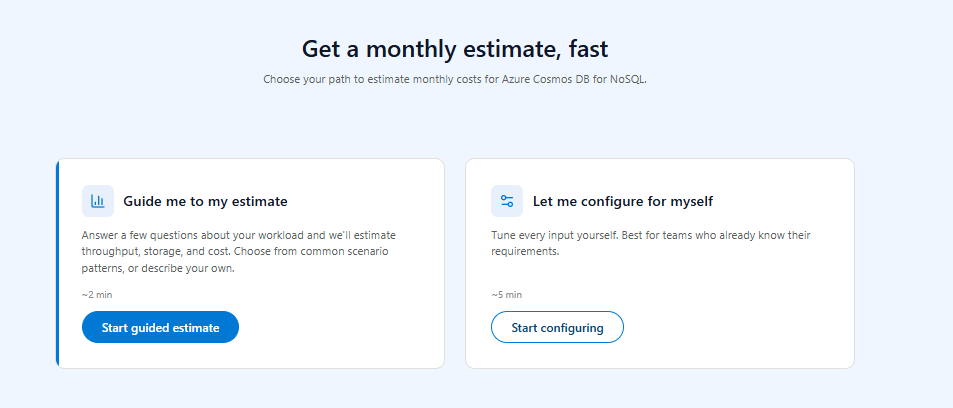
The Cost Estimator meets developers where they are. Pick a workload, pick a size, and get a real $/month number on screen in under two minutes. Then iterate.
What the Cost Estimator Does
At its core, the Cost Estimator is a guided wizard that turns a workload description into a monthly cost estimate.
The estimator ships with a library of pre-built workload scenarios modeled from real Azure Cosmos DB customer patterns, spanning operational workloads (catalogs, transactions, telemetry), analytical workloads (audit logs, content metadata, activity feeds), and AI-era workloads (chat, RAG, embeddings, semantic memory). Each scenario can be sized across four tiers, from prototype through enterprise. Developers who don’t see their shape in the library can pick the Custom path and bring their own.
From there, the calculator walks the user through capacity mode, region topology, backup, indexing, and (for AI workloads) vector configuration. The result is a single $/month number, broken down by line item, with the full configuration encoded in the URL so it can be shared, bookmarked, or pasted into a PR.
Built for the AI Era
AI workloads are first-class citizens, not an afterthought. The calculator’s first two scenarios are AI chat and sessions and RAG and embeddings, and the inputs reflect what actually drives cost in those workloads:
– Vector dimensions. Embedding size directly affects storage and RU/s. The calculator lets developers pick a dimension and see the impact immediately.
– Semantic memory patterns. Chat history, session state, and agent memory are baked into the AI chat scenario defaults.
For teams scoping a RAG pipeline or an agent backend, this is the difference between “I think it’s a few hundred dollars” and “here’s the breakdown by region, by index type, and by embedding dimension.”

How to Use It
There are three primary flows.
Exploring. A developer evaluating Azure Cosmos DB for a new project lands on the calculator, picks RAG and embeddings, picks One team or app, and sees a baseline number in under a minute. They toggle Free Tier on, switch from manual to autoscale, and watch the number move. They leave with a defensible estimate and a working mental model of the cost drivers.
Scaling. An existing customer is about to add a second write region or bump their document size. They open the calculator, recreate their current shape, and use the Compare tab to model the change side by side. They see exactly which line item moves and by how much before they touch production.
Sharing. An architect finishes a configuration and copies the shareable link. The full config is encoded in the URL, so a teammate in Teams or a reviewer on a pull request opens the link and sees the exact same estimate; no screenshots are required. CSV export is one click away for finance review. 
Features at a Glance
– A library of pre-built workload scenarios spanning operational, analytical, and AI-era patterns, plus a fully custom path.
– Four size tiers per scenario, from prototype to enterprise.
– Three capacity modes: provisioned manual (pin RU/s for predictable cost), provisioned autoscale (set a max, system scales between 10% and 100% of Tmax), and serverless (pay-per-request, ideal for spiky or dev workloads).
– Free Tier toggle (approximately $25/mo discount, one per subscription) for prototypes.
– Reserved capacity modeling: 1-year (20% off) and 3-year (30% off) under 1M RU/s, with progressive tiers above.
– Backup options: continuous 7-day (free), continuous 30-day ($0.20/GB), or periodic (included).
– Availability and region modes: 99.99% SLA (single region), 99.995% (single region plus Availability Zones), 99.999% (multi-region, 2+ regions), with single-write or multi-region writes.
– Indexing: automatic (default) or off (write-heavy workloads, roughly 30% of automatic write cost). Custom JSON indexing is on the roadmap.
– AI-era inputs: vector dimensions and hybrid search.
– Shareable URL that encodes the full config.
– CSV export for line-item breakdown.
– Compare tab for side-by-side what-if analysis.
What It Doesn’t Do (Yet)
We want this tool to be useful, so we want to be candid about its limits.
– It’s an estimate, not a quote. Your final monthly bill depends on actual usage and may differ from this number.
– Custom indexing rules (JSON) are not in public preview. Only Automatic and Off are supported during preview. Custom JSON indexing is targeted for general availability.
– No ARM, Bicep, or Terraform export of the chosen configuration yet.
– No multi-account aggregation. Each estimate covers one account and one workload.
– No real-time pricing pull (custom JSON) from your specific subscription discounts during public preview. The calculator uses public list prices today.
If any of these are blockers for your team, please tell us. Roadmap priority is shaped by feedback, and you can share your feedback by clicking the Give Feedback link on the app or here.
Try It Today
The Azure Cosmos DB Cost Estimator is live in public preview and free to use. No sign-in required.
Try it now: aka.ms/cosmoscost
About Azure Cosmos DB
Azure Cosmos DB is a fully managed and serverless NoSQL and vector database for modern app development, including AI applications. With its SLA-backed speed and availability as well as instant dynamic scalability, it is ideal for real-time NoSQL and MongoDB applications that require high performance and distributed computing over massive volumes of NoSQL and vector data.
To stay in the loop with Azure Cosmos DB updates, follow us on X, YouTube, LinkedIn, and Discord.


0 comments