


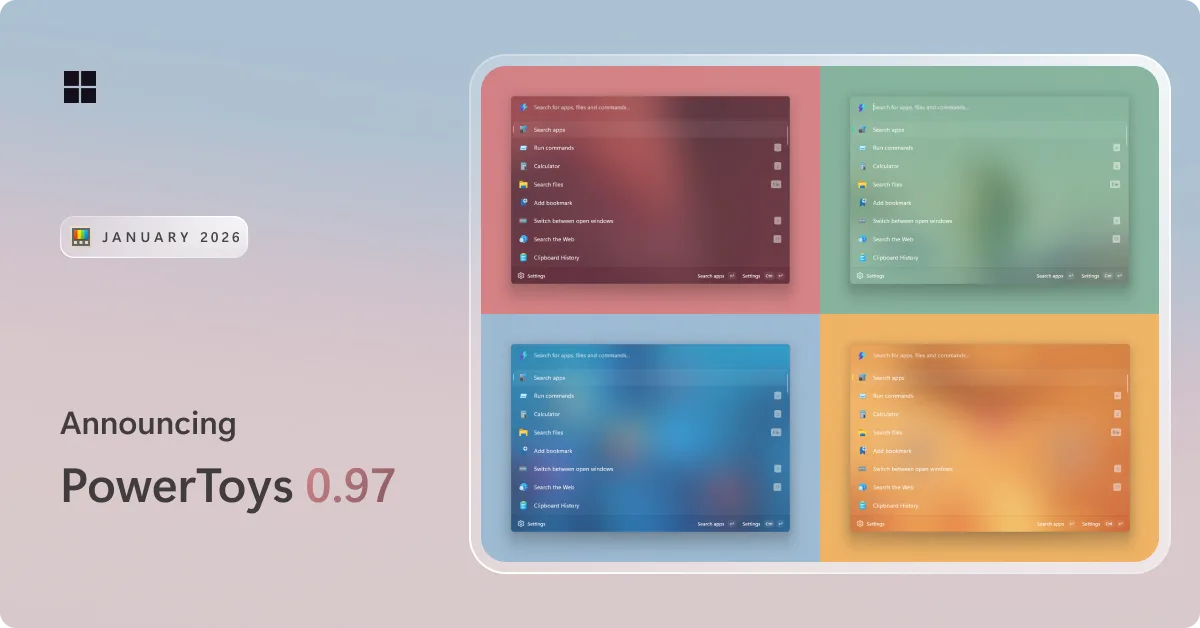
PowerToys 0.97 is here! This release packs in a ton of improvements to Command Palette, introduces a brand-new mouse utility called CursorWrap, expands CLI support across several utilities, and includes plenty of other refinements. Get the update by checking for updates in PowerToys or heading to the release page heading to the release page. Let’s dive in!
📋 Command Palette gets a big update
We have been hard at work improving Command Palette, and this release is a big one! It introduces several new features, deeper customization options, and a long list of improvements across the board.
UI customization
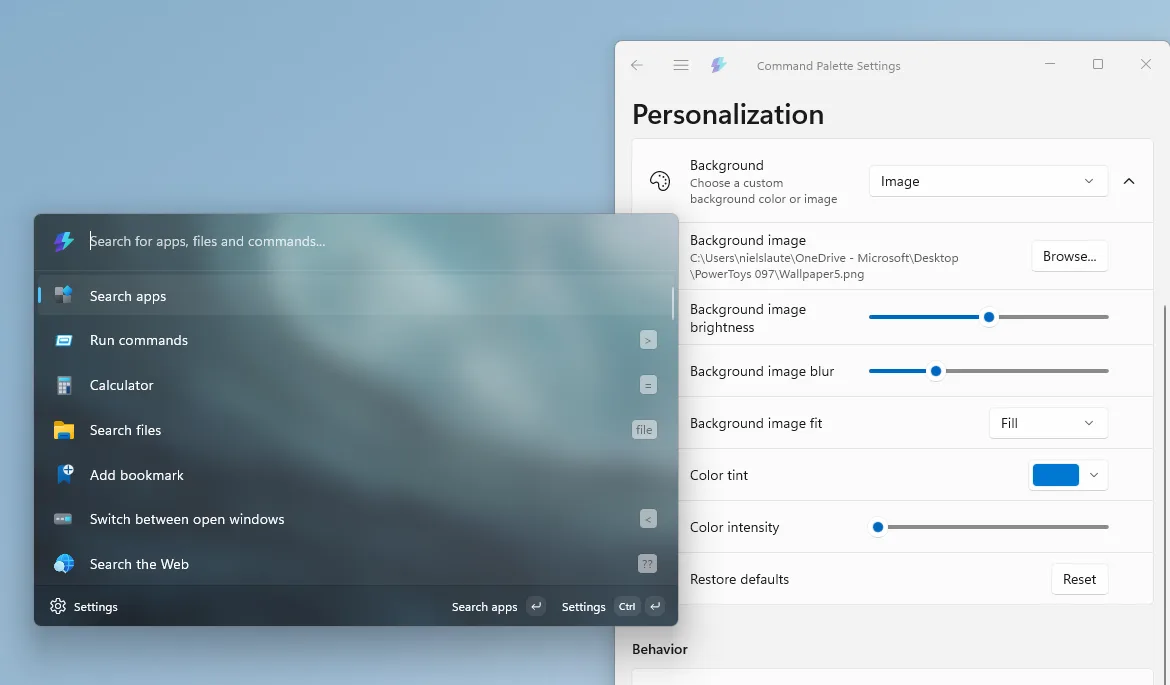
There is a brand-new Personalization page that lets you customize the Command Palette UI to your liking. You can now pick a background image and apply color tinting to make Command Palette feel truly personal. To customize this setting, open Command Palette Settings => Personalization => Background
PR: #43505 (Thanks, @jiripolasek!)
Support for fallback ranking
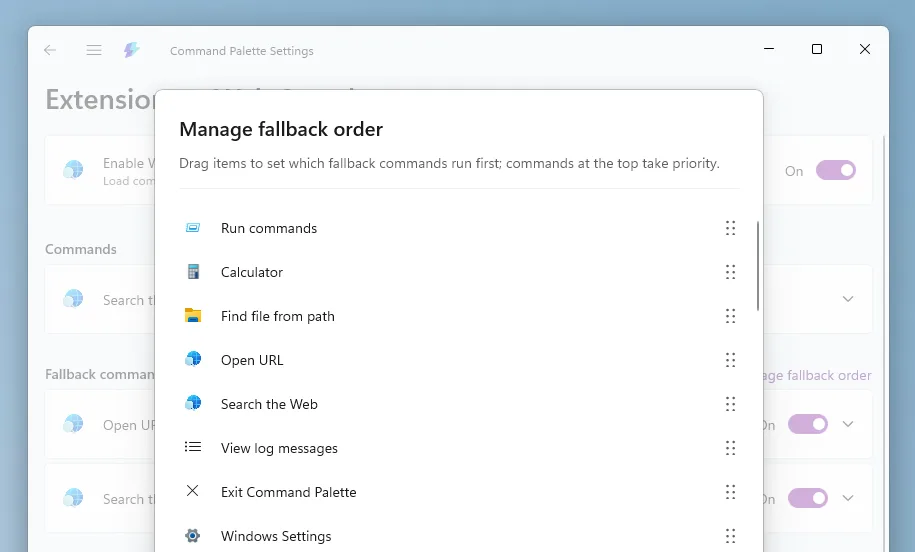
To give you more control over how search results are ordered, we have added fallback ranking. You can manage fallback rankings from an extension’s settings page by clicking on Manage fallback order. Here, you can reorder commands here by dragging them to match your preferences.
PR: #43549
Control PowerToys directly from Command Palette
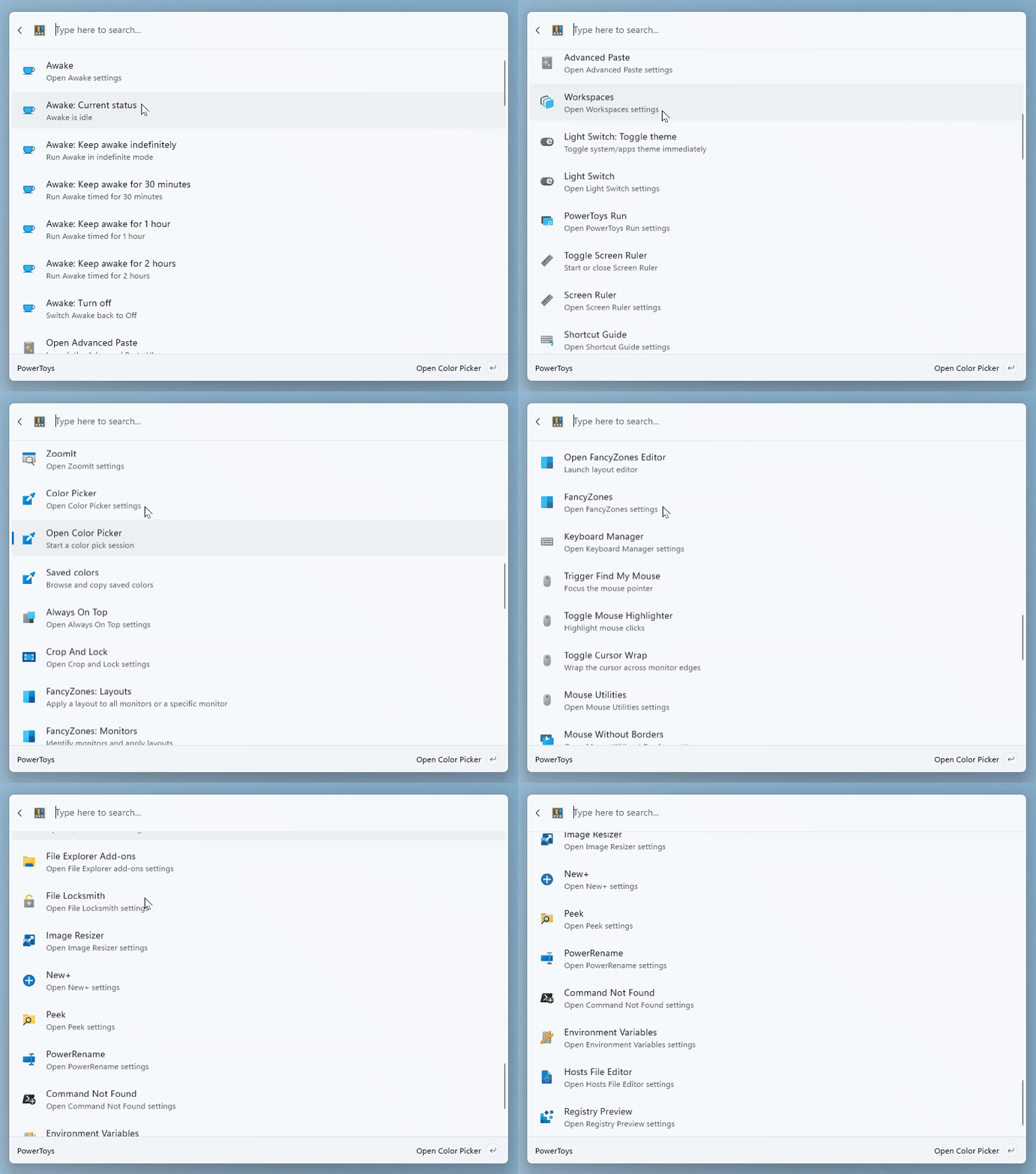
This was a big community request. A new built-in PowerToys extension now lets you control PowerToys features straight from Command Palette. You can toggle Light Switch, switch FancyZones layouts, pick a color, and more, all without leaving Command Palette. Just make sure the utilities you want to use are enabled in PowerToys settings. On top of that, you can now use Peek to preview files and folders within Command Palette!
PR: #44006
More Command Palette changes
- Support for Pinyin! To enable this, make sure your OS language is set to a supported Chinese variant.
- A new built-in Remote Desktop extension to quickly jump to your remote desktops.
- You can now select a custom search engine in the Web Search extension settings.
- Added drag and drop support. File Indexer and Clipboard History can now drag content from Command Palette into other apps, and extension developers can add this capability to their own extensions.
See the list below for all Command Palette changes!
🖱️ Introducing CursorWrap
If you use multiple monitors and are tired of dragging your mouse all the way across the screen, CursorWrap is here to help. When enabled, your cursor wraps around the edges of the active monitor – moving past the top, bottom, left, or right edge instantly brings it back on the opposite side.

PR: #41826 (Thanks, @mikehall-ms!)
⚡ Quick Access flyout gets faster
We’ve undocked the Quick Access flyout from the main Settings process, which means it now launches faster. You can also choose to disable it entirely or assign a keyboard shortcut to open it. On top of that, the PowerToys system tray icon can now be set to a monochrome style if you prefer a subtler look that fits in with other system icons.
PR: #43840 and #33321 (Thanks, @HO-COOH!)
⌨️ More CLI support across PowerToys
In the last release we added CLI support for Peek, and we’re expanding that even further. FancyZones, Image Resizer, and File Locksmith can now all be controlled from the command line. Whether you want to switch layouts, resize a batch of images, or unlock files, it’s all possible through the CLI. Be sure to check the docs for the full list of supported commands.
🧩 Other notable changes
- Light Switch can now follow Night Light. Just switch the mode in Settings.
- The “What’s new” dialog has been refreshed to make it easier to browse, with more detailed release notes going forward.
- Advanced Paste now previews HEX color values and supports image input for AI transformations.
- More improvements and fixes across the board: see the full release notes below.
✨ Big thanks to the community
As always, a big thank-you to everyone who contributed — we couldn’t do this release without you! Thanks @artickc, @carlos-zamora, @crramirez, @daverayment, @DevLGuilherme, @erik-anderson, @fm-sys, @frg2089, @HO-COOH, @jiripolasek, @Memphizzz, @mikeclayton, @mikehall-ms, @noraa-junker, @pratnala, @RubenFricke, @ruslanlap, @safocl, @samrueby and @warquys for your pull requests!
🚀 What’s next?
For the next update, we’re focusing on a broad stability and bug-fix push, along with improvements to existing utilities like Keyboard Manager. Stay tuned!
We’re always happy to get your feedback and contributions – whether it’s a bug report, a feature idea, or a pull request. Head over to the PowerToys repo to jump in.
The full release notes can be found here.

As much as I appreciate these powertoys, something like CursorWrap really should be part of the set of options built into Windows settings app.
And is there yet a powertoy to have the context menu in Windows 11’s file explorer to render immediately, and NOT take 1-2 seconds to load?
How about a power toy to revert back to Windows 10’s context menu, which showed all menu options and rendered up instantly? Nope we still have to resort to haphazard registry hacks…
Just include power toys with insider builds please.
People really need new features we are tired of naratar updates and security stuff and copilot slop.
We need these features in windows 11 now
Indeed, I totally agree. Windows 11 have become stale. No noteworthy features, bad performance, random bugs and errors, ads, super-annoying prompts to subscribe to 365, annoying push to use bing. I used win 10 recently to fix some wifi stuff and I had forgotten how good that version was, it felt more of an operating system made for me than win 11, which feels like its made for microsoft. If I could use the programs i need on linux or macos I would switch. Powertoys and raycast make windows 11 90% better.