


We’ve been working to improve the Developer Community for providing feedback about Visual Studio. Last summer, we updated to a more flexible browser-based mechanism for sending feedback. Now we’re upgrading the rest of the Developer Community website. We’ve listened to your feedback and addressed almost half of all feature requests for Developer Community made over the years. The result makes it easier to browse existing tickets, gives you more transparency into the states and processes, improves interactions with the engineering teams, significant performance improvements, and a lot more.
Let’s take a tour of the new website!
Report a problem and feature request
The new browser-based feedback tool takes error reporting to the next level with new features and improved performance. The one-page flow makes it easy to provide the relevant information for the engineering team to take swift action.
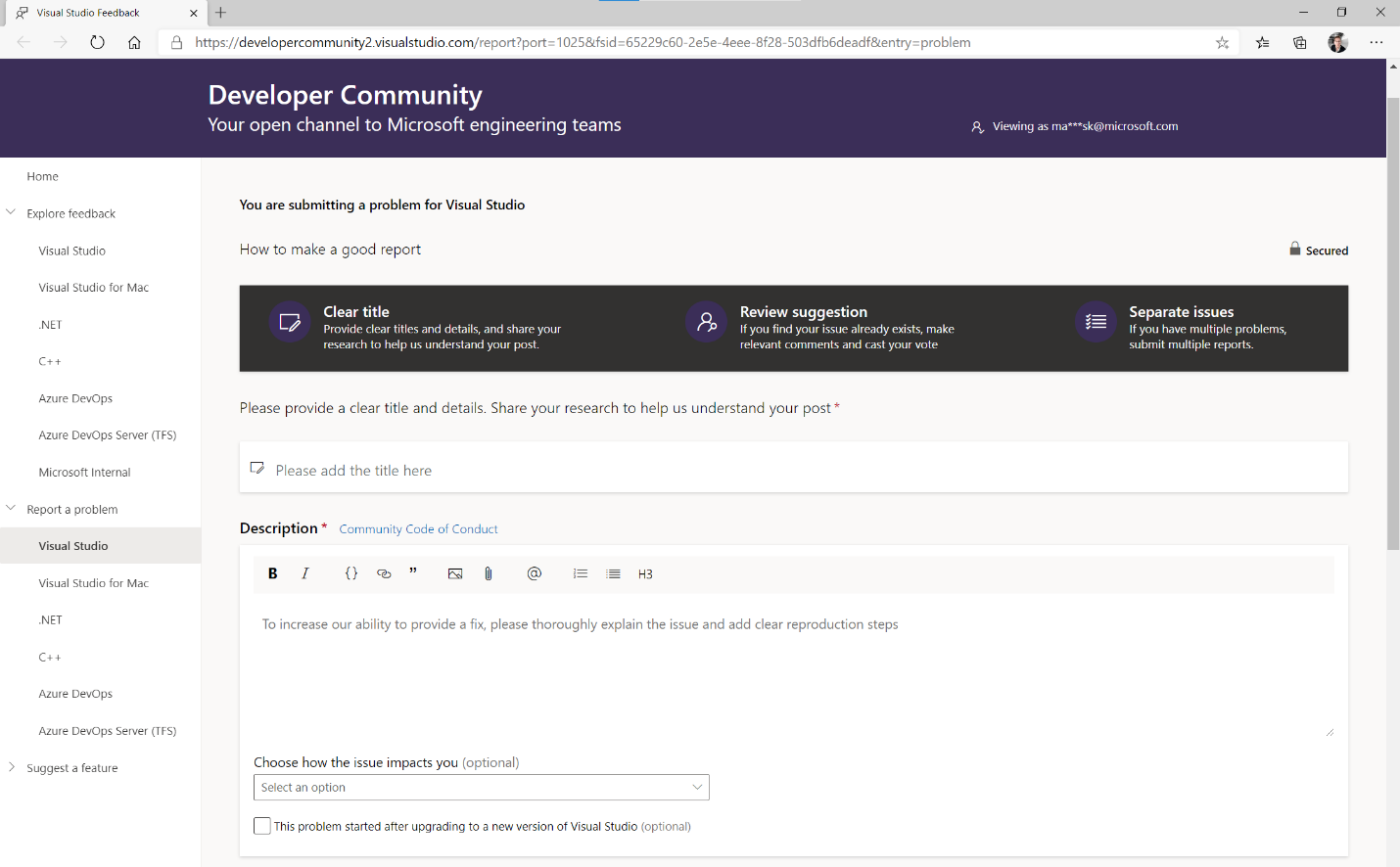
You’re automatically logged in to the website with the same Microsoft Account used inside Visual Studio.
The editor allows GitHub-flavored markdown and insertion of images by either direct paste from clipboard or drag and drop from the desktop. This makes it easier to give detailed explanations and for the engineering teams to propose new feature designs and request community feedback. This addresses feature requests #973744, #402573, and #833889.
You can easily take and retake screenshots, upload additional log files, and even record a full trace of the error as it happens. And if you need extra time to finish the reporting, a draft is automatically created so you don’t lose any data if you navigate away.
Front page
On the front page when you are signed in, you can see the status of the current tickets in the system. At a glance, you can see all your fixed issues and suggestions implemented in the latest update to Visual Studio. From there you can drill down for more details and look at previous versions too.
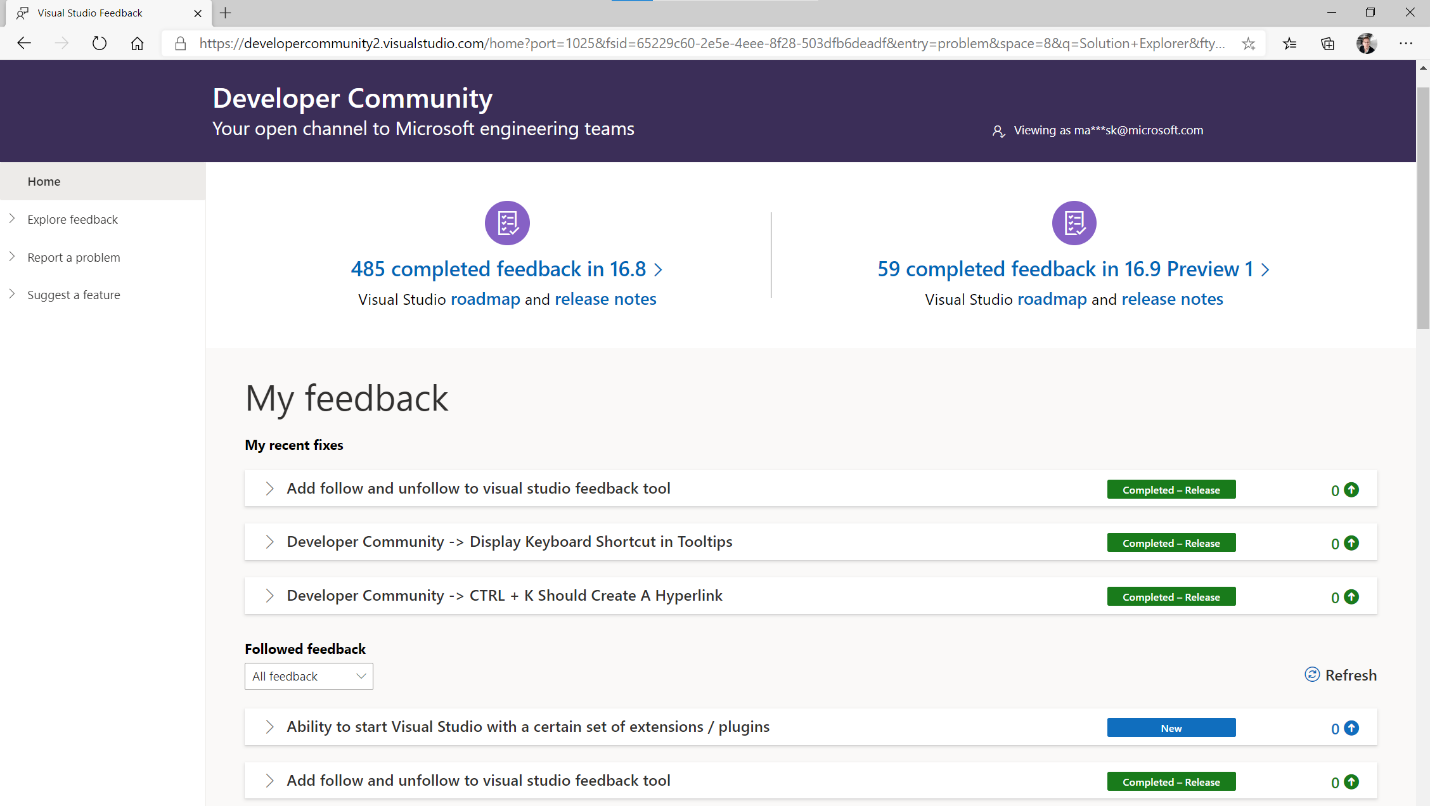
When you are signed in, the front page is also where you can see the problems and feature requests you follow. If the Visual Studio engineering team has requested more information from you, those requests will feature here as well.
Explore existing feedback
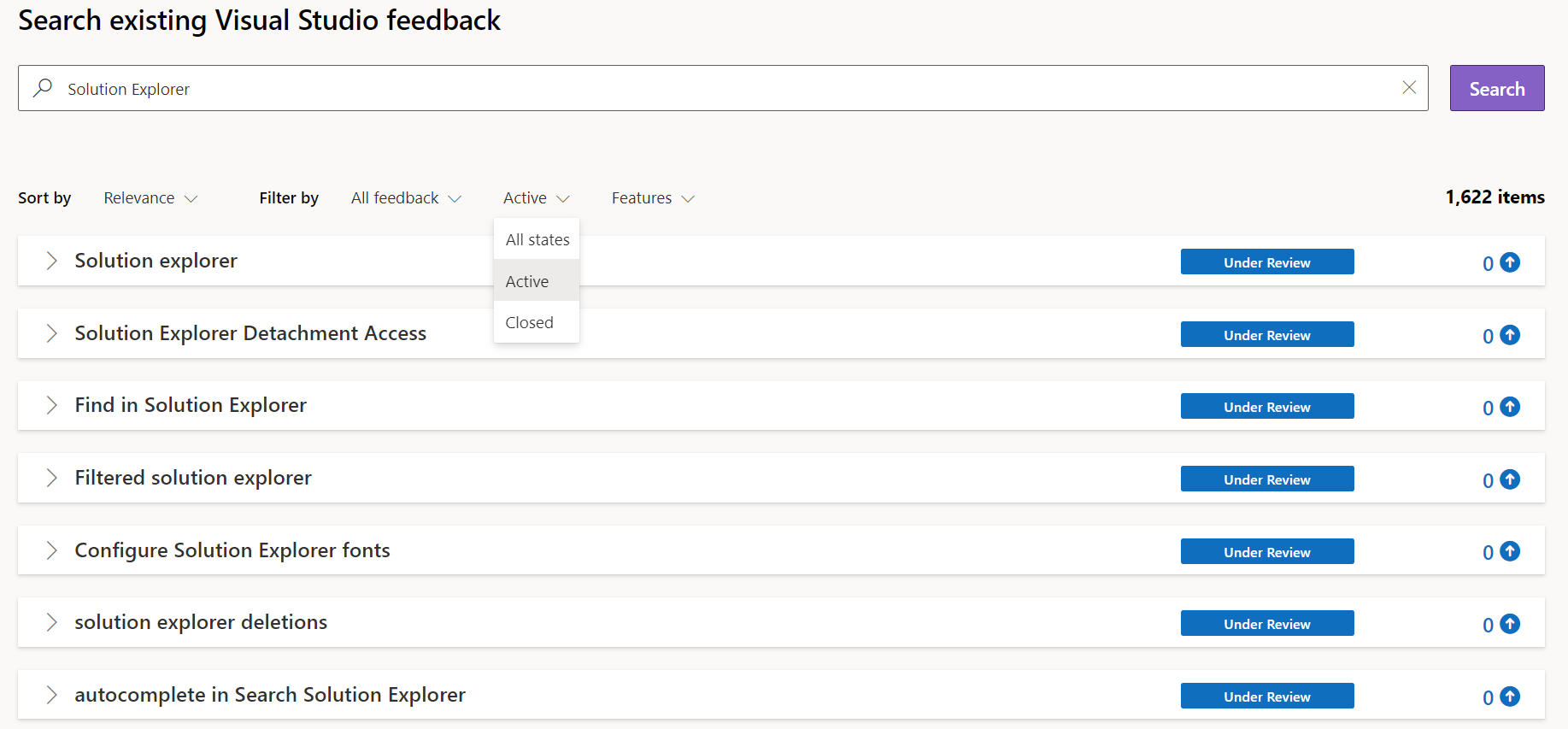
Another highly requested feature is to make it easy to explore and browse existing feedback tickets. From the Explore Feedback page you can now see the top tickets and filter on many different properties. Want to see the highest voted for feature requests for the debugger? No problem. A few clicks and you are exploring the tickets most interesting to you. This addresses feature requests #774869, and #533842, with #362457 moved to the roadmap.
Details page
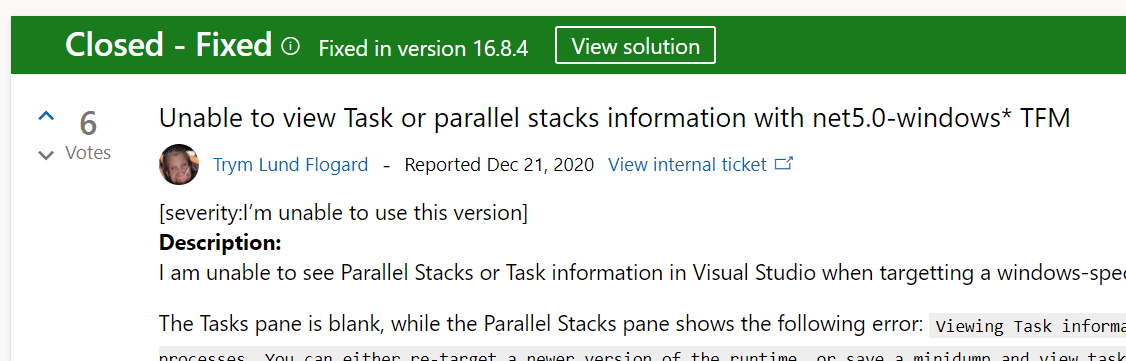
When you click a ticket, you can now clearly see the history of which states it’s been in and where it is in the process to completion. Any ticket that is implemented now clearly shows which release of Visual Studio included it. This addresses feature request #439404 and #637301, with #362522 on the roadmap.
We also updated the commenting system with full markdown support for richer comments. Want to add a picture? No problem, either paste it from the clipboard or drag and drop it from the desktop.
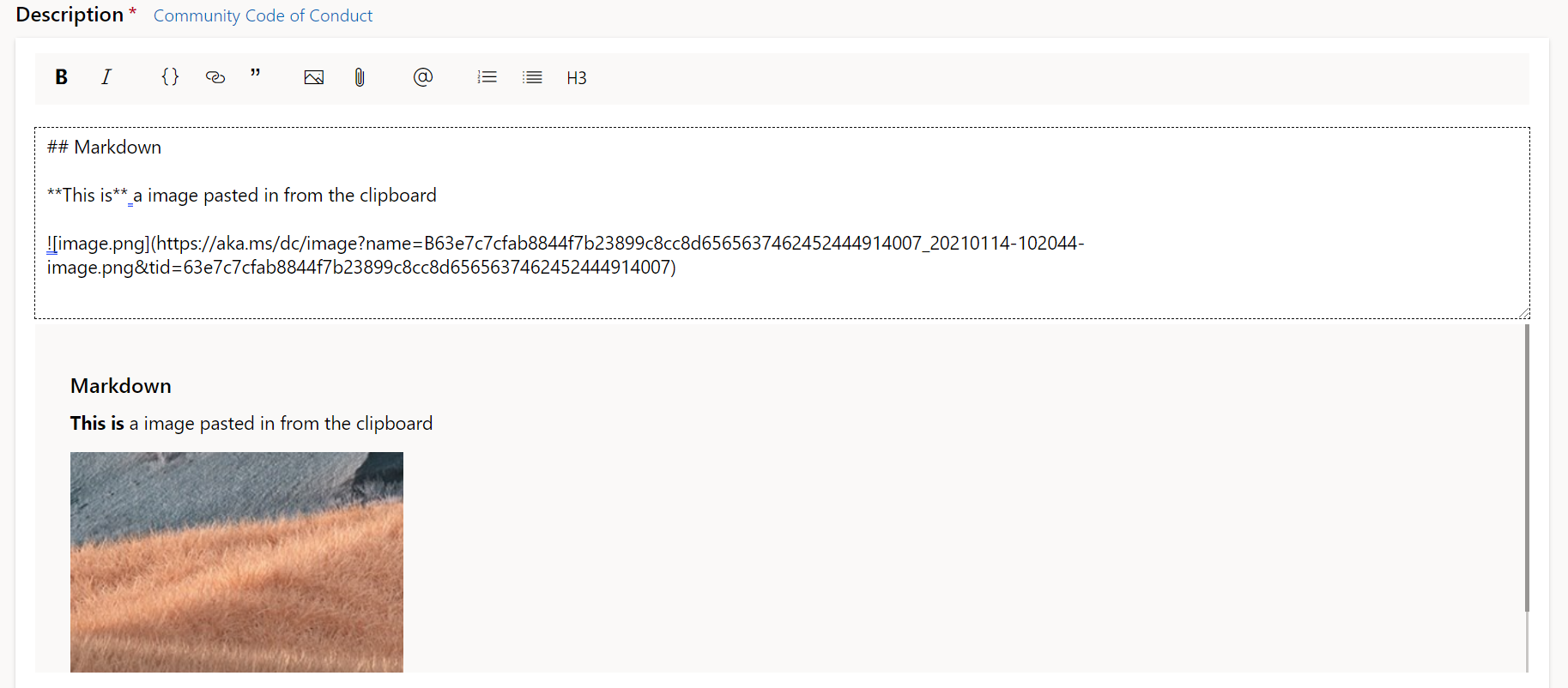
We also added other improvements such as anchors to easily deep link to a specific comment, @mentions, and more customizable avatar pictures. This addresses feature requests #570754, #486817, and #594491.
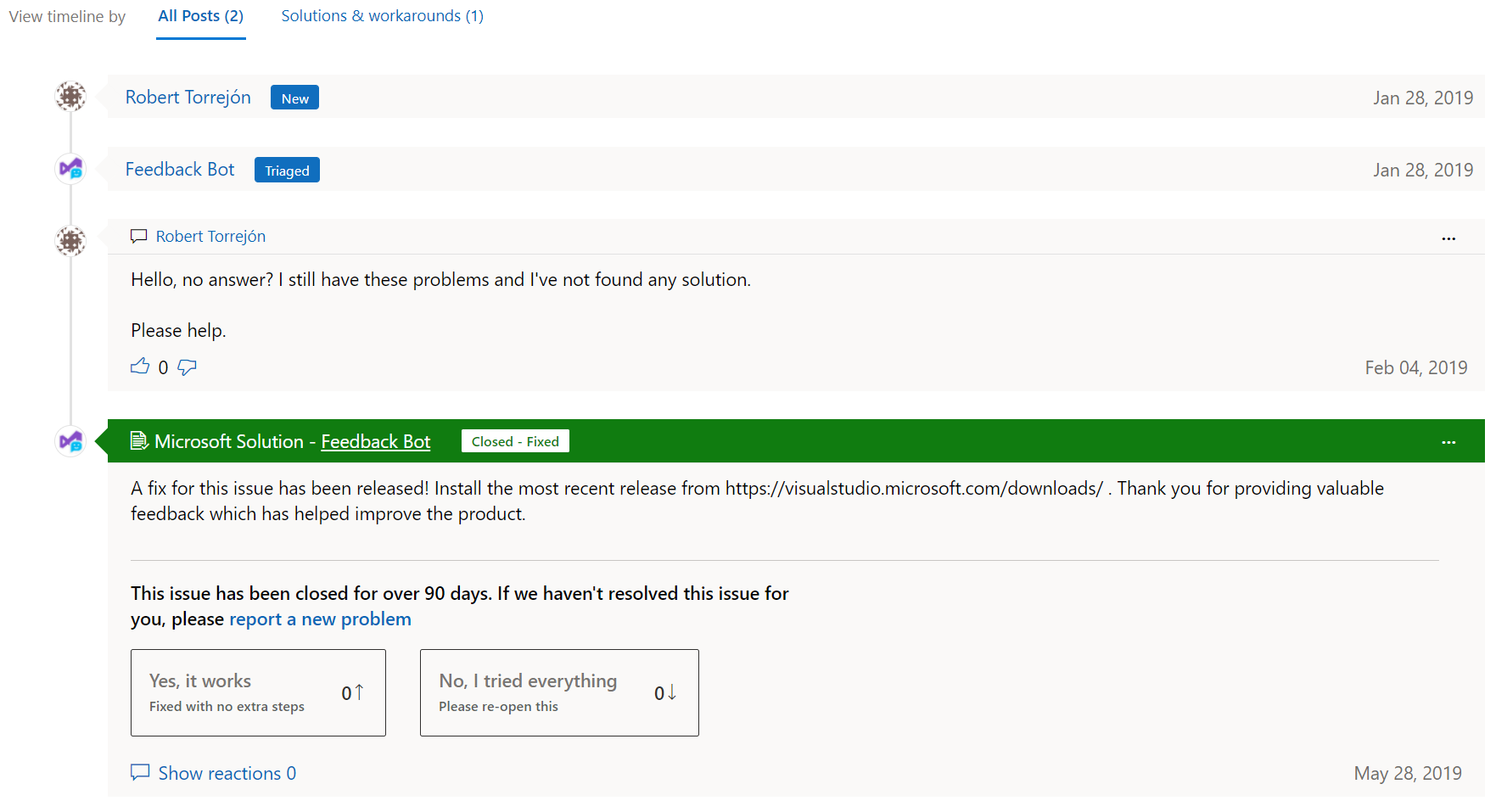
For problem reports, it is now easy to distinguish regular comments from proposed solutions, which makes it much easier to see the right solution.
The road ahead
There are lots of other improvements we are planning for, such as better search and deeper Visual Studio integration. However, there are some limits in our current backend infrastructure that we need to resolve before we tackle search and other features. Stay tuned for more information as we continue this journey and please keep the feedback coming.
A special thanks goes out to Mike DePouw, Yann Duran, and many other members of the community who’s input and feedback have been invaluable.


Good morning,
we are very interested in new developments in VisualStudio 2019,
but before making a purchase, it would be possible to know when and if the new version “VisualStudio 2021” will be released
Thanks
Another example of how the feedback/user engagement process is messed up.
https://developercommunity2.visualstudio.com/t/vs-2019-update-9-preview-5-is-out-but-there-are-no/1348138?from=email&viewtype=all#T-ND1348124
Two updates VS 2019 Update 9 Preview 5 and VS 2019 Update 8.6 both released today, with no release notes?
C’mon Microsoft, it’s not like you’re short of staff.
Again, my comment about the need to backport fixes rather than assuming people can change compilers at the drop of a hat:
Another of today’s bugfixes:
https://developercommunity2.visualstudio.com/t/VSDllUnregisterServer-is-slowing-Visual-/1325327
Feedback bot tells the frustrated user to install the preview build not the regular build.
The users response:
“A performance degradation as bad as this one requires a hot fix release, because people literally cannot work on this release! You cannot assume that people will install another (preview) version of Visual Studio side by side, which might even have more serious bugs.
0”
I know I sound like a broken record but I will say this again. You are NOT taking on the feedback we are giving.
You tell us there will be no more "try the latest release" feedback etc.
Here we are. Todays release (Feb 9) of VS 2019 16.8.5. It's still going on.
Example:
https://developercommunity2.visualstudio.com/t/VS-crashes-when-Adding-New-Item---Table/1309885
Feedback bot says:
"A fix for this issue has been released! Install the most recent release from https://visualstudio.microsoft.com/downloads/. Thank you for providing valuable feedback which has helped improve the product."
Question: WHY OH WHY is it soooooo impossibly difficult (sarcasm for emphasis) for that reply to say what...
We’re trying to integrate Developer Community deeper into our engineering systems to better be able to answer what version of VS a fix goes in at the time it was committed. Today, it takes a little time before we know exactly what release it ends up in, but as you can see in the green top header, it now has a release (16.8.5) associated with it.