


We’re excited to release React Native Windows 0.83.0, aligned with React Native 0.83.4. React Native Windows v0.83 advances the Fabric Architecture with broader Fabric parity, richer input and automation surfaces, stronger accessibility for hosted XAML islands, and new tooling to measure and protect component performance.
🔥 What’s New in RNW v0.83?
Component Performance Testing Framework
A new package that provides a structured way to author and run performance tests for RNW Fabric components. Windows developers can now measure component performance in CI, catch regressions early, and produce repeatable metrics.
Richer Pointer Event Support
Pointer events now include a button property identifying which mouse button (left, right, middle, etc.) triggered the event. RNW v0.83 also adds missing W3C pointer event handlers, bringing RNW closer to standard web pointer-event semantics. Windows developers can now take advantage of more sophisticated input handling — context menus, multi-button gestures, and richer input UX — to work consistently across components.
AutomationOption Setter for ChildSite
ChildSite now exposes an AutomationOption setter, removing the long-standing limitation where child-site-hosted islands couldn’t fully participate in UI Automation. Windows developers can now fully customize UI automation, unblocking accessibility compliance and automated UI testing for cross-boundary content.
Narrator Focus on XAML Islands for Community Native Modules
Narrator now correctly moves focus to XAML islands hosted by third-party React Native Windows modules, closing a long-standing accessibility gap where focus failed to cross the RN ↔ XAML island boundary. Windows developers now get the expected screen-reader experience by default when shipping community native components that wrap WinUI/XAML controls. This unblocks accessibility compliance, enterprise adoption, and reliable assistive-tech support for the broader RNW component ecosystem.
Fabric Component Parity
The overflow style is now implemented in the Fabric renderer, restoring full parity with the legacy Paper behavior. Windows developers can reliably use overflow: 'hidden' | 'visible' as clipping behavior that matches both Paper and other React Native platforms. RNW v0.83 also supports italic, underline, and strikethrough styling for TextInput enabling rich text formatting to be applied directly to TextInput content.
🔧 Reliability & Stability
RNW v0.83 focuses on stability and correctness across build, input, and rendering paths:
- Circular dependency build issues for Fabric apps fixed — Resolves build-time circular dependency issues for New Arch apps.
TextInputselection crash and feedback loop fixed — Theselectionproperty no longer triggers crashes or feedback loops between native and JS state.- SHIFT+F10 now shows the context menu in
TextInput— Keyboard-only users can again reach the editing context menu via the standard shortcut. - Box with corner radius now renders shadow correctly — Shadows are no longer dropped when a view also has rounded corners.
- Selectable text receives pointer events inside
ScrollView— Selection and pointer interaction now work correctly for text rendered inside scroll containers. - Silent MSBuild linker bug in
cpp-app/cpp-libtemplates fixed — Inherited link dependencies are now correctly handled in template and package projects.
📊 Feature Parity Progress
With RNW v0.83, several remaining gaps versus other platforms (and the legacy Paper renderer) are closed. If you encounter missing properties or functionality, please open an issue. Comments on existing issues help us prioritize what to tackle next.
🔗 For a full list of known gaps, see: Missing Properties · React Native for Windows
🏁 Gallery App Updates
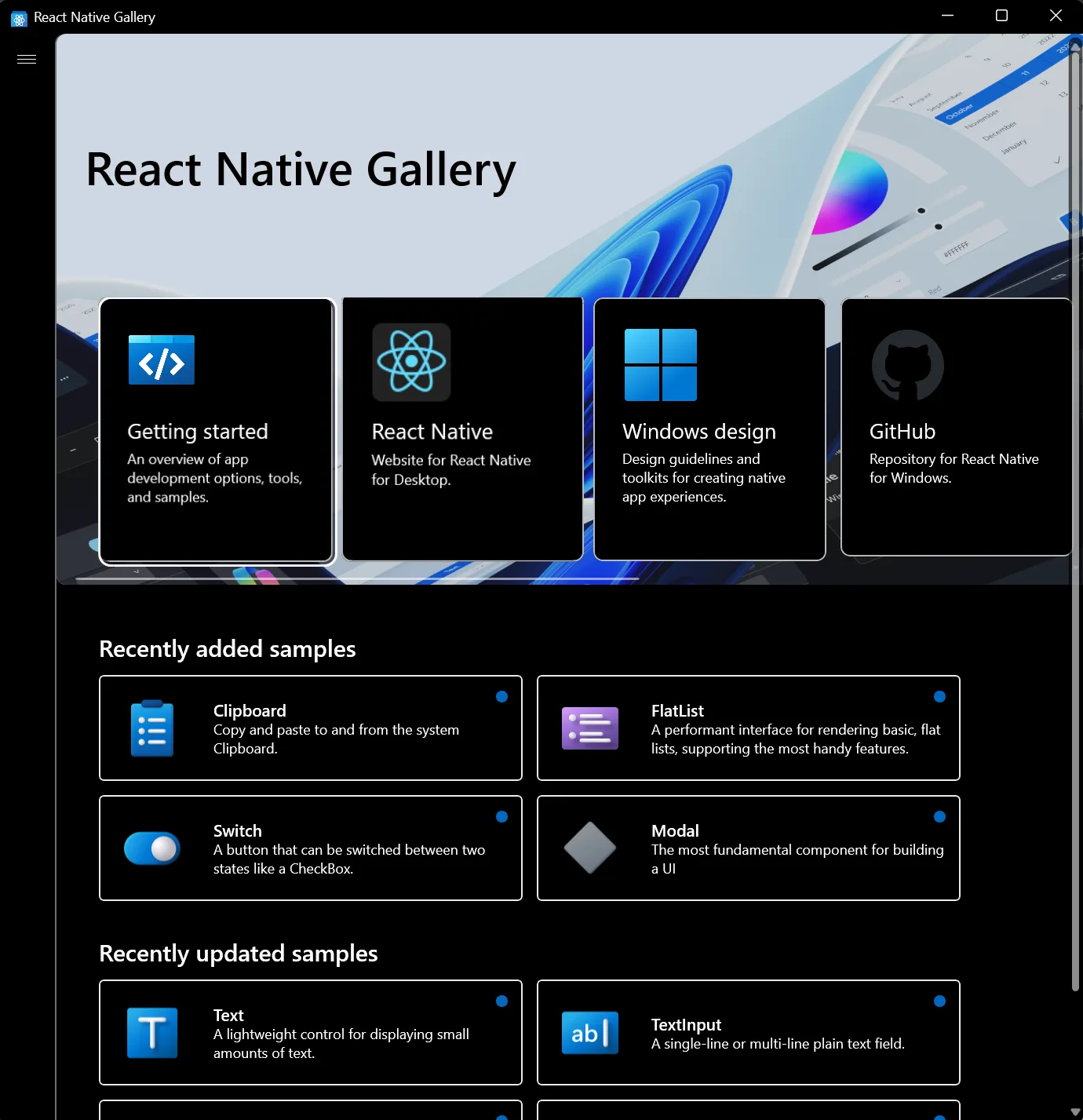
Install the latest React Native Gallery (0.83) to explore the new features and component improvements in action.
Search “React Native Gallery” in the Microsoft Store or use the direct link. The Gallery app is the fastest way to see how each component looks and behaves on Windows and is a great reference when building or migrating your own apps.
📦 Release Details
- Version: React Native Windows v0.83.0
- GitHub release: react-native-windows_v0.83.0
🔗 Reference Links
- React Native Windows Documentation
- React Native Windows GitHub
- Fabric Architecture Overview
- Upgrading Your App
- Open an issue
If you’re interested in getting started with React Native for Windows, check out our website at aka.ms/reactnative.
You can also follow us on X @ReactNativeMSFT to keep up to date on news, feature roadmaps, and more.

0 comments