


Open Source is everywhere. It is in many proprietary codebases and community projects. For organizations and individuals, the question today is not whether you are or are not using open-source code, but what open-source code you are using, and how much.
If you are not aware of what is in your software supply chain, an upstream vulnerability in one of your dependencies can be fatal, making you, and your customers, vulnerable to a potential compromise.
Today, we are announcing the public availability of NuGet’s vulnerability features that you can use to ensure your projects are vulnerability free and if not, to take action to securing your software supply chain.
Where do CVE/GHSA come from?
NuGet gets its CVE/GHSA information directly from the centralized GitHub Advisory Database. The database provides two main listings of vulnerabilities:
- A CVE is Common Vulnerabilities and Exposures. This is a list of publicly disclosed computer security flaws.
- A GHSA is a GitHub Security Advisory. GitHub is a CVE Numbering Authority (CNA) and is authorized to assign CVE identification numbers.
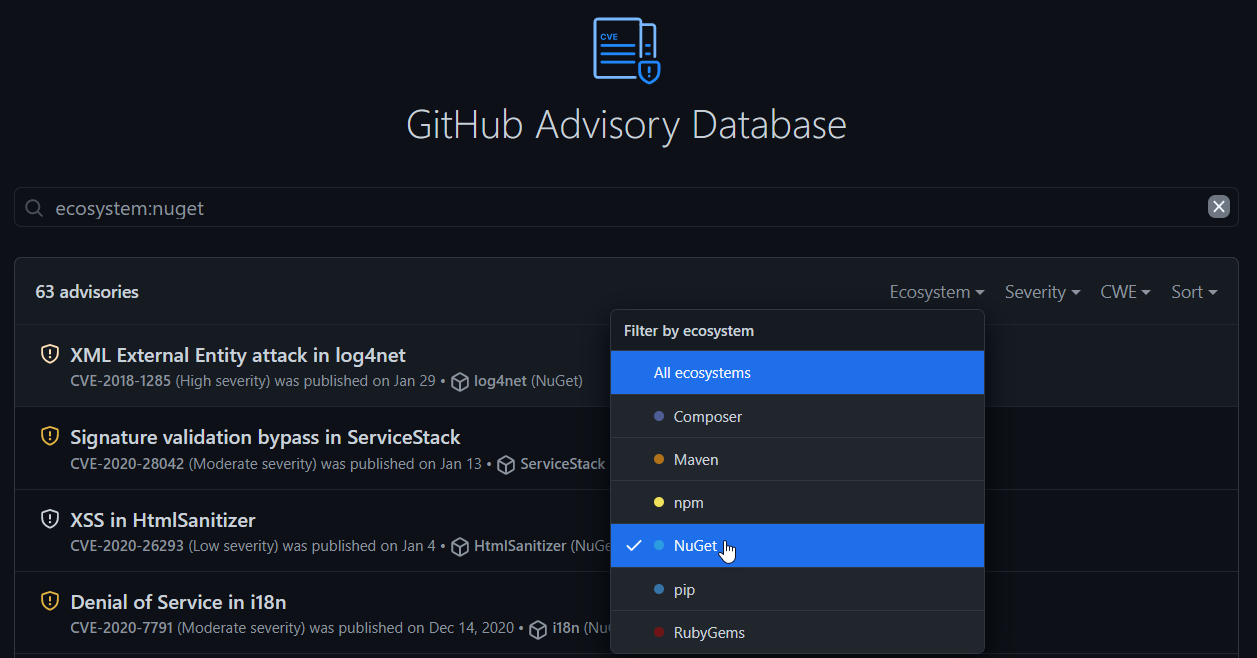
See the following documentation on GitHub Security Advisories.
NuGet.org Package Details
You can now view any known CVE/GHSA directly on NuGet.org. NuGet.org will show you a banner telling you that a vulnerability with a specific severity has been detected and how you might go about resolving it.

For package authors, you will see a banner telling you that a specific package version had a vulnerability detected. You will be able to view the advisory, severity of the advisory, and any actions you should take to protect the NuGet ecosystem.

Additionally, you will see a warning icon of your listed packages to let you know that a vulnerability has been detected.

dotnet CLI
You can now list any known vulnerabilities in your dependencies within your projects & solutions with the dotnet list package --vulnerable command.
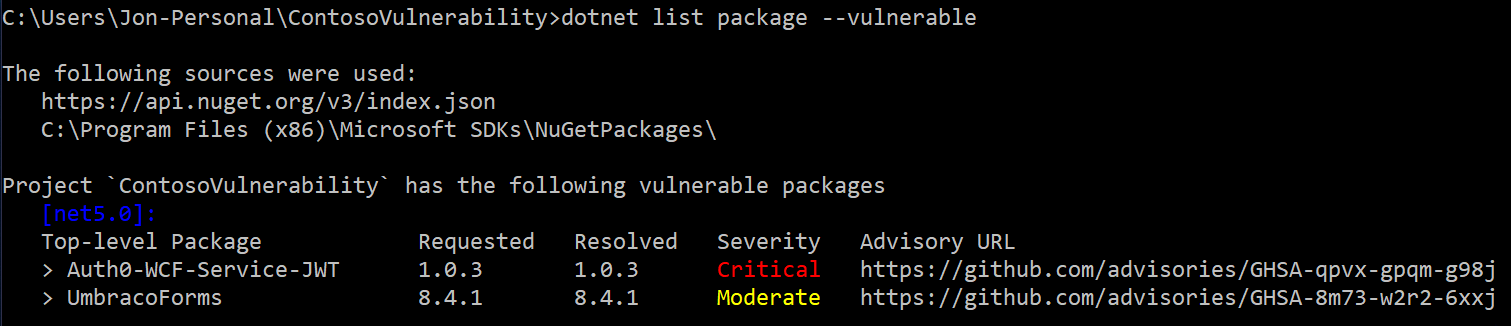
You will see any vulnerabilities within your top-level packages. You will be able to understand the version resolved, the severity of the advisory, and a link to the advisory for you to view.
If you are interested in seeing vulnerabilities within your transitive packages, you can use the --include-transitive parameter to see those.
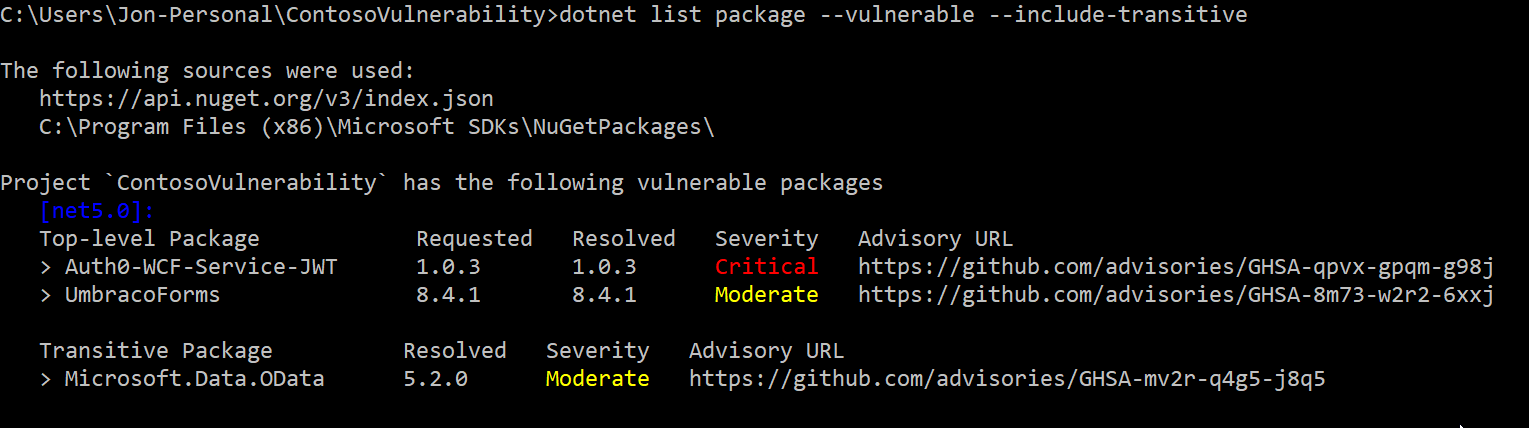
To scan for vulnerabilities within your projects, download the .NET SDK 5.0.200, Visual Studio 2019 16.9, or Visual Studio 2019 for Mac 8.8 which includes the .NET SDK.
Note: Packages listed in examples above have since been patched or have been marked deprecated & unlisted appropriately.
Summary
You have learned about the new tools that NuGet provides to help you scan your NuGet packages for security vulnerabilities. These tools should help you secure your software supply chain and take action today.
Although this is the beginning of bringing a more secure package ecosystem to .NET developers everywhere, we have many exciting plans to help you audit & fix your dependencies in the near future.
If you’re interested in the best practices that you can follow today to secure your software supply chain, check out our documentation on best practices for a secure software supply chain.





This is definitely very cool!
I've found that it aborts when it encounters a vcxproj in the solution file.
<code>
Edit: I've also found that it aborts with project type guid {349C5851-65DF-11DA-9384-00065B846F21} (old-style web hosting project)
Is only for .Net Core ?