


We are excited to announce general availability of the SharePoint Framework (SPFx) 1.22 – with a focus on refreshing the build and toolchain areas. SharePoint Framework is the easiest and the most widely used model to build your enterprise solutions for Microsoft 365 with automatic single sign-on, automatic hosting and with industry standard web stack tooling. Key objective of the 1.22 release is to setup a new baseline to further accelerate investments for the SharePoint Framework across Microsoft 365 areas. We are thrilled to see the continuous interest on SPFx and continue providing updates on the roadmap with our monthly SPFx roadmap updates.
Your input and feedback have been invaluable to define the key features for our releases, both current and future. Thank you 👏
You can find the full list of released details from the following documentation:
Key features in the 1.22 release 📝
Key changes and updates in this release are as follows:
- Transitioning from Gulp-based toolchain to Heft-based toolchain.
- Starting with SPFx v1.22, new projects use Heft as the build task orchestrator instead of a gulp-based toolchain used in SPFx v1.0 – v1.21.1 releases. This change represents a fundamental shift in how SPFx projects are built, configured, and customized, though the underlying bundling technology (webpack) remains the same.
- See more details from following documentation: SharePoint Framework Toolchain: Heft & Webpack.
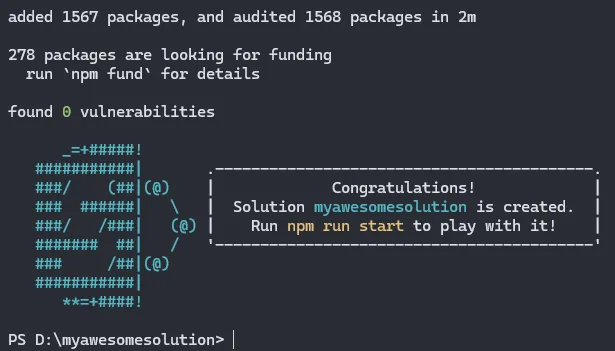
- Addressing npm audit issues in Yeoman package and on scaffolded solutions.
- Previous versions of SPFx had npm audit reported issues, which have been all addressed with the 1.22 release. We are also working on updating the deprecated packages in upcoming versions.
- Updating default TypeScript version for the scaffolded projects to TypeScript v5.8
and more 🚀
You can see a live demo of the Heft based toolchain changes from the recording of the weekly Microsoft 365 & Power Platform community call on 25th of November. Specific SPFx 1.22 Heft tooling focused demo starts at 34:42.
Everyone is welcome to these weekly calls to stay up to date on the Microsoft 365 & Power Platform topics. See details on the community calls from https://aka.ms/community/calls.
Installing SharePoint Framework 1.22 👩💻
You can install SharePoint Framework 1.22 by using the following command which will install always the latest generally available version.
npm install @microsoft/generator-sharepoint@latest --global
What’s SharePoint Framework? 🚀
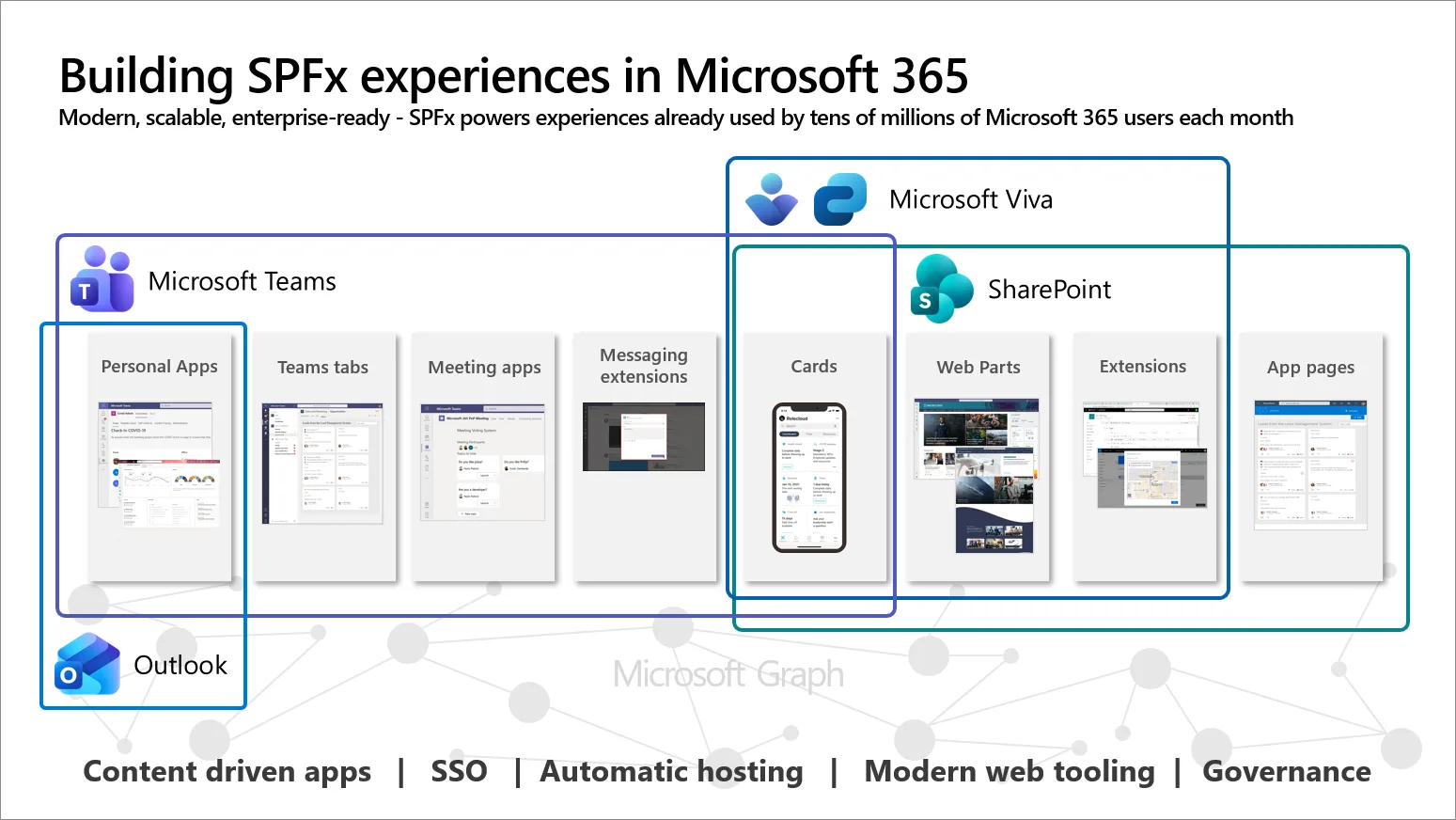
The SharePoint Framework (SPFx) is the leading extensibility model for Microsoft 365, powering custom solutions used by tens of millions of users every month across Microsoft Teams, Microsoft Viva, and SharePoint. SPFx enables developers, partners, and organizations to deliver tailored, high-value experiences that integrate seamlessly with the Microsoft 365 platform.
Designed around modern web standards and built for Microsoft 365’s multi-host ecosystem, SPFx provides a streamlined way to create solutions that are secure, reliable, and reusable – maximizing your development investment and accelerating time-to-value.
Whether you’re generating your first project with the SPFx Yeoman Generator or using the SharePoint Framework Toolkit, SPFx offers a consistent, flexible path to build and ship solutions across Microsoft 365 without rewriting your code for each surface.
Key capabilities of the SharePoint Framework for Microsoft 365 are the following:
- Build once, run everywhere – Use the same component across SharePoint, Microsoft Teams, and Viva without modifying your code. This cross-platform capability reduces development overhead and ensures a unified experience for end users.
- Zero-maintenance, automatic hosting – SPFx solutions are automatically hosted in SharePoint, eliminating infrastructure management and reducing operational cost. You focus on innovation – Microsoft 365 handles the hosting without extra cost.
- Seamless, Built-in Single Sign-On (SSO) – SPFx provides automatic SSO across Microsoft 365 experiences. No extra consent prompts, no additional configuration, and no security overhead for end users or admins.
- Content-driven, intelligent applications – Surface Microsoft 365 data via Microsoft Graph or integrate external systems to create rich, context-aware applications tightly aligned with organizational content and workflows.
- Powered by industry-standard web development – Built on modern web technologies: Node.js, npm, TypeScript, and your preferred JavaScript framework. SPFx avoids proprietary tooling and enables broad skillset reuse.
- Centralized governance and administration – Administrators can manage SPFx solutions from a central, unified interface, enabling streamlined deployment, consistent governance, and secure permission approval across Microsoft 365. This ensures organizations maintain full control over what solutions run in their environment and the data they can access.
- Built for enterprise scale – SPFx aligns with Microsoft 365’s security, compliance, and lifecycle management standards, making it ideal for enterprise-grade and partner-delivered solutions.

Additional resources and support 🤝
-
- Please report any issues or feedback using following issue list – https://aka.ms/spfx/issues
- We have engineering people monitoring any incoming issues and helping you to get unblocked or getting your questions answered.
- Overview documentation
- Getting started documentation
- Build for Microsoft Teams using SharePoint Framework
- Overview of Viva Connections Extensibility
- Microsoft Learn – Extend Microsoft Viva Connections
- SharePoint Framework Toolkit
- CLI for Microsoft 365 – SharePoint Framework Upgrade tooling from previous versions to latest
- SharePoint Framework web part samples
- Viva Connections samples
- Please report any issues or feedback using following issue list – https://aka.ms/spfx/issues
If you are looking to build experiences for Microsoft 365, we strongly recommend joining our community calls and other Microsoft 365 & Power Platform Community activities covering Microsoft 365 Copilot, SharePoint, Power Platform, Microsoft Teams, Power Apps, Microsoft Viva, and more… More details here https://aka.ms/community/home 🚀
And, follow us on LinkedIn or in X to stay up to date on Microsoft 365 Platform announcements.
Happy coding! Sharing is caring! 


Amazing, thank you for sharing. Do you know when the PnP Search Project will be compliant with 1.22?
All SPFx solutions are 100% backwards compatible and we support running SPFx v1.0 versions in the SharePoint Online. This means that the community provided open-source PnP Search project is already compliant with 1.22. Not quite sure on the exact reason on this question or feels that I’m missing context – can you provide a bit more details on reason with this question Alessandro?
Got it Alessandro,
so you have or are planning to have extensions for the PnP Search Extensibility Library and would like to have it aligned with the 1.22. As PnP Search web part is community driven open-source solution, we cannot provide any timelines for it through Microsoft channels. Would open an issue or start a discussion at https://github.com/microsoft-search/pnp-modern-search to get more clarity with the plans from the project maintainers.
Above all, we would like to have inside PnP Search Extensibility Library the same 1.22 dependencies we see in package.json of the new SPFx boilerplate. This would led us to implement new PnP SEL templates being sure that all the dependencies are the latest available.