

Developers building AI applications face a familiar challenge: how do you ground AI experiences in enterprise content while maintaining security, compliance, and governance?
You can use the Microsoft 365 Copilot Retrieval API for SharePoint Embedded, which helps you add Microsoft 365 Copilot and agent experiences to your SharePoint Embedded apps when you want to control the grounding step, the prompt, and the model yourself.
In addition, you can use the SharePoint Embedded Model Context Protocol (MCP) server, now available in public preview, to build and manage apps with a coding agent.
Together, these capabilities can help developers move faster from application setup to AI-powered user experiences.
Build enterprise apps without creating a document platform
Microsoft SharePoint Embedded is becoming a governed content layer for AI-powered applications, with clearer production guidance. With this API-only solution, your team can focus on building the line-of-business and multitenant SaaS applications for enterprise content, without having to create a parallel content, collaboration, and compliance stack.
With SharePoint Embedded, content stays within Microsoft 365 under the tenant’s settings, including Microsoft Purview compliance controls (audit, eDiscovery, retention, data-loss prevention, sensitivity labels, and conditional access). Your applications inherit enterprise governance, meaning you don’t have to rebuild it. And if you’re building customer applications, you don’t have to take custody of your customer’s data.
Furthermore, SharePoint Embedded is a consumption-based pay-as-you-go offering through an Azure subscription, with no upfront commitment. As a result, you can choose the billing model that better meets your needs: 1) standard billing of the tenant that owns or develops the application, or 2) pass-through billing to the tenant registered to use the application.
Ground Copilot and agent experiences on enterprise content
SharePoint Embedded grounds AI agents on enterprise content while keeping that content and its compliance controls inside the customer’s Microsoft 365 tenant. There are two ways for you to build SharePoint Embedded agent experiences that let your app answer questions over files stored in SharePoint Embedded containers:
- Microsoft Foundry Agent Service with a SharePoint knowledge source – for agents you build on Foundry. Foundry runs retrieval for you as part of the agent.
- Microsoft 365 Copilot Retrieval API – for custom agents and apps that run their own grounding step. Call it from any app, including a Foundry agent that doesn’t use the SharePoint knowledge source.
Today, let’s focus on the Retrieval API, which enables applications to retrieve relevant passages from SharePoint Embedded content and use those results as grounding data for AI experiences. Developers maintain control over the prompt, orchestration flow, and model while relying on Microsoft 365 to handle retrieval across enterprise content.
Because the content stays within Microsoft 365, developers don’t need to build and maintain separate content indexing infrastructure. This means that you can skip building and maintaining a pipeline that extracts text, creates embeddings, stores them in vector database, and keeps permissions in sync – for the life of the application. Also, you don’t have to build access syncing, because the Retrieval API results are already trimmed to each user’s permissions.
Furthermore, Microsoft 365 Copilot licenses are not needed for every user who queries the Retrieval API, if at least one user in the tenant has a Microsoft 365 Copilot license. The licensed user(s) can initialize the semantic index.
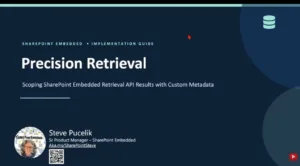
Watch the SharePoint Embedded presentation from a recent Copilot, Microsoft 365 & Power Platform community call to learn more about the Retrieval API:
How the Retrieval API works
Using the Retrieval API, developers submit a query and specify sharePointEmbedded as the data source, with pay-as-you-go billing on the Copilot Studio message meter. After a user asks a question, your app calls the Retrieval API. The API returns relevant text extracts from content stored within SharePoint Embedded containers, and your app passes the text extracts to its own model as grounding data.
This gives developers flexibility to build custom copilots, domain-specific assistants, document intelligence solutions, and other AI-powered experiences while keeping content governance aligned with customer expectations.
For more information and guidance, see Use the Retrieval API.
Use natural language to build and manage apps with the Model Context Protocol server – now in public preview
While the Retrieval API helps developers create intelligent runtime experiences, we’re also making it easier to build SharePoint Embedded applications in the first place.
The SharePoint Embedded Model Context Protocol (MCP) server, now in public preview, enables you to build and manage apps with a coding agent. The open-source SharePoint Embedded MCP server npm package (@microsoft/spe-mcp) lets MCP-compatible AI clients, such as GitHub Copilot in Visual Studio Code or the CLI, Claude, Cursor, and Azure AI Foundry, provision and manage SharePoint Embedded applications through natural language.
The MCP server can help developers streamline the management of SharePoint applications, allowing for quicker setup and configuration through AI assistance. Instead of clicking through portals and stitching together Microsoft Graph and Azure CLI commands by hand, you can describe what you want, such as “create a trial container type for my app”, and let your coding agent invoke SharePoint Embedded tooling on your behalf.
The MCP server supports scenarios such as:
- Creating and managing container types and containers
- Provisioning SharePoint Embedded applications
- Configuring billing
- Uploading and managing content
- Scaffolding reference applications
- Searching documentation and learning resources
For more guidance and information, see Use the MCP server to build apps with a coding agent.
Start building
Whether you’re building a SaaS application, an industry-specific copilot, a document-driven workflow solution, or a custom AI assistant, SharePoint Embedded provides a foundation for combining enterprise content with modern AI experiences.
You can go from zero to a working AI app on your own content in an afternoon — no vector database and no separate search index to run.
The fastest way to start is to point your coding assistant at the SharePoint Embedded MCP Server (in preview) and let it scaffold a sample app for you. Run: npx @microsoft/spe-mcp and then ask it to create a SharePoint Embedded project and a sample app you can upload files to. It runs with pay-as-you-go billing, so there’s no upfront commitment.
Once your app is set up, use the Microsoft 365 Copilot Retrieval API for SharePoint Embedded to start building grounded AI experiences today.
Want to learn more about SharePoint Embedded? Get started today at the task-based SharePoint Embedded documentation hub.


0 comments
Be the first to start the discussion.