


If you build agents with the Copilot Studio extension for Visual Studio Code, you already know the fastest way to iterate is to treat your agent like software: version it, review changes, and promote it through environments with confidence. Today, the Microsoft Copilot Studio extension for Visual Studio Code is generally available, so you can build and manage Copilot Studio agents from the IDE you already use.
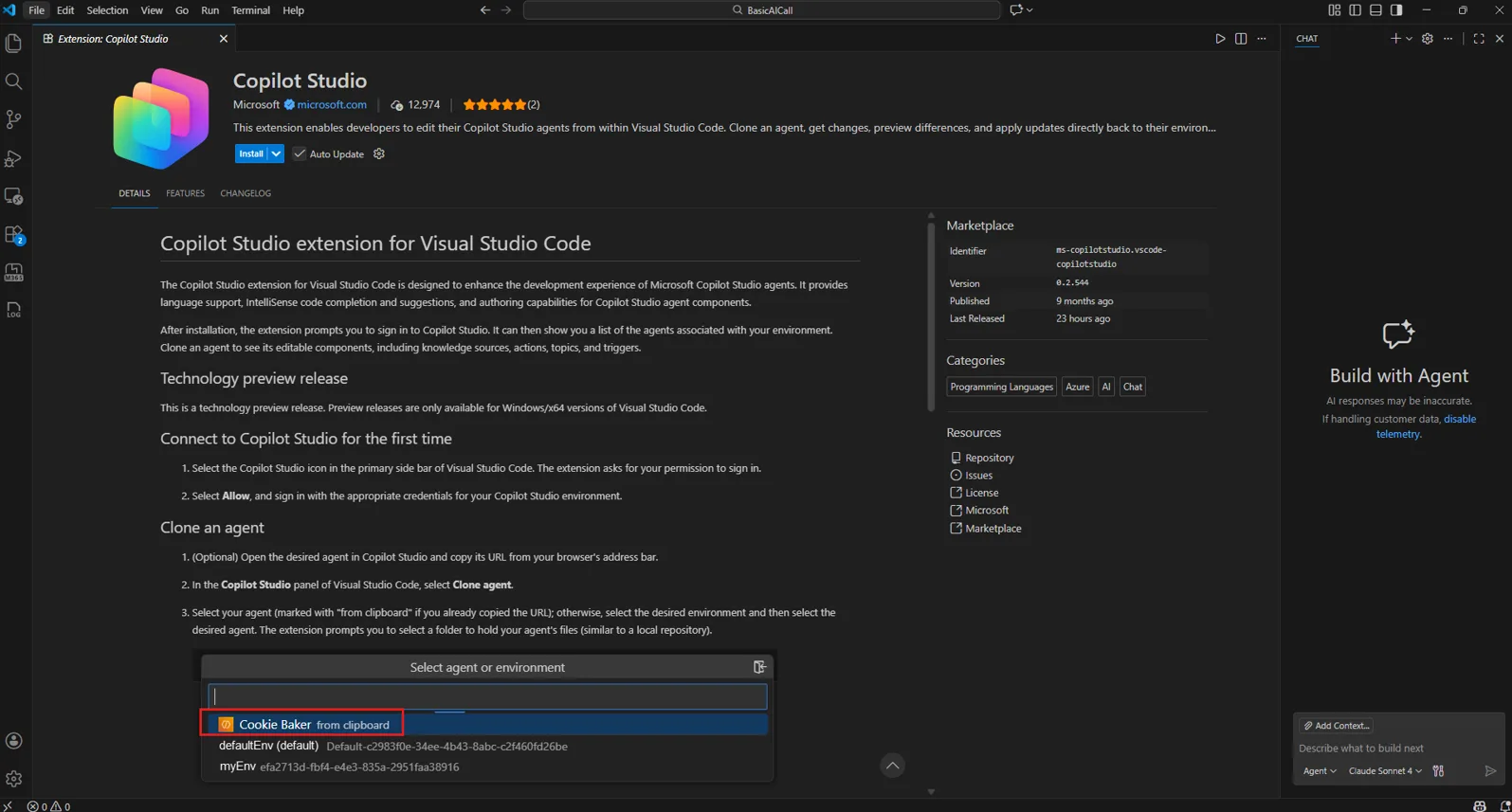
What you can do with the Copilot Studio extension for Visual Studio Code
As agents grow beyond a few topics and prompts, teams need the same development hygiene they use for apps: source control, pull requests, change history, and repeatable deployments. The VS Code extension brings that workflow to Copilot Studio so makers and developers can collaborate without losing governance or velocity.
The extension supports a simple loop that fits naturally into your SDLC:
1) Clone an agent to your local workspace
Pull the full agent definition from Copilot Studio into a folder on your machine, so you can work locally with the full context of your agent.
2) Edit confidently in VS Code
Make changes to your agent components (topics, tools, triggers, settings, knowledge references) using a structured agent definition format and your existing VS Code workflow. The extension also provides IDE help like syntax highlighting and IntelliSense-style completion so edits are faster and less error-prone.
3) Review changes before they land
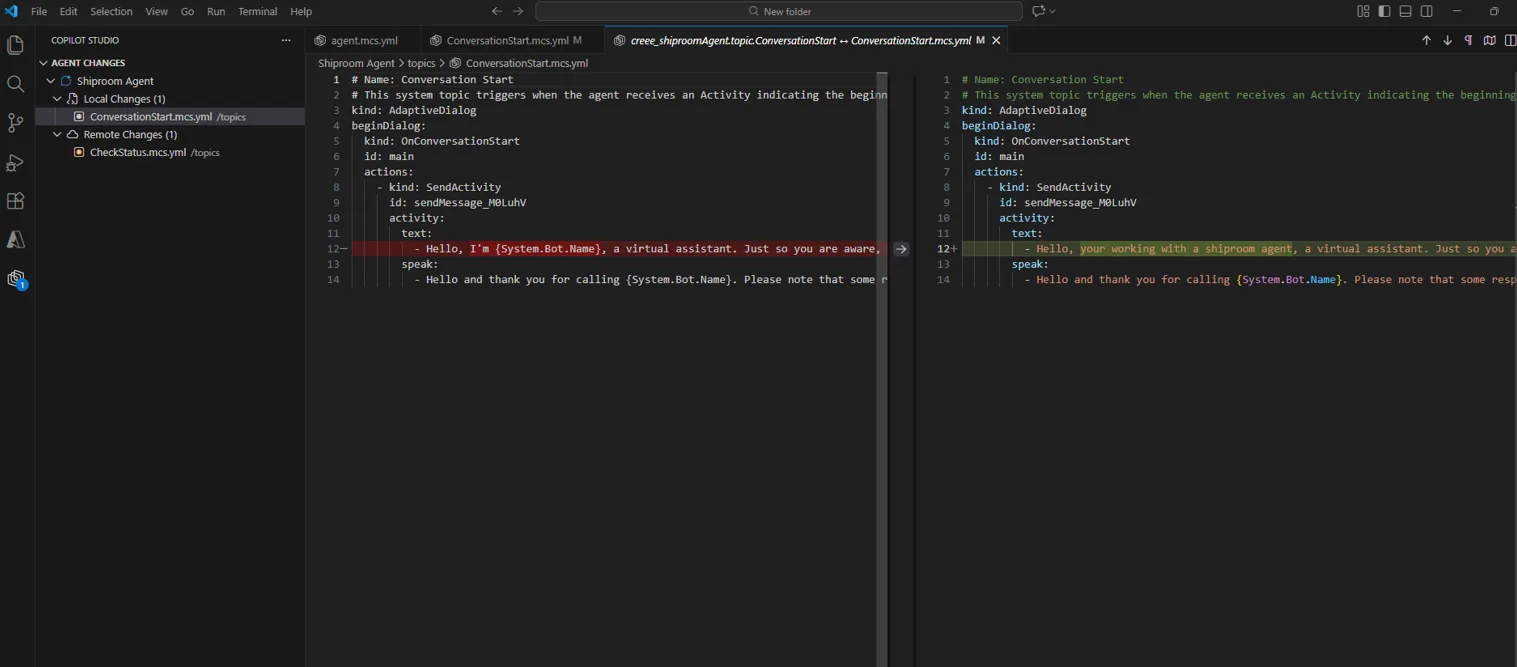
Preview what changed, compare cloud vs local, and resolve conflicts before you apply updates. This helps teams avoid overwriting each other’s work and makes collaboration practical at scale.
4) Apply changes back to Copilot Studio
Sync your updates to the cloud to test behavior and create evals as part of your normal iteration loop.
5) Deploy with the processes your team already uses
Use standard Git workflows and integrate agent definitions into automated deployment processes. This is the missing piece for teams that want agents to move through environments with the same rigor as code.
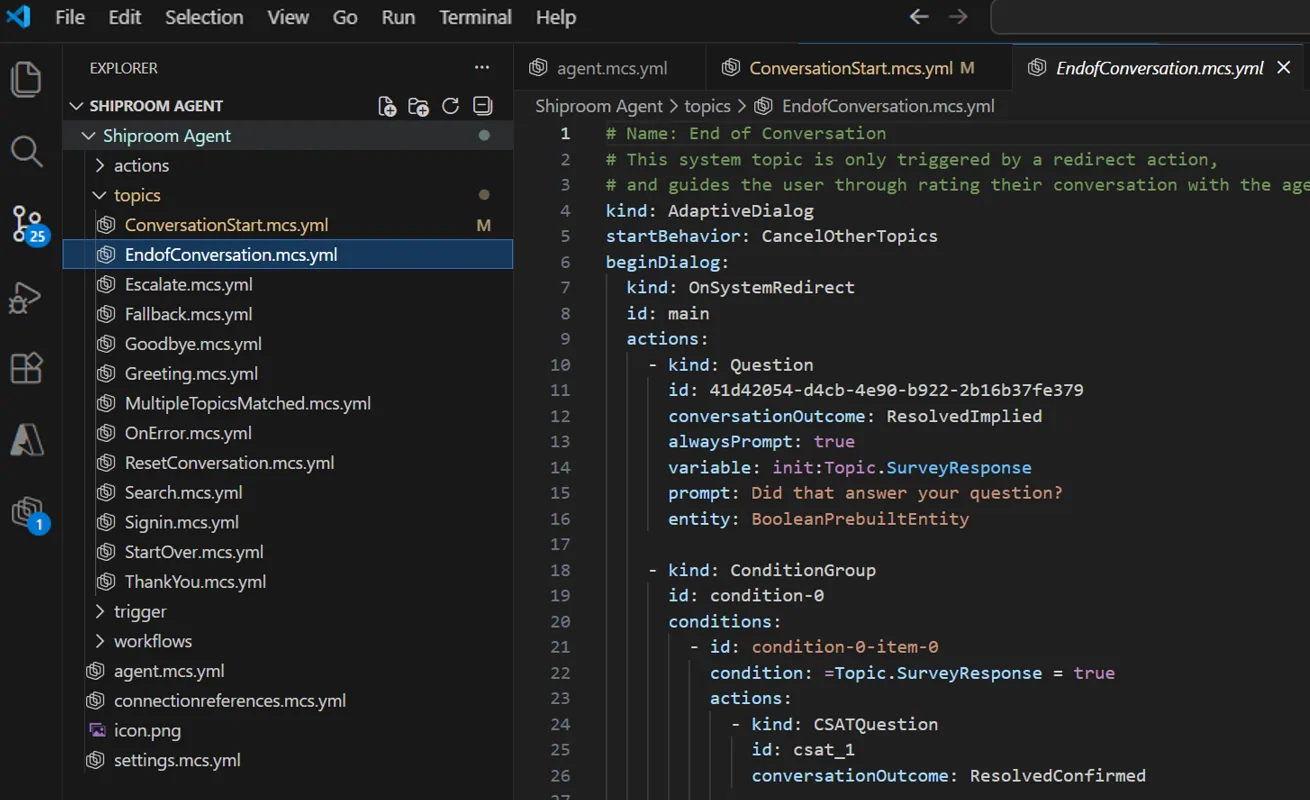
Built for development teams
The extension is designed for the way engineering teams actually work:
- Standard Git integration for versioning and collaboration
- Pull request-based reviews so changes are discussed and approved
- Auditability over time, with a clear history of modifications
- VS Code ergonomics: keyboard shortcuts, search, navigation, and a local dev loop
This extension is especially helpful if you:
- Manage complex agents with many topics and tools and need fast search and navigation
- Collaborate with multiple people and need PR workflows for safe changes
- Want agent definitions in source control and environment sync through DevOps pipelines
- Prefer building with your IDE plus an AI assistant for faster iteration
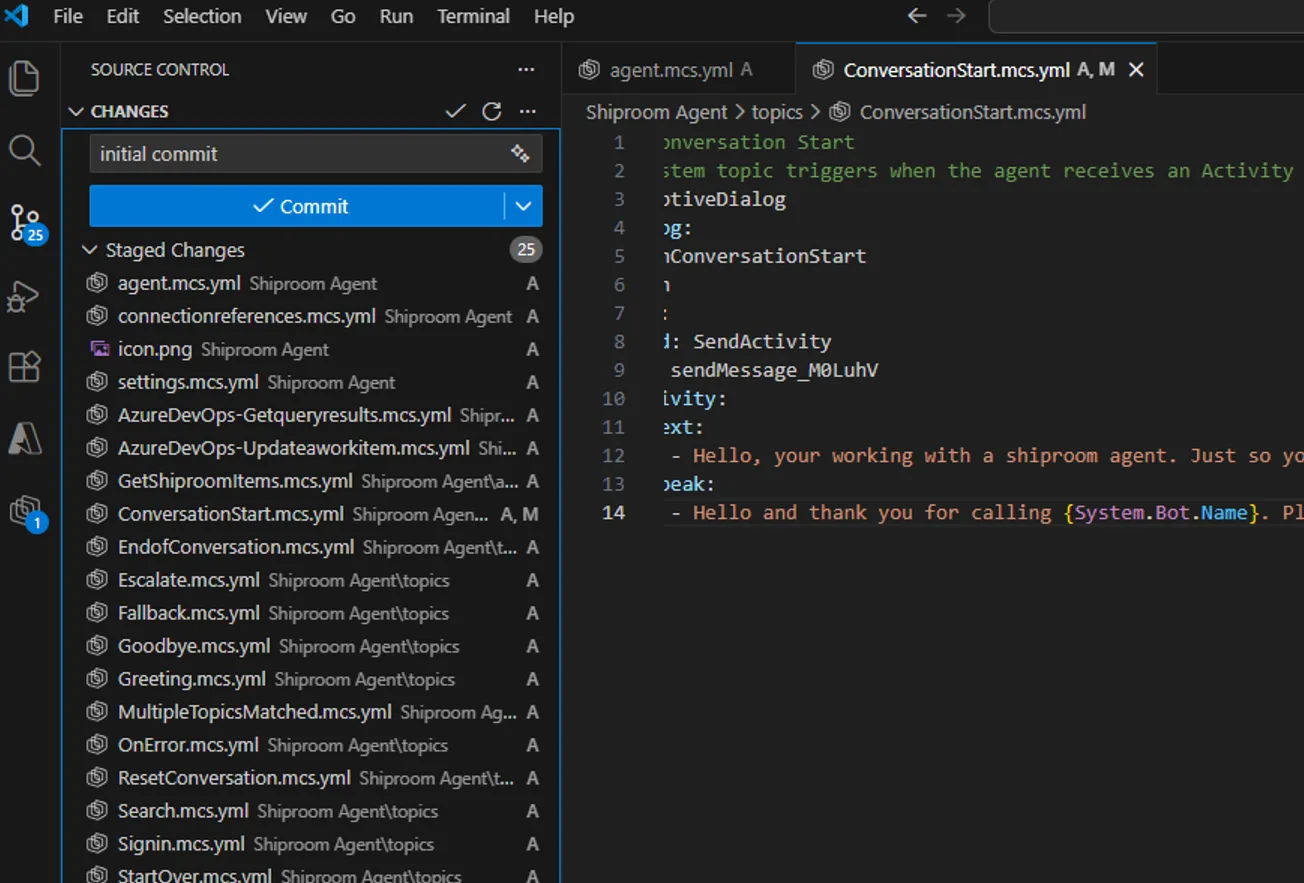
Develop Copilot Studio Agents using GitHub Copilot
The Copilot Studio extension for Visual Studio Code lets you build and refine your Copilot Studio agent with AI help in the same place you write code. Use GitHub Copilot, Claude Code, or any VS Code AI assistant to draft new topics, update tools, and quickly fix issues in your agent definition, then sync changes back to Copilot Studio to test and iterate. The result is a faster inner loop with fewer context switches and a workflow that fits how development teams already work.
Get started
- Install the extension from the Visual Studio Marketplace
- Clone your first agent from Copilot Studio
- Make a small change locally
- Use Apply Changes to sync back to Copilot Studio and test
Learn more and share feedback
We built this extension so agent development can feel like the way software teams already work: in your editor, with source control, and with AI help when you want it. Try it in your next agent update and let us know what you want to see next!
- Learn more in Copilot Studio docs
- GitHub issues and feedback


Hello Sarah
I have a clever idea regarding logging in or recovering an account on Windows or Android.
Contact me lekbirlmarouani5@gmail.com
Would i be able to integrate Azure AI services like AI Search and Speech services!
This is a significant step forward for agent development maturity. Treating Copilot Studio agents as first-class software artifacts with source control, PR reviews, and environment promotion addresses one of the biggest gaps teams have faced as agents scale. The tight VS Code integration, combined with Git workflows and AI-assisted authoring, brings agent development directly into existing SDLC practices without sacrificing governance. Excited to see how teams adopt this for enterprise-grade deployments and DevOps automation.
Howcan i get started with writing agetns ? I’m an experienced c# developer but newwbie in agents development.
Thanks!
The simplest way is to create a basic agent in the Copilot Studio portal and then clone it locally through the extension. We are working on additional ways to create an agent from scratch in the VS Code extension.
Thanks!