


Setting up your Microsoft Foundry environment just got a lot simpler. We launched Foundry Dev Pack to consolidate initial installation steps into a single setup process.
The Foundry Dev Pack is an all-in-one installer that prepares your machine for Foundry development by installing the tools that you’ll need across your terminal, IDE, or coding agents.
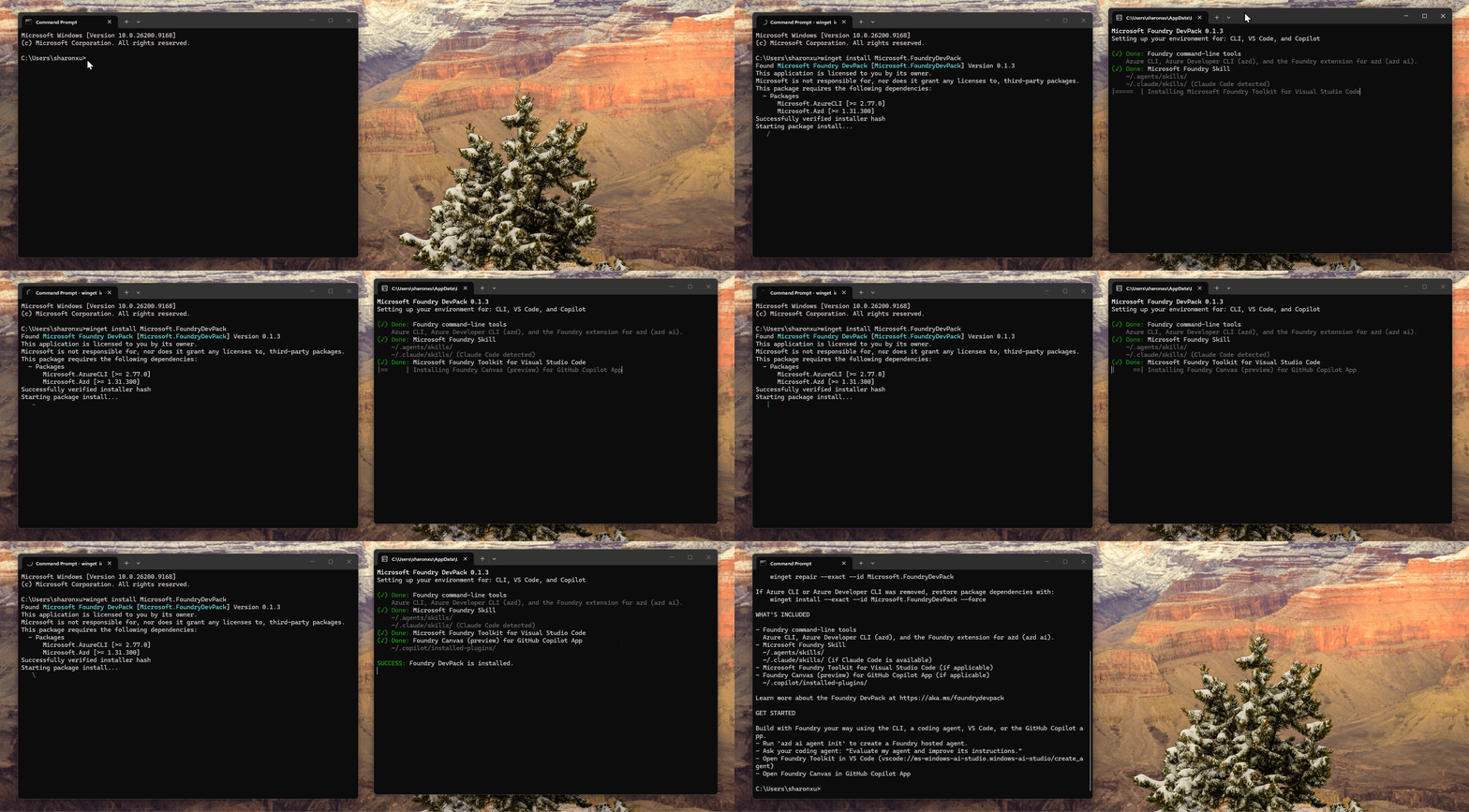
Depending on your environment, the Dev Pack can install:
- Foundry Command Line Tools
Scaffold, deploy, evaluate, and automate from the terminal. Includes Azure CLI (az), Azure Developer CLI (azd) and the Microsoft Foundry Extension for azd.
Give coding agents reusable guidance for Foundry workflows.
Build, test, evaluate, and deploy from the VS Code editor. Installed only if VS Code is present.
Design and deploy hosted agents from a guided canvas. Installed only if GitHub Copilot App is present.
Whether you prefer the terminal, VS Code, or a coding agent, Foundry Dev Pack supports them all and gives you one place to start building. For more details, see our docs.
Get Started
Install Foundry Dev Pack using the command for your operating system:
Windows
winget install Microsoft.FoundryDevPackmacOS
brew install --cask microsoft/foundry/devpack && foundry-devpack installLinux
curl -fsSL https://aka.ms/foundry-devpack-install.sh | bashBuild an Agent
To begin building your first agent, follow this quickstart, or choose one of the following tools:
- CLI
Run azd ai agent init to create your first agent from a template.
- VS Code
Look for the Foundry extension in the left Activity Bar to explore templates or create a custom agent.
- Coding Agent
Leverage the Foundry skill by asking your coding agent:
Create my Foundry hosted agent end to end.Welcome to a simpler way to develop with Microsoft Foundry!


This is so good. I have already used Canvas but skill and CLI tools made it just better.