


We are excited to release a new update to the Team Calendar extension.
This update includes a series of visual refinements across the extension, introducing a more consistent design language, smoother transitions when expanding and collapsing sections, improved contrast for better readability, an updated color palette aligned with Azure DevOps, and clearer, more consistent icons throughout the experience.
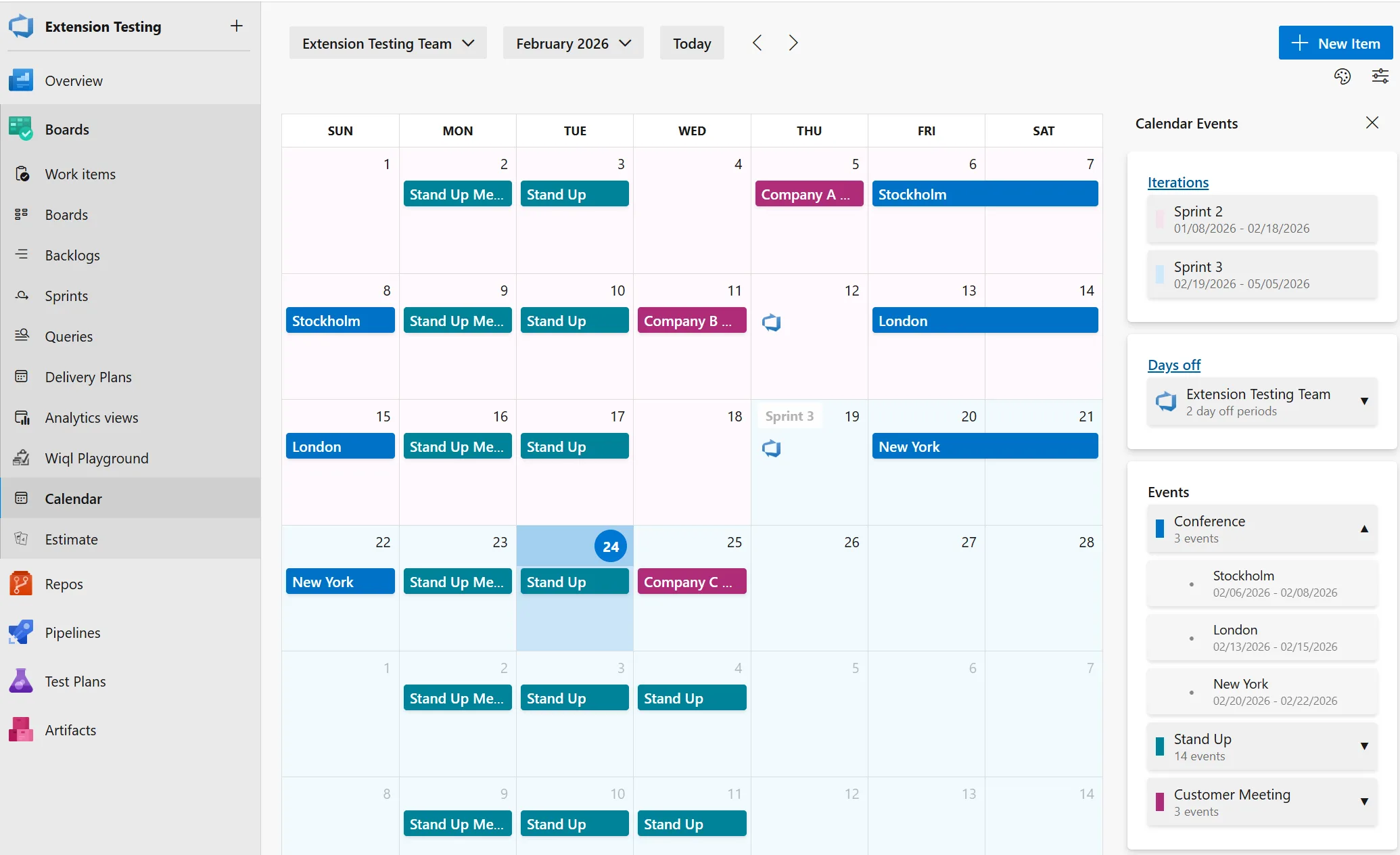
Side Panel UI Improvements
The side panel has received a complete visual overhaul with a modern, clean design that better integrates with Azure DevOps.
Enhanced Summary View
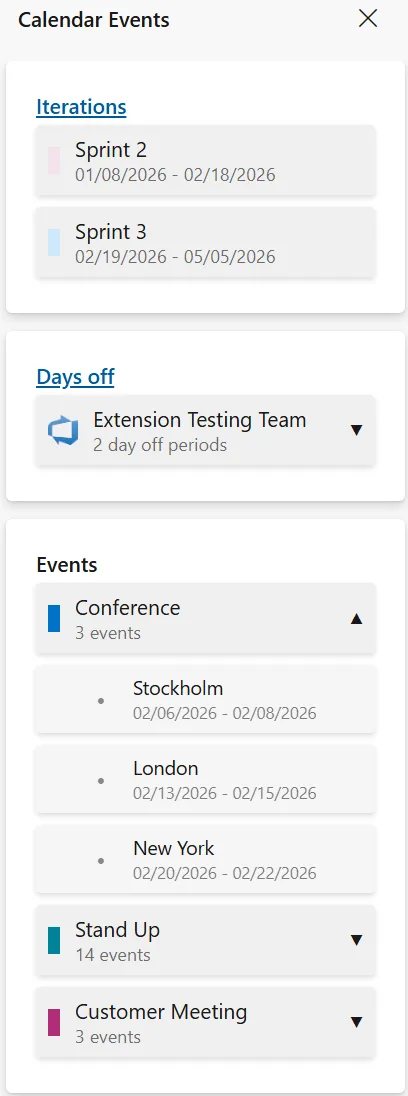
The Calendar Summary panel has been redesigned with cleaner, more organized cards for Iterations, Days Off, and Events, along with improved spacing that makes the content easier to scan. It now adapts to the available screen space by automatically adjusting how many items are displayed, and when there’s more content, expandable sections let you how more or less as needed.
Organized Event Categories
Events are now organized by category to make navigation easier and more intuitive. Each category can be expanded or collapsed as needed, includes visual color indicators for quick recognition, and displays event counts so you can immediately see how many items are in each group.
Collapsible Sidebar
The side panel can now be collapsed to give you more screen space for viewing your calendar:
Event Color Customization
You can now customize the colors of your event categories to match your preferences or team conventions.
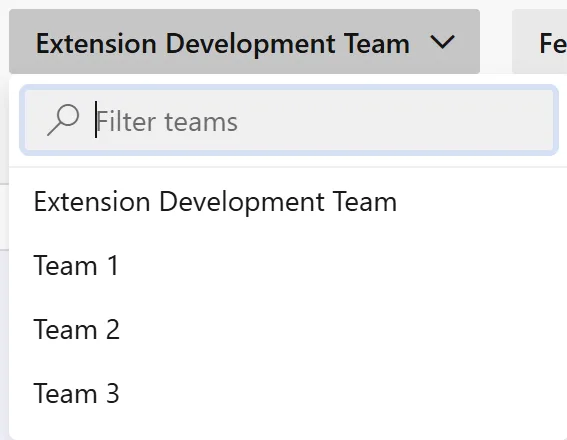
Searchable Teams
Finding and switching between teams is now much easier with the new team search functionality.
Dialog Improvements
Both event and days off dialogs have been updated with better usability. Also a modern date picker.
Summary
This update enhances the overall user experience with a refreshed side panel design, customizable event colors, more intuitive date selection, and improved team navigation. The collapsible sidebar provides greater flexibility when viewing your calendar, and the new team search makes switching between teams in large organizations fast and seamless. All updates are fully compatible with existing functionality.
To use this extension, go download and install the Team Calendar from the Azure DevOps marketplace.


0 comments