



A few months ago we introduced the Azure Boards integration with GitHub Copilot in private preview. The goal was simple: allow teams to take a work item from Azure Boards and send it directly to GitHub Copilot so the coding agent could begin working on it, track progress, and generate a pull request.
We are happy to announce that this integration is now being rolled out as generally available 🎉. Customers who participated in the preview helped us validate the experience, find issues, and shape improvements. GA includes the same workflow introduced in preview, along with new capabilities based on customer feedback.
🐿️ How it works
The first step is providing well-crafted instructions in the work item description (or any large text field).
From there, you can click on the Copilot button on the work item to “Create a pull request with GitHub Copilot”. Then select the repository, the branch, and add any additional instructions as needed.
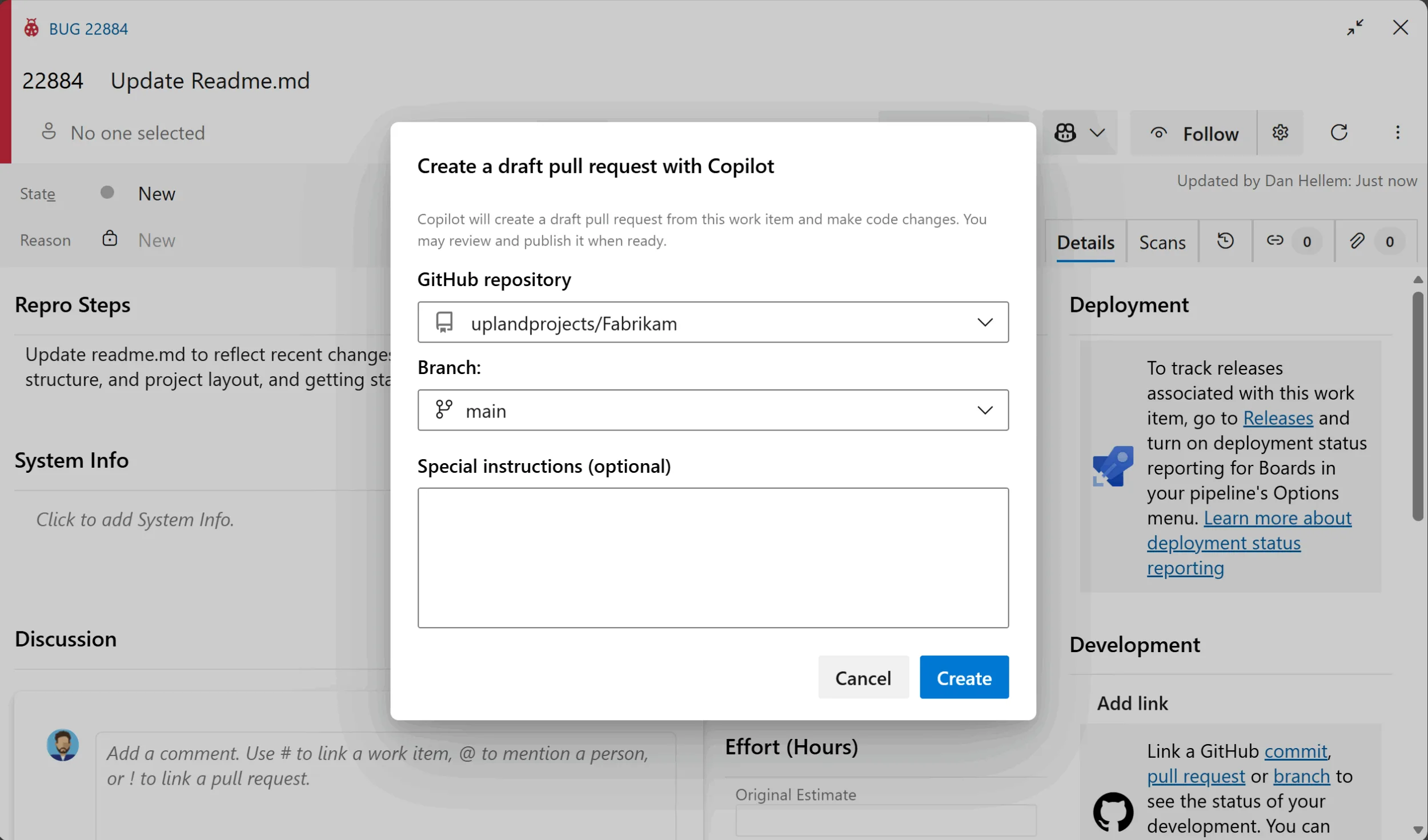
Once you click Create, the work item is sent to the Copilot coding agent to begin processing. We pass along all relevant content from the large text fields (such as Description or Repro Steps) as well as the last 50 comments. The coding agent then generates a branch and a draft pull request, which is automatically linked back to the work item for full traceability.
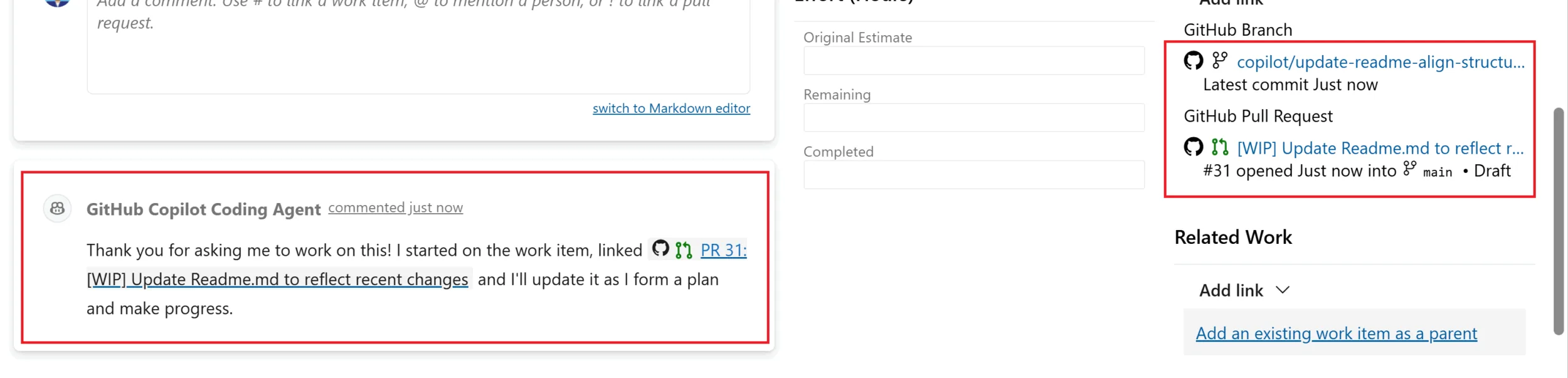
Depending on the complexity of the requested change, the coding agent may need some time to create and execute the plan. Once the work is complete, its status is updated on the work item and work item card on your kanban board. We also add a comment in the discussion letting you know the pull request is ready for review.

From there, it is up to you to review and interact with the pull request directly in GitHub.
✔️ Requirements to use this feature
There are a couple of items that are required before you can interact with the GitHub Coding agent from the work item.
-
Your code repos must reside in GitHub.
-
You must have the Azure Boards and GitHub integration enabled, with the repositories connected to your Azure DevOps project. Learn more.
-
The repos connected to the Azure DevOps project must have the Copilot coding agent enabled. If you are a GitHub Copilot Enterprise or GitHub Copilot Business subscriber, Copilot coding agent is disabled by default and must be enabled by an administrator before it is available for use. If you are a GitHub Copilot Pro or Pro+ subscriber, Copilot coding agent is enabled by default.
Learn more about how to enable the coding agent on your repositories.
-
Go to the Installed GitHub App page and update the Azure Boards app to approve the recent permission changes. This will allow the Azure Boards app to communicate with GitHub Copilot.

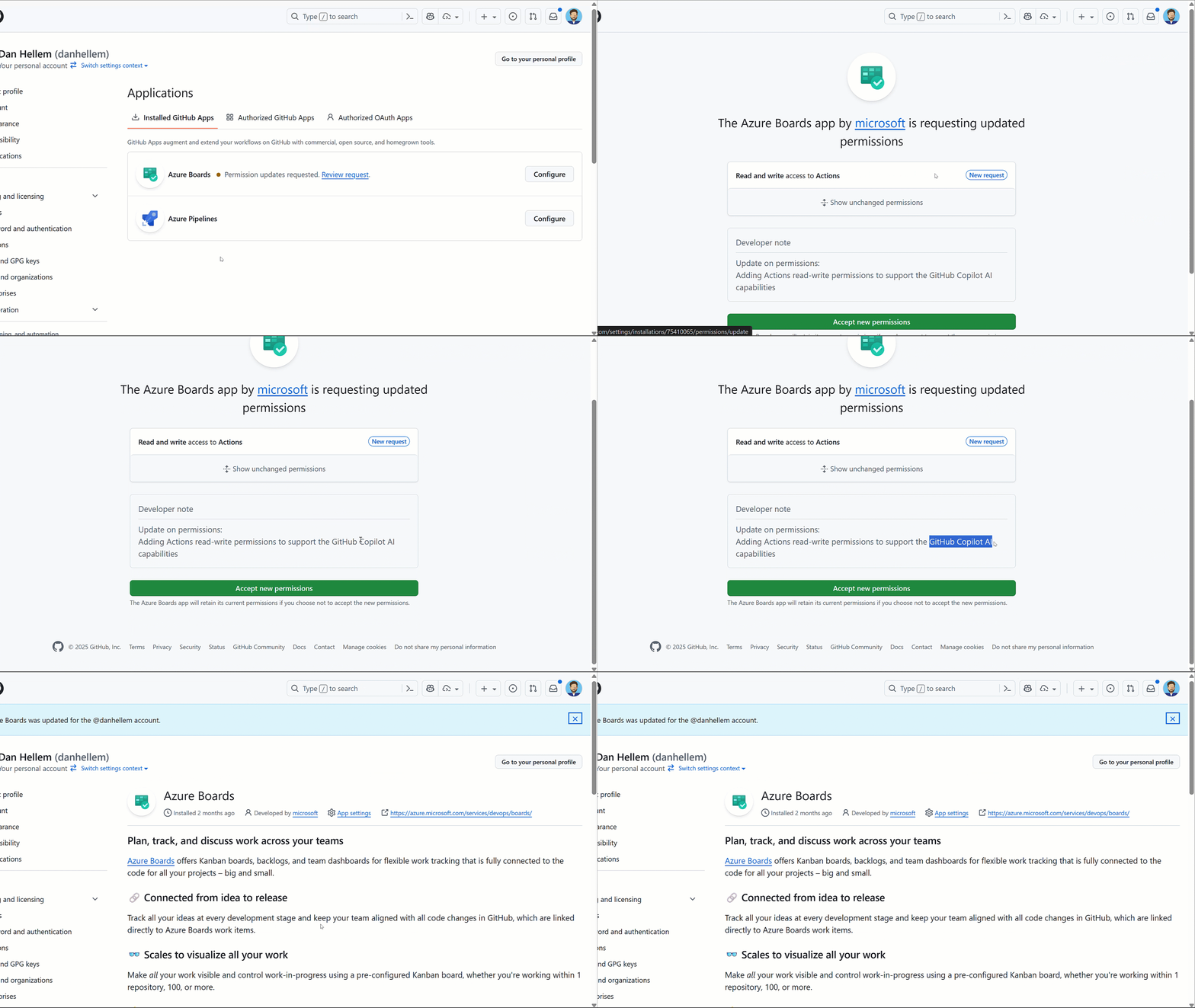
🌟 New features
With this new release of the integration, there are couple of new features we are excited to bring to customers.
Branch Selection
In preview, Copilot always targeted the repository’s default branch. You can now choose the branch that Copilot should use when generating changes. This helps teams working with long-running feature branches or maintaining separate release branches.
Copilot Status on Kanban Cards
Work item cards on the Kanban board now display Copilot activity directly on the card. You can quickly see which items Copilot is actively working on and which ones have a pull request ready for review. This makes it easier to track progress without opening the work item.
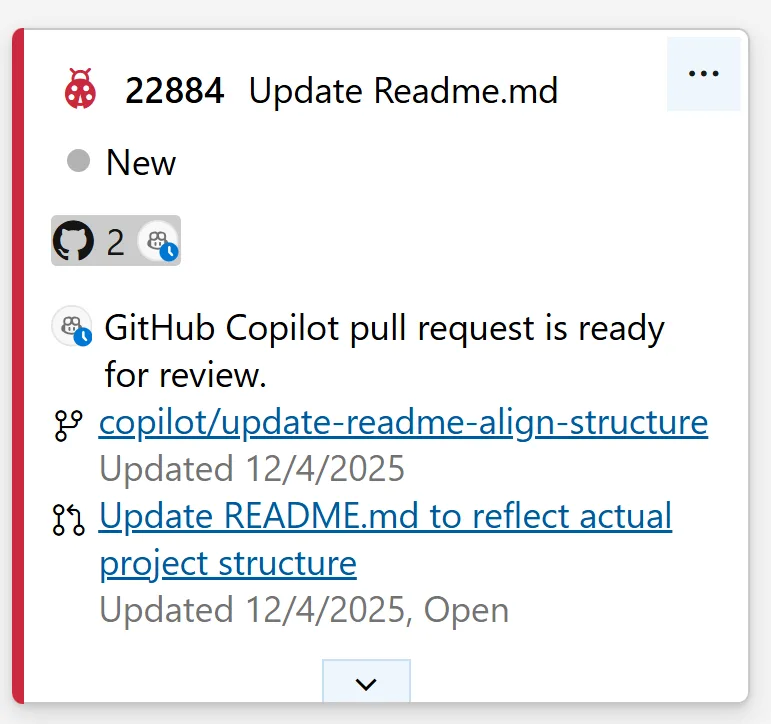
🔜 Coming Soon
We are also working on two enhancements that will be delivered after the initial general availability rollout. First, while the integration currently uses the default coding agent and model, organizations with custom agents will soon be able to select which agent is used when creating a draft pull request with Copilot. You will also be able to choose the model.
Second, we plan to add REST API support that allows you to create a work item and send it directly to a coding agent. This will enable fully automated workflows, such as generating work items through the MCP Server and immediately triggering Copilot to begin work.
🛼 General Availability Rollout Details
The feature is now rolling out as generally available, but it will appear gradually across organizations. Due to the holiday season, the rollout will progress more slowly than usual. We are enabling the feature in smaller waves to monitor performance and ensure stability. As a result, some customers will see it right away, while others may not see it until early February 2026.
We appreciate your patience as we work through a safe, staged rollout.


0 comments