


We’re back with a fresh PowerToys release! This month introduces the brand-new Shortcut Guide, a major Command Palette update with the new Extension Gallery and multi-monitor Dock support, and a wave of improvements to Power Display. We’ve also upgraded PowerToys to .NET 10, improved auto-update reliability, reduced installer size, and continued modernizing the app experience across the suite. Grab the update by checking for updates in PowerToys or by heading to heading to the release page. Let’s dive in!
⌨️ Introducing the new Shortcut Guide
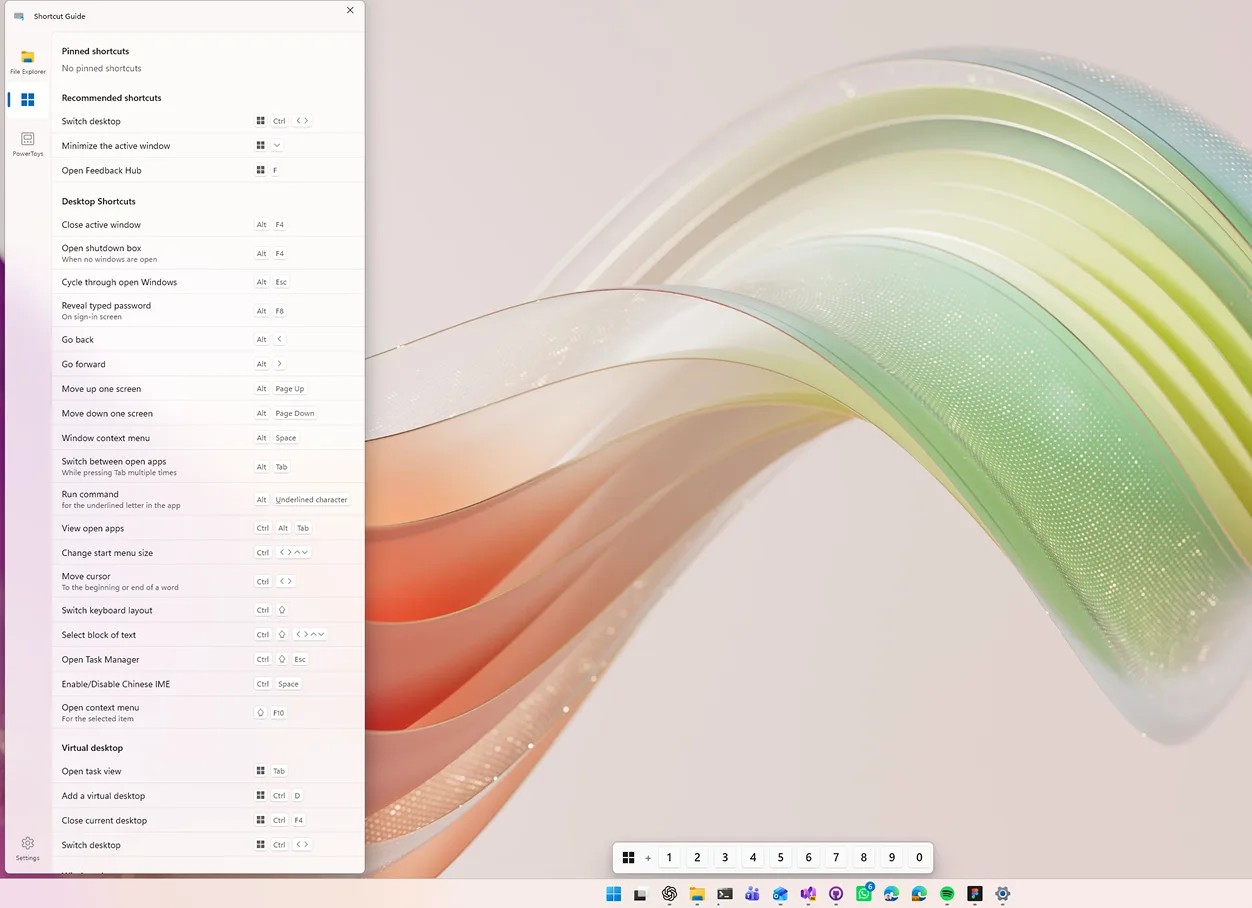
The new Shortcut Guide has been designed and built from the ground up. The new experience appears as a pane on the side of your screen and automatically detects the active application when invoked, showing the shortcuts that are relevant to what you’re currently doing. In addition to app-specific shortcuts, Shortcut Guide also includes a wide range of Windows shortcuts and shortcuts from enabled PowerToys utilities. Want to see if your favorite app is supported? Check out the documentation for the current list of supported applications. If you’d like to add support for another app, we’d love your help! Feel free to open a pull request, or create an issue with a link to the app’s shortcut documentation.
Big thanks to @noraa-junker all the great work on this new utility!
⚡ Command Palette: new Extension Gallery, and multi-monitor Dock (and more!)
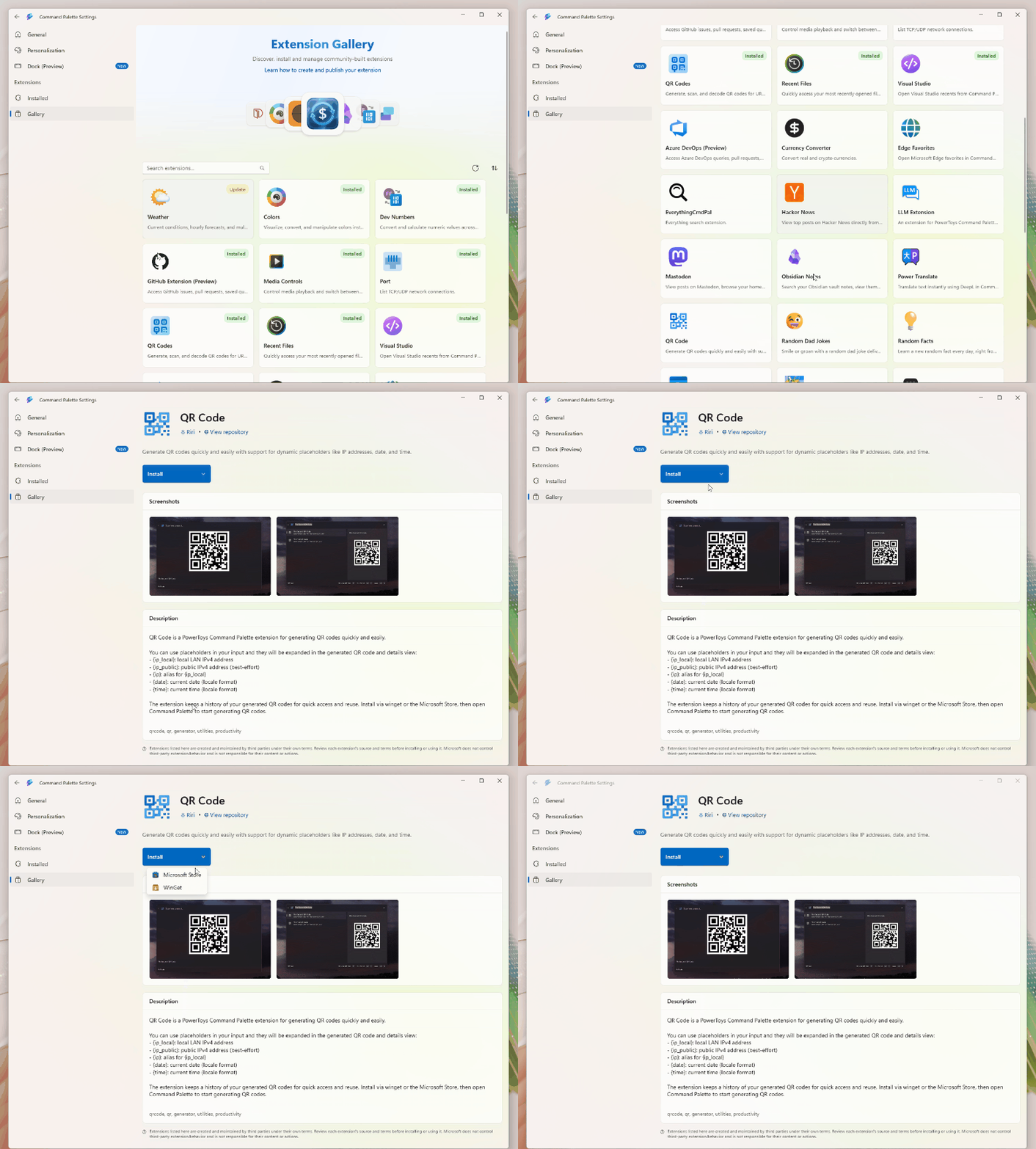
Command Palette was built with extensibility in mind. Developers can create their own extensions, distribute them through the Microsoft Store or WinGet, and build powerful experiences that help users get things done faster. One piece of feedback we’ve heard consistently is that discovering and installing extensions wasn’t always easy. That’s why we’re introducing the Extension Gallery. Available directly from Command Palette Settings, the Extension Gallery makes it easy to browse, discover, install, update, and remove extensions without leaving Command Palette. Whether you’re looking for new capabilities or managing existing extensions, everything is now just a few clicks away.
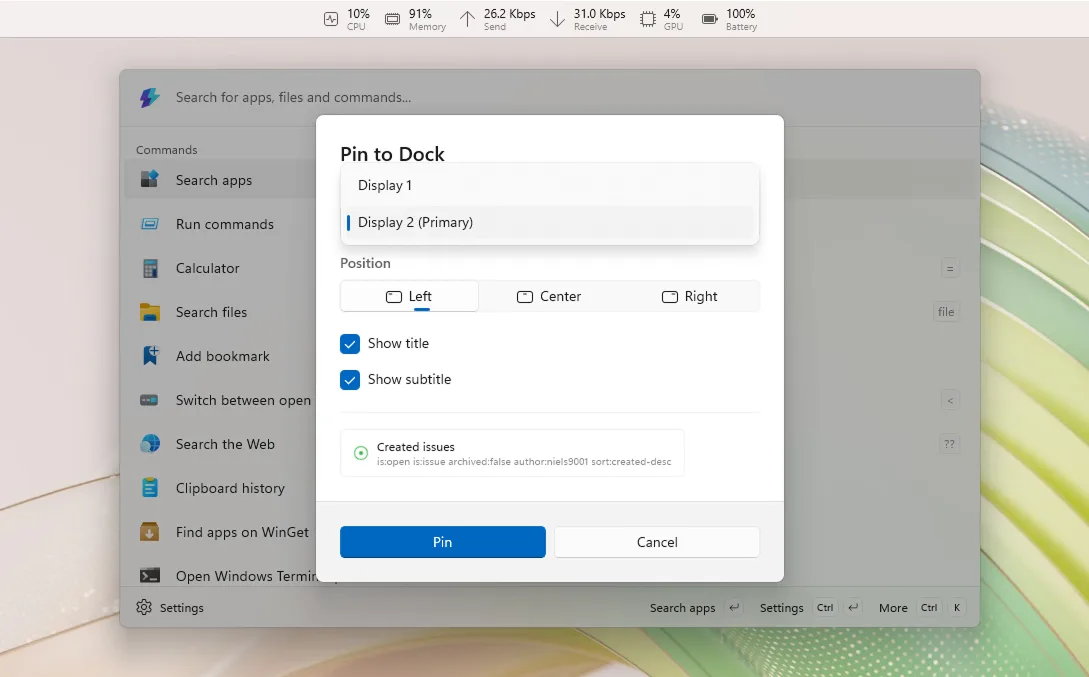
The Dock has also received a major upgrade with multi-monitor support. Each monitor can now have its own independent Dock configuration, making it easy to tailor your setup for every display in your workspace. You can choose which monitors should display a Dock directly from Command Palette Settings, and the improved Pin to Dock experience now lets you choose exactly where a command should be pinned. Whether you want different tools on different screens or dedicated docks for specific workflows, configuring your setup is now more flexible than ever.
On top of that, the Performance Monitor extension has gained a new Battery widget, showing charge level, charging status, and estimated time remaining. We’ve also added support for pinning individual metrics such as CPU, Memory, GPU, Network, and Battery directly to the Dock.
Beyond these features, we’ve shipped dozens of fixes and improvements across Command Palette, including better search experiences, reliability improvements, accessibility enhancements, performance optimizations, and extension platform updates.
A huge thanks to @jiripolasek for the sustained Command Palette work across this release!
🖥️ Power Display improvements
This release focuses heavily on reliability, compatibility, and monitor detection improvements. Startup is now significantly faster on many systems, monitor identification is more reliable across reboots, and monitor settings are preserved more consistently. We’ve also introduced a new Max Compatibility Mode for displays that don’t properly advertise DDC capabilities, helping Power Display work with a wider range of monitors. Several usability improvements have landed as well. The flyout can now be dismissed using Escape, sliders support mouse wheel adjustment, and displays are automatically rescanned when your PC wakes from sleep.
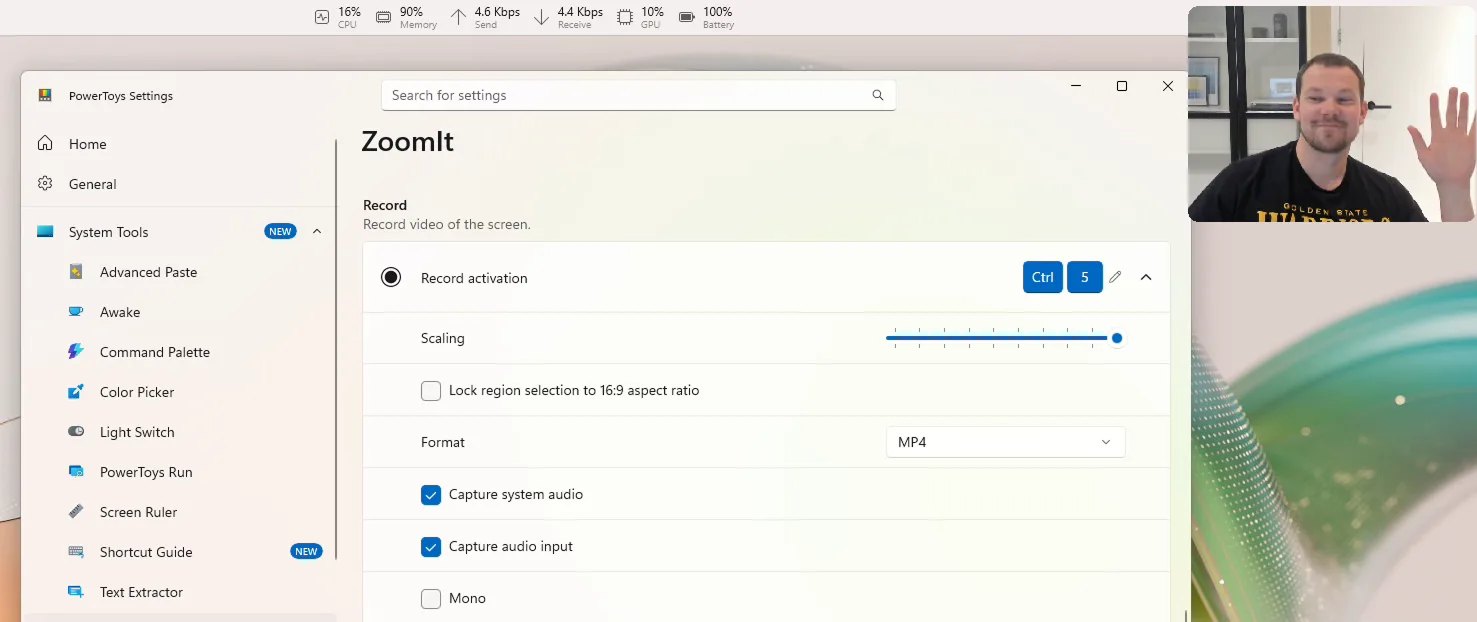
🎥 ZoomIt: webcam capture and recording improvements
This release adds support for a webcam overlay while recording, making it easier to create demos, presentations, and tutorials. We’ve also added support for appending multiple clips with transitions, allowing you to stitch recordings together without leaving ZoomIt.
🔄 Foundations and platform improvements
This release, we have also focused on making the PowerToys foundations better: we’ve upgraded the project to .NET 10, helping us stay current with the latest platform improvements and tooling and making the overall experience faster! We’ve also reduced the installer footprint (by 15%), making downloads smaller and installations more efficient.
Big thanks to @snickler for driving the .NET 10 upgrade!
Auto-update has also become more reliable. PowerToys now properly relaunches after updating, provides clearer success notifications, and automatically backs up configuration files before updates so settings can be restored if corruption is detected.
As part of our ongoing modernization efforts, both Quick Accent and Workspaces have moved away from custom WPF theming libraries and now use native Fluent-inspired WPF styling. This helps them better align with the overall PowerToys experience and modern Windows design language. Workspaces in particular received a significant UX refresh, with updated typography, spacing, layout improvements, and a cleaner overall experience.
🧩 Other notable changes
- Keyboard Manager: The new WinUI 3 editor is now enabled by default.
- Mouse Without Borders: Added a new Refresh Connections action to quickly reconnect devices.
- Image Resizer: Changes to settings can now be picked up automatically without restarting the experience.
- Quick Accent: Improved reliability on high-DPI and multi-monitor setups, along with support for Greek Polytonic characters.
- Peek: Added an option to disable file preview tooltips.
- PowerToys Run: Improved calculator handling for complex-number scenarios and documented a new community Disk Analyzer plugin.
For the full list of changes and fixes, check out the complete release notes on GitHub.
✨ Big thanks to the community
As always, a big thank-you to everyone who contributed — we couldn’t do this release without you! Thanks @jiripolasek, @Knyrps, @namdpran8, @daverayment, @Morma016, @MardSilva, @thetsaw, @guidotorresmx, @noraa-junker, @Jay-o-Way, @foxmsft, @markrussinovich, @jerone, @snickler, @P-r-e-m-i-u-m, and @mikeclayton for your pull requests!
We’re always happy to get your feedback and contributions – whether it’s a bug report, a feature idea, or a pull request. Head over to the PowerToys repo to jump in.
The full release notes can be found here.

Do you have plans to improve the search experience of cmdpal? The current cmdpal is completely unusable, and there is a very noticeable lag when searching. For comparison, the search feature in the Windows Start menu is very, very fast (and it manages to do that even with Bing search enabled).