

Developers have trusted SQL for decades, since long before AI existed. Now coding agents help choose the database, and they favor the one they can get running in the first few minutes. So today we’re shipping two things for that moment. Microsoft SQL Agent Skills teach your coding agent how Azure SQL actually works, so it stops guessing. The Azure SQL Developer Hub hands you a prompt and a free database, and your agent builds a working app from there. Both are open source. Both are live now. Together, they make Azure SQL a database your coding agent can build on, starting with one prompt.
In short: Install the skills once, get a free Azure SQL database, copy a prompt, and your agent builds the app.
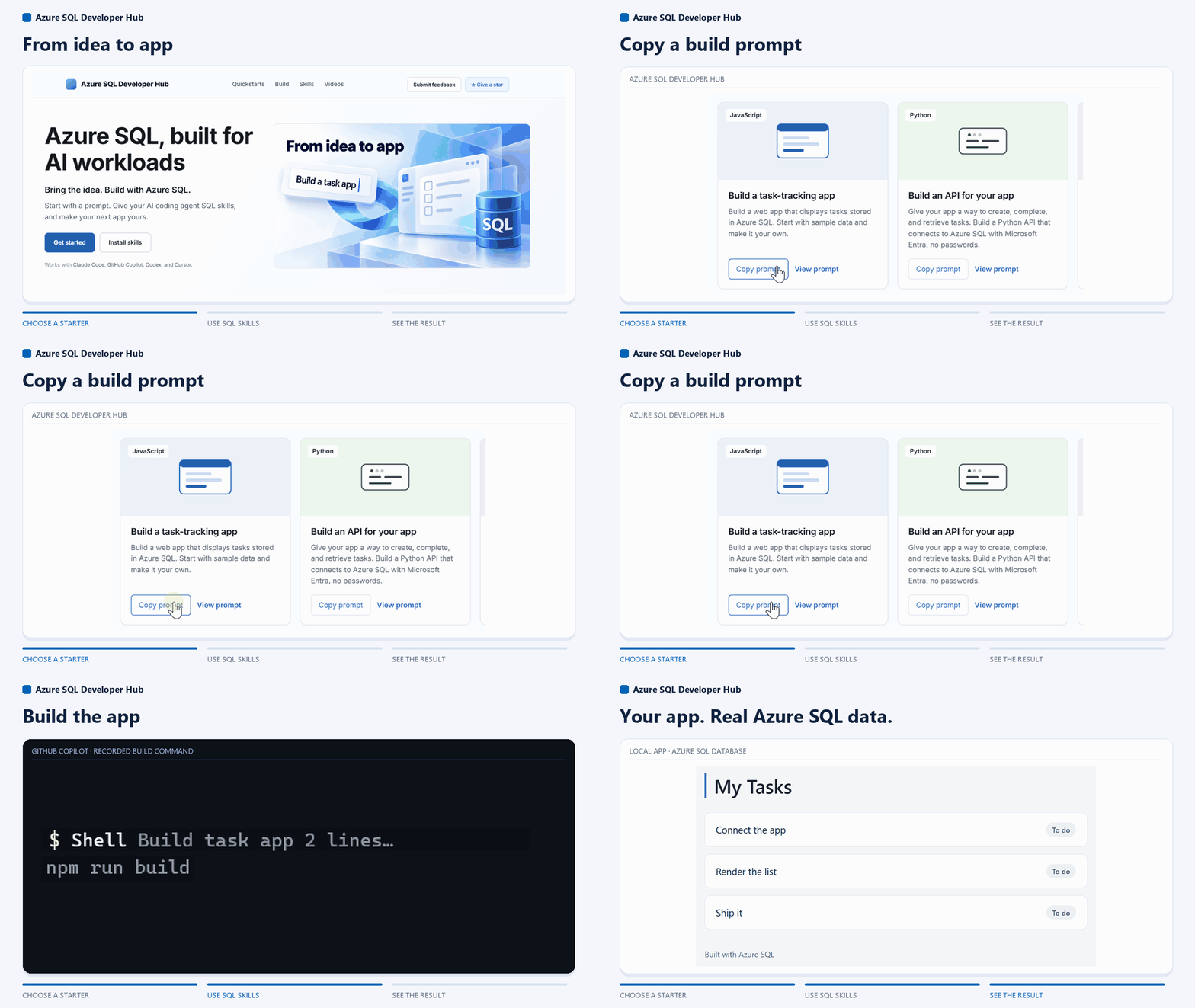
What Microsoft SQL Agent Skills do
Skills are instructions and references your coding agent loads for the task at hand. Microsoft SQL Agent Skills cover connecting with Microsoft Entra (no passwords), connection pooling, schema design and migrations, query troubleshooting, and vector search. With them installed, the agent stops guessing at SQL and follows a tested path.
Install once per agent. For GitHub Copilot CLI:
copilot plugin marketplace add microsoft/microsoft-sql
copilot plugin install microsoft-sql@microsoft-sql
For Claude Code, Codex, Cursor, and VS Code, see the installation guide. In VS Code, the MSSQL extension installs them in one click.
What the Azure SQL Developer Hub gives you
The Hub is where you start: a free database in three steps, and multiple build prompts named by what you want to build. Each prompt describes the scenario, guides the agent through it, and ends with checks you can run yourself.
| What you want to build | Stack |
|---|---|
| A task-list web app | JavaScript / Next.js |
| An API to create, complete, and retrieve tasks | Python |
| Search over text by meaning (RAG) | Python / AI |
| A serverless task API | .NET / Azure Functions |
| A function that responds to data changes | .NET / Azure Functions |
| Task data isolated by customer | JavaScript / row-level security |
These are starting points. Building something else? Pick the closest prompt and change the first line to describe your app, or skip the Hub and just tell your agent what you want; the skills work on any Azure SQL project.
Try it: from one prompt to a task app
You’ll need an Azure SQL database (the free offer works), Node.js 20.12+, the Azure CLI signed in, your agent’s CLI, and the skills installed.
- On the Hub, open Build a task-tracking app and select Copy prompt.
- Paste it into your agent in an empty project folder. Give it your server and database names when asked, and review what it proposes.
- Ask it to run its checks and start the app, then open the local address.
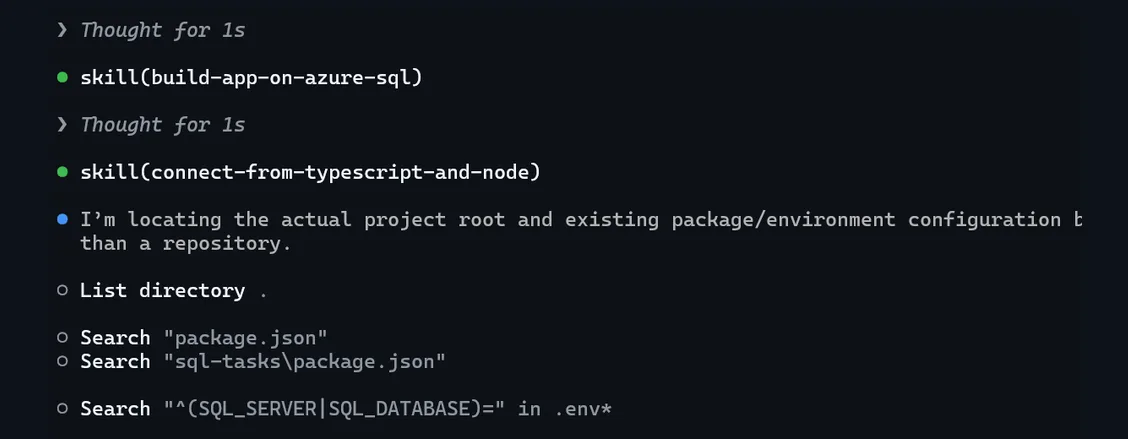
Before starting the app, the agent verifies the passwordless connection, initializes the schema, and passes the build checks.
Use the skills on an app you already have
You don’t always need a new project. With the skills installed, ask your agent directly:
- “Connect this Node.js app to Azure SQL using Microsoft Entra authentication.”
- “Diagnose why this query got slow.”
- “Plan a schema migration for this feature.”
FAQs
Which agents does this work with? GitHub Copilot, Claude Code, Codex, and Cursor.
Do I need a paid database? No. Every scenario here works on the free offer. You can upgrade whenever you’re ready.
Is there a password in the app? No. Every prompt connects with Microsoft Entra.
Can I run it locally? A local Azure SQL Database container is in preview; sign up from the Hub.
Can I trust the prompts? Every prompt runs through an eval harness before it ships: a real coding agent, a real Azure SQL database, and checks on the app it builds.
Can my agent read the Hub directly? Yes. Every page has a Markdown twin, and there’s an llms.txt at the root.
Next steps
- Azure SQL Developer Hub: pick a prompt and build
- Microsoft SQL Agent Skills: install for your agent
- Report an issue or request a scenario
- MSSQL extension for VS Code: one-click skills install


0 comments
Be the first to start the discussion.