


Aspire 13.1 – Our holiday gift to you 🎁
Before we head off for the holidays, we wanted to leave you with one more release. Aspire 13.1 is packed with improvements to make your AI coding assistants first-class citizens in your development workflow, along with CLI enhancements, dashboard refinements, and streamlined Azure deployments.
Check out the full What’s New for all the details!
Without further ado, let’s dive into the highlights.
🛠️ CLI quality-of-life improvements
Several enhancements make the CLI experience smoother:
Channel persistence: When you run aspire update --self and select a channel, your selection is saved globally. Future aspire new and aspire init commands use this channel by default.
Automatic instance detection: Running aspire run when an instance is already running? Aspire 13.1 detects it and offers to terminate:
No more hunting for orphaned processes!
📊 Dashboard improvements
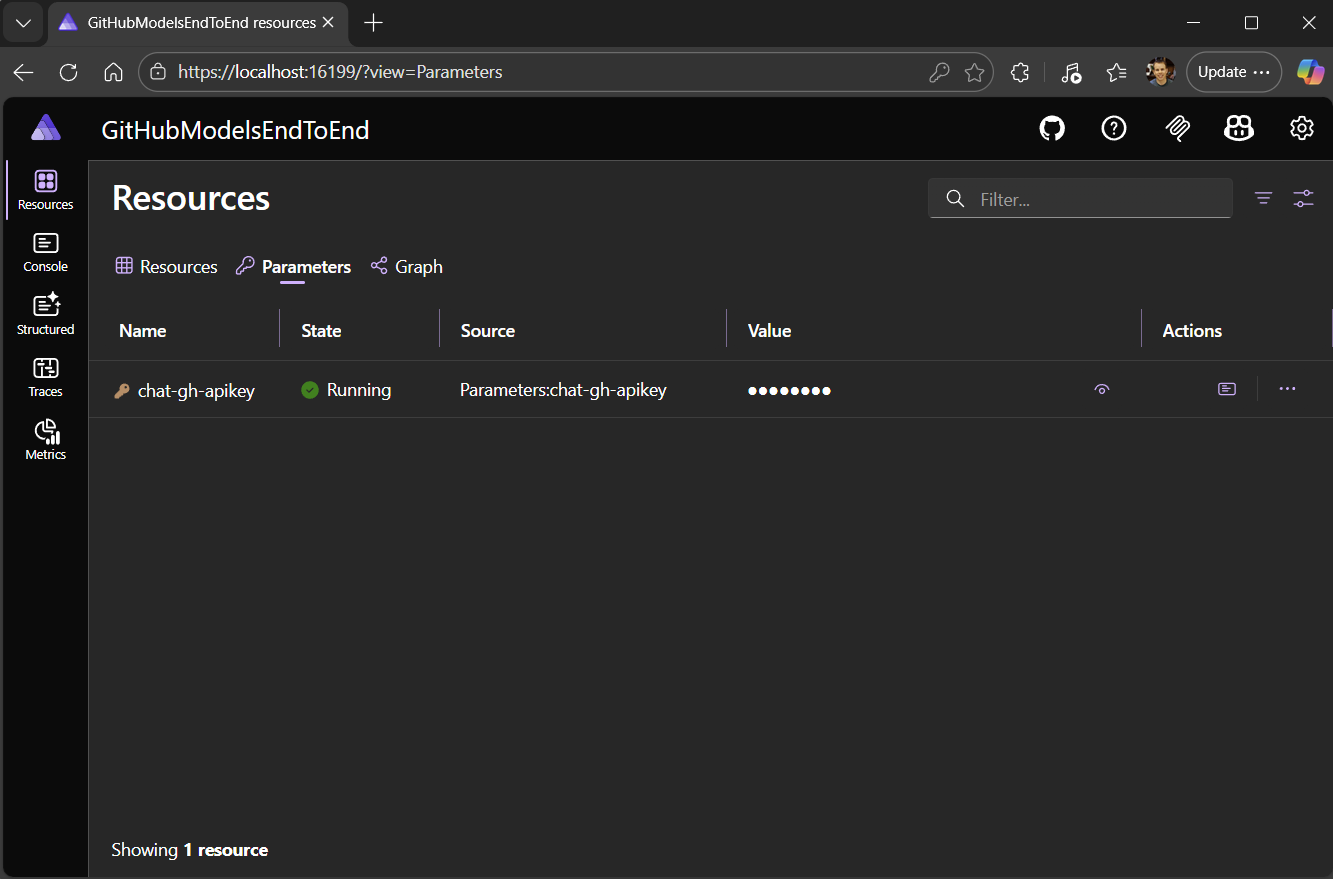
The dashboard gets a dedicated Parameters tab on the Resources page, making it easier to view and manage configuration parameters without navigating away from resource details.
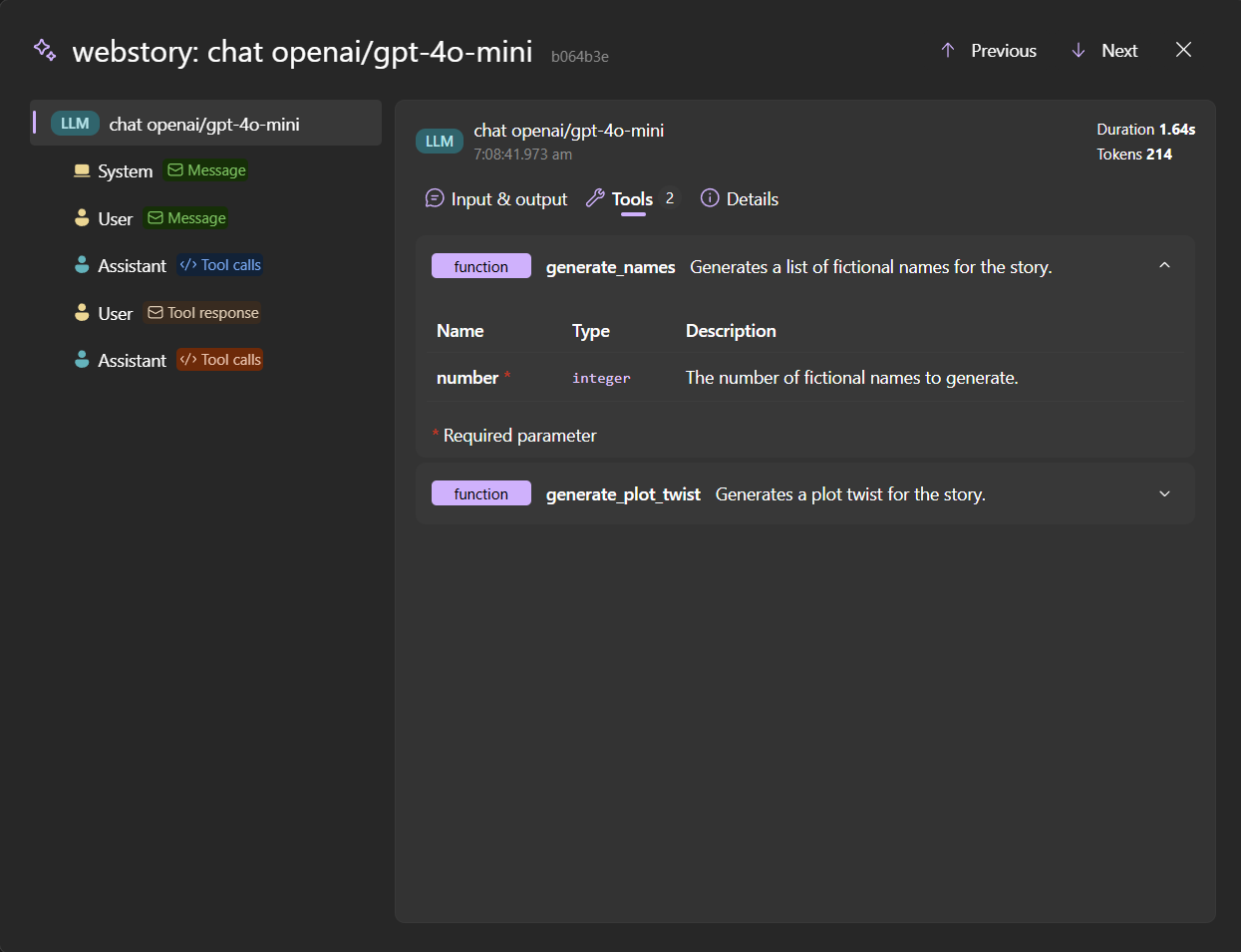
The GenAI visualizer also received several improvements:
- Tool definitions and evaluations are now displayed
- Video and audio content can be previewed
- Log entries include direct links to the GenAI visualizer
- Better handling of various AI model response formats
🤖 AI agents meet Aspire
In Aspire 13, we introduced the Dashboard MCP – an HTTP-based server that lets AI assistants query your running application’s resources, logs, and traces. It was powerful, but required manual configuration with API keys and URLs.
Aspire 13.1 takes this further with a new stdio-based MCP via the CLI. The new aspire mcp init command detects your development environment and configures everything automatically:
aspire mcp initWhich agent environments do you want to configure?
[ ] Configure VS Code to use the Aspire MCP server
[ ] Configure GitHub Copilot CLI to use Aspire MCP server
[ ] Configure Claude Code to use Aspire MCP server
[ ] Configure Open Code to use Aspire MCP server
Which additional options do you want to enable?
[ ] Create an agent instructions file (AGENTS.md)
[ ] Configure Playwright MCP serverThe CLI MCP wraps the dashboard functionality and adds new tools for agentic development:
- Integration discovery – AI agents can list available Aspire integrations and retrieve documentation for any package
- AppHost management – List and switch between AppHost projects in your workspace
- Dashboard tools – Query resource state, view logs, and inspect traces from your running application
Imagine asking your AI assistant “Why is my API failing?” and having it actually check your logs and traces to give you real insights. Or asking it to add Redis to your project and having it know exactly which package to use and how to configure it.
🌐 JavaScript frontend starter template
A new Starter App (ASP.NET Core/React) template provides a ready-to-use full-stack setup with an ASP.NET Core minimal API backend and a Vite-backed React frontend:
aspire new

Select a template:
> Starter App (ASP.NET Core/Blazor)
  Starter App (ASP.NET Core/React)
  Starter App (FastAPI/React)
  Empty AppHost
The template includes everything wired up and ready to go – just run aspire run and start building.
☁️ Azure improvements
Azure Functions stabilization: The Azure Functions integration is now stable!
Azure App Service deployment slots: Deployment slots let you deploy new versions of your app to a staging environment, validate them, and then swap into production with zero downtime. The new WithDeploymentSlot API makes this easy:
var builder = DistributedApplication.CreateBuilder(args);

builder.AddAzureAppServiceEnvironment("env")
    .WithDeploymentSlot("staging");
Azure Managed Redis: Azure Cache for Redis has announced its retirement timeline for all SKUs, and we recommend moving your existing instances to Azure Managed Redis as soon as possible. In Aspire, we’ve deprecated AddAzureRedis and renamed AddAzureRedisEnterprise to AddAzureManagedRedis. URIs now use rediss:// as the default scheme, ensuring proper TLS connections for polyglot applications. For more details, see Best practices for the Azure Managed Redis enterprise tiers.
🔒 TLS termination support
In Aspire 13, we introduced automatic certificate trust for outbound requests – Python, Node.js, and containers could seamlessly make HTTPS calls to other services in your app. Aspire 13.1 completes the picture with TLS termination support for inbound traffic.
Containers like YARP, Redis, Keycloak, and Uvicorn can now serve HTTPS directly, with the ASP.NET Core developer certificate automatically configured. This means end-to-end HTTPS during local development without manual certificate setup.
📦 More goodies
- DevTunnels stabilization:
Aspire.Hosting.DevTunnelsis now a stable package – use dev tunnels to expose your local Aspire applications to the internet for testing webhooks and external integrations - Keycloak OTLP export: Export telemetry from Keycloak containers with
.WithOtlpExporter() - Deployment improvements: Various fixes to make deployment faster and more reliable
💫 Get started today
Aspire 13.1 continues to build on the polyglot foundation of Aspire 13, with a particular focus on making AI coding agents productive members of your development team.
Ready to upgrade? It’s easy:
# Update the Aspire CLI
aspire update --self

# Then, update your project
aspire update
New to Aspire? Check out aspire.dev for getting started guides, or dive right in:
aspire new # Interactive template pickerWant more details? The complete release notes cover everything, including migration guides and experimental features.
We’d love to hear what you think! Share feedback on GitHub, join the conversation on Discord, or connect with us on BlueSky.
Happy holidays, and happy Aspirifying! 🎄🚀


Happy holidays!