

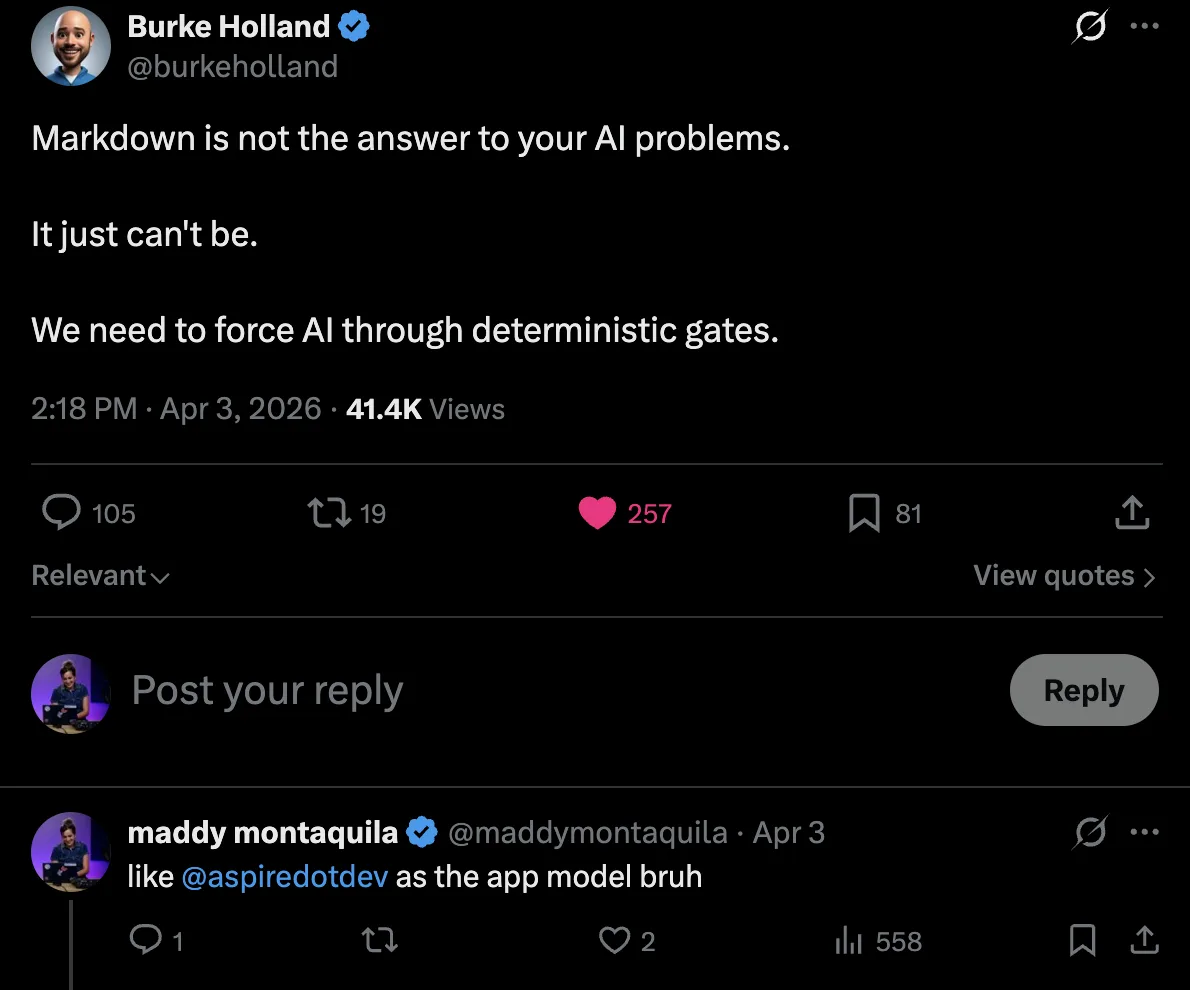
AI agents are really good at writing code. Embarrassingly, scarily, and increasingly good. But generating code and shipping working full-stack apps are very different things. Right now, most agents are fantastic at the first part and terrible at everything after it. To try and keep agents on track, we layer on Markdown — skills, prompts, custom instructions – but those are unpredictable, require constant maintenance, can’t be compiled or tested, and cost tokens just to parse.
When it comes to actually running the app, things get worse. Long-running CLI processes (like a Vite dev server) can hang agents entirely. Port conflicts, phantom processes, unset environment variables — all of it burns tokens while the agent spins its wheels troubleshooting by trial-and-error.
Even when everything does run, the feedback loop is broken. The agent can’t see what’s happening! It relies on you to copy-paste logs, errors, and screenshots back into the chat. That makes the agent loop annoyingly manual, dependent on your constant attention and feedback. As agentic tools move toward things like autopilot, YOLO mode, and delegated sessions, we want agents to run as long as possible without intervention — but also without breaking things.
Burke Holland, VS Code #influencer and generally smart guy, nailed one of my biggest concerns in a recent post:
Aspire can help
Aspire’s main goal is giving structure to distributed apps — defining your stack in code, running everything with one command, and surfacing telemetry so you can actually see what’s happening. It turns out those same things are exactly what AI agents need to be effective. Think of it like bowling — if you aren’t great, you probably throw the ball in the gutter a lot. But put up lane bumpers, and a gutter ball can turn into a strike!
With Aspire 13.2, we went all-in on agent-friendly features (along with our usual heap of human-friendly improvements ☺️). The CLI now outputs structured, minimal-token responses built for agent consumption. Detached and isolated run modes let agents run and parallelize without conflicts. aspire doctor validates the environment before work starts. And aspire init ships agent skills and an MCP out of the box.
🔨 Agents love compilers, and agents loooooove reading source code
Agents are at their best when they have two things: source code to read and a compiler to check their work (usually via the command line). They have that already with your app, but lose that with YAML or JSON based launch configs. The Aspire apphost gives you the same functionality as a compose.yml or launch.json but in typesafe, compilable, TypeScript or C# code.
When your stack is defined in code — your API, your frontend, your database, your cache — the agent doesn’t have to guess how things connect. It can traverse the apphost, discover available integrations, read the APIs, wire up new resources, and build the project to see if everything relates correctly. No trial and error with CLI flags, and no guessing at configuration formats!
Here’s what a typical apphost looks like — your entire stack, defined in a few lines of code:
import { createBuilder } from './.modules/aspire.js';

const builder = await createBuilder();

const postgres = await builder.addPostgres("pg").addDatabase("catalog");
const cache = await builder.addRedis("cache");

const api = await builder
    .addNodeApp("api", "./api", "src/index.ts")
    .withHttpEndpoint({ env: "PORT" })
    .withReference(postgres)
    .withReference(cache);

await builder
    .addViteApp("frontend", "./frontend")
    .withReference(api)
    .waitFor(api);

await builder.build().run();
An agent can easily read this to understand the full topology of your app. This also means the agent can modify your stack with confidence. Need to add Redis? The agent can add the integration, reference it from the right project, and build to verify, all without you telling it what to do. The compiler tells it immediately whether the change is valid. Instead of scattering secrets across .env files that are easy to accidentally commit, you define parameters in the apphost. Resources can declare which parameters they need to start, you or the agent can fill them in interactively, and the values get stored in your user profile — outside the source tree and out of version control.
⏯️ Stop making your agent a process manager
Right now, when an agent needs to run your app, it fires off a ton of commands like docker compose up, npm run dev, python manage.py runserver, ./random-build-script.sh and whatever else your stack requires. Long-running processes are especially painful — a Vite dev server or a database container doesn’t exit, so the agent either hangs waiting for it or tries to background it and loses track. It also usually spends some time trial-and-erroring the startup order. Even if someone on your team built out instructions.md, phantom processes still pile up, ports conflict, and the agent burns tokens just trying to run things.
With Aspire, all of that is one command. Every resource in your stack is defined in the apphost, and aspire start kicks off — and keeps track of — all of them. APIs, frontends, containers, databases, started in the right order, on the right ports, with the right configuration. The agent doesn’t need to know how to start each piece individually. It just runs aspire start and moves on. And the Aspire skill that ships with aspire init tells the agent how to inspect resources and keep an eye on things from there.
As the agent writes and iterates on code, it can restart individual resources without tearing down the whole system. All logs from every resource stream into one place as plain text, so the agent can read them without context-switching between terminals. And because everything is codified in the apphost, it’s deterministic — the same command works every time, on every machine, for every agent.
And if you’re running multiple agents? --isolated mode means each Aspire run gets its own ports and secrets. You can spin up multiple agents in parallel across different worktrees and they won’t collide. That’s a game changer for delegated sessions and parallel workstreams.
Building AI features?
This same workflow applies when the thing you’re building is AI. Aspire integrations for OpenAI, Ollama, Microsoft Foundry, and more mean your agent can wire up AI endpoints the same way it would an API project or a database – it’s just another resource in the app model.👀 Give your agent “eyes” – aka a real feedback loop
Your agent can build and run your app now, but then it hands off to you to test that things are actually working. How can we help it check its work as it goes – or, as the Aspire team says, give the agent “eyes”?
Logs are the obvious starting point. Aspire makes every resource’s logs accessible through the CLI as plain text, so the agent can check for errors without you pointing it to the right terminal window or copy-pasting stack traces.
But! We can do better than just logs. The Aspire CLI also exposes full OpenTelemetry data during local dev — traces, metrics, structured logs, all of it. So the agent isn’t just reading console output and trying to string together what happened between services based on timestamps. It can profile slow requests, trace a failing workflow across services, and pinpoint exactly where things go sideways. That’s production-grade observability, right in the agent’s terminal, during dev. If you’ve used the Aspire dashboard, you already know how nice it is to have OTel data presented in a human-readable way. Now, we’re giving that same power to the agent.
If you really want to go full hands-off: pair Aspire with something like the Playwright CLI or a browser agent. Now your agent can actually use your app by clicking through flows, filling out forms, or checking the DOM. It tests the experience, sees something broken in the telemetry, fixes the code, restarts the resource, tests again. No screenshots to copy-paste, no “do it right this time, make no mistakes”. Build, run, observe, fix, rinse, repeat! That’s the loop.
💫 Get started
New to Aspire? Head to get.aspire.dev to install the CLI, then check out the Getting Started guide to build your first app or add Aspire to your existing stack.
Already using Aspire? Run aspire update --self to get all the 13.2 agent features, then point your favorite coding agent at your repo and see what happens. You might be surprised how much further it gets.
We’re iterating quickly on Aspire’s agent-friendly story, so we’d love to hear how it goes for you. Share feedback on GitHub, hang out with us on Discord, or find us on X and BlueSky.
Now, go give your agent some bumpers to bounce off of while it helps you code! Happy Aspirifying! 💫


0 comments