
Visual Studio Blog
The official source of product insight from the Visual Studio Engineering Team
Featured posts
Visual Studio 2026 is here: faster, smarter, and a hit with early adopters

Dear developers, We’re thrilled to announce that Visual Studio 2026 is now generally available! This is a moment we’ve built side by side with you. Your feed...
Latest posts
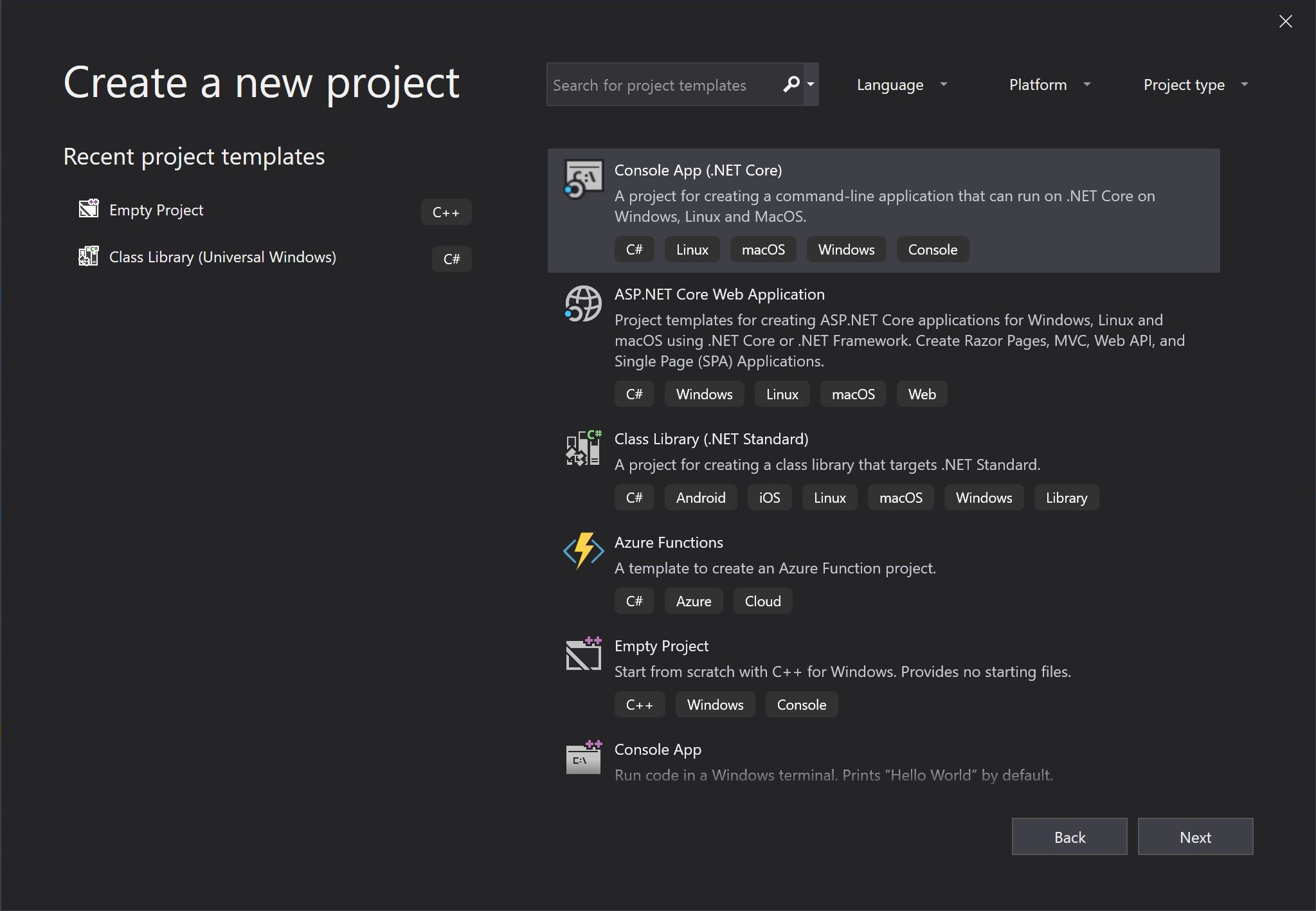
Redesigning the New Project Dialog

Last week, we released Visual Studio 2019 version 16.1 Preview 2. If you have the latest update – awesome and thank you. If not, you can download it from the link above. Or, if you already have the Preview, just click the notification bell inside Visual Studio to update. This post discusses one of the most visible interface changes we’ve made in Visual Studio 2019 – the New Project Dialog. Motivation In Visual Studio 2019, one of our main objectives was to help you (both new and experienced developers) get to your code faster. You can read more about this journey in the blog post that discussed the new start wi...
Visual Studio 2019 version 16.1 Preview 2

Visual Studio 2019 version 16.1 Preview 2 is now available with performance and reliability improvements as well as enhancements to C++, debugging, extensibility, and the IDE experience.
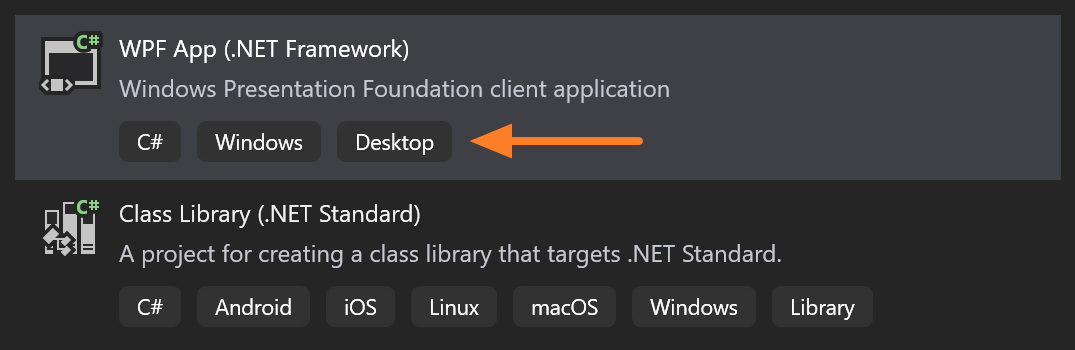
Build Visual Studio templates with tags, for efficient user search and grouping

Enable custom filters for your project templates with language, platform, and project type tags for increased discoverability in the New Project Dialog. In this walkthrough, you will learn how to build a Visual Studio project template, add tag(s) to it, and deploy it as a Visual Studio extension.
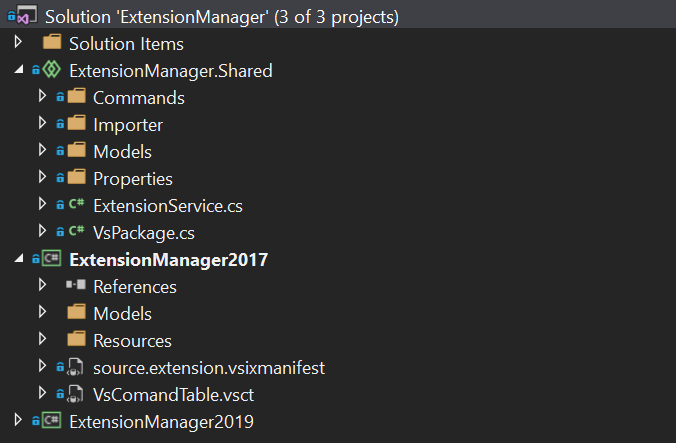
New features for extension authors in Visual Studio 2019 version 16.1
Take advantage of new features for extension authors in Visual Studio 16.1 Preview 1. This includes support for referencing Shared Projects for a VSIX project, per-monitor awareness, a new SDK meta package, and more.
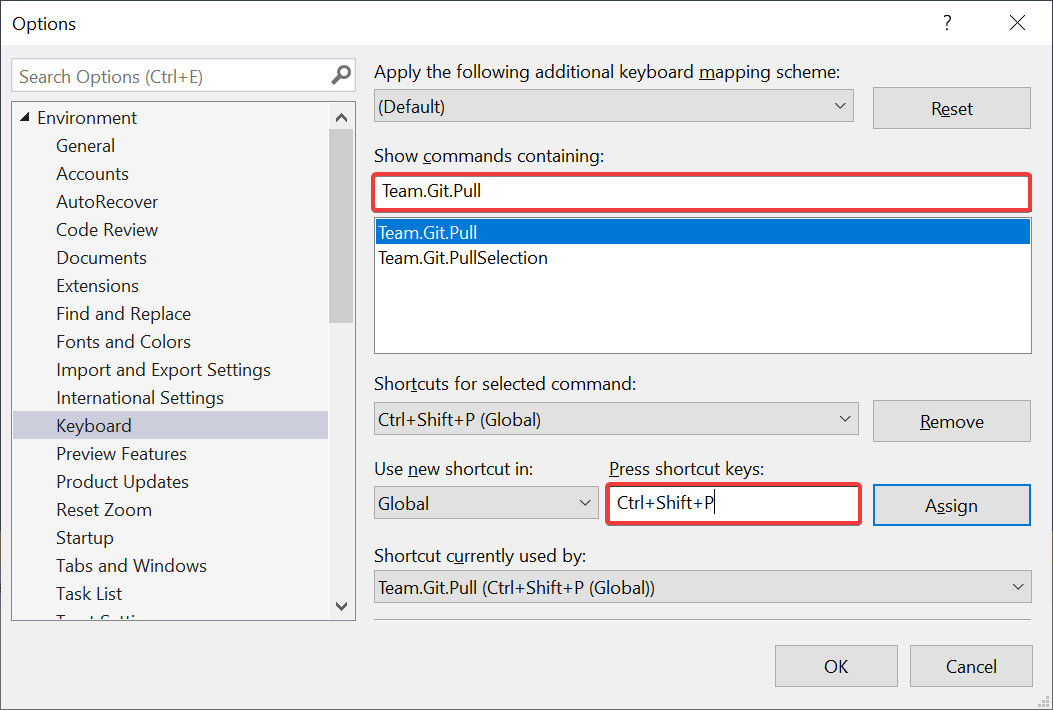
Little great things about Visual Studio 2019
A few days ago, we announced the general availability of Visual Studio 2019. But I’ve been using Visual Studio 2019 exclusively since the first internal build – long before the release of Preview 1 in December of 2018. During this time, there has been a lot of little features that have put a smile on my face and made me more productive. I want to share a few of them with you.
Introducing Time Travel Debugging for Visual Studio Enterprise 2019

The Time Travel Debugging (TTD) preview in Visual Studio Enterprise 2019 provides the ability to record a Web app running on a Azure Virtual Machine (VM) and then accurately reconstruct and replay the execution path. TTD integrates with our Snapshot Debugger offering and allows you to rewind and replay each line of code however many times you want, helping you isolate and identify problems that might only occur in production environments.
Visual Studio 2019 for Mac is now available

Today, we are excited to announce the general availability of Visual Studio 2019 for Mac – the next major version of our .NET IDE on the Mac. This release is now available as an update in the Stable channel for existing Visual Studio for Mac users, and new users can download and install it today as well. Visual Studio 2019 for Mac focuses on improving the core of the IDE, setting a foundation for us to bring new capabilities to you more rapidly with future updates.
Live Share now included with Visual Studio 2019

Today we’re excited to announce Visual Studio Live Share for generally availability and included with Visual Studio 2019! This is the culmination of over a year of hearing your feedback and building a product that enhances the many diverse ways you and your team collaborate. Regardless of whether your team is fully remote, partially distributed, or entirely co-located, we want to make your collaboration experiences more enjoyable and productive with Live Share.

Visual Studio 2019: Code faster. Work smarter. Create the future.

Visual Studio 2019 is now available for download at visualstudio.com/downloads. Try it today to experience our best release yet.